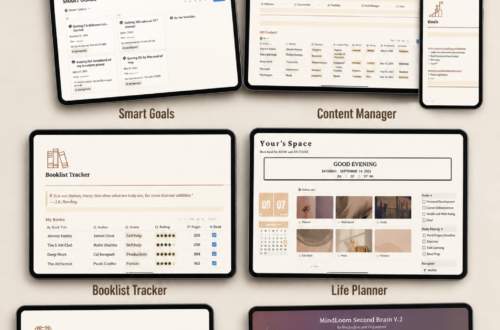
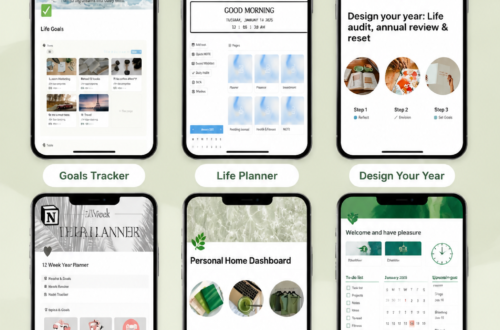
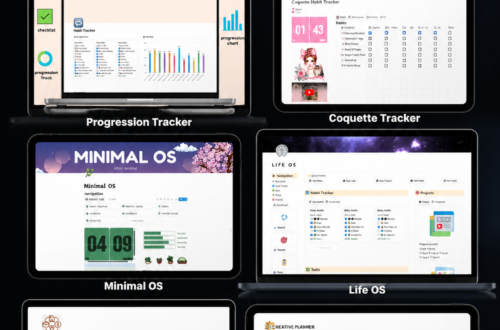
Most people start a new routine in January and quietly drop it by February. The fix is rarely more willpower. It is a simpler way to see what you did yesterday, which is why good habit tracker ideas matter so much.
This guide shares practical habit tracker ideas you can build in Notion yourself, plus 19 ready-made Notion habit tracker templates grouped by use case. Students, professionals, creatives, and anyone building a daily or monthly routine will find something useful here.
Every template here is a digital Notion template. You duplicate it into your own workspace and use it on desktop, phone, or iPad with a free Notion account. The guide starts with a setup walkthrough, moves to the template picks, and ends with practical FAQs.
What Is a Habit Tracker and Why Habit Tracker Ideas Work in 2027
A habit tracker is a simple system for logging whether you did something each day, week, or month. Its power comes from visibility. A row of checkmarks or a streak counter gives you an honest picture of consistency, which memory rarely provides.
A 2027 setup works best when it mixes three views: a daily check-in, a monthly grid, and a yearly overview. Many readers also look for habits tracker ideas that cover all three at once.
The strongest habit tracker ideas share a few traits: they are fast to update, show progress clearly, are easy to customize, and work across devices.
Common types include checkbox grids, progress bars, calendar views, habit-plus-journal layouts, and all-in-one life dashboards. Each suits a different personality, so the picks below cover all of them.
Best Notion Habit Tracker Templates for 2027: 19 Picks
Below you will find 19 templates that double as working habit tracker ideas you can adapt to your own life. Each pick has a best-for line, a preview, and a button to the product page. Two products share a similar name, so check the product number before you download. Descriptions follow the seller’s listing, so verify the contents after duplicating.
1. Simple Daily Check-In Dashboard for Beginners
Best for: beginners who want a quick daily check-in with every habit on one screen.
Clean Everyday Check-In Dashboard

Stay consistent with a daily habit tracker and planner built for simplicity. It logs each habit day by day, shows your progress, and keeps your goals in one clean dashboard. It suits morning routines, fitness goals, and everyday mindfulness.
2. Three-View Progress Tracker for Minimal Setup
Best for: readers who want to see habits by today, this week, and this month.
Today, Week and Month Views

A straightforward habit tracker with three views: today’s habits, the week ahead, and the full month. A progress bar gives a visual read on how your habits are doing, so you can spot gaps without digging through pages.
3. Full Productivity System for Busy Professionals
Best for: professionals who want habits connected to tasks, projects, and goals.
Professional Life System With Habits
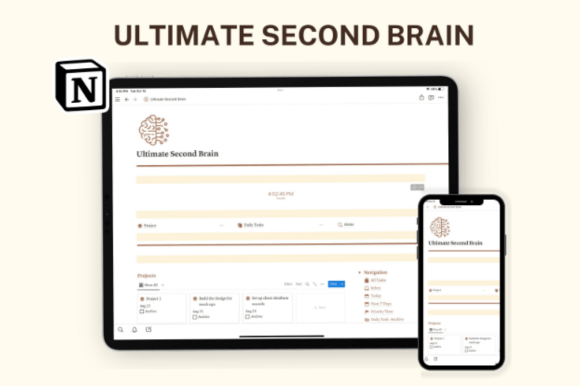
A multi-page system built for work and life. It includes a dashboard, projects, daily tasks, areas, resources, a calendar, notes, and a habit tracker section, plus pages for health, personal growth, and finances. You can add custom sections as your needs change.
4. One-Page Day Planner with a Habit Section
Best for: students, freelancers, and anyone who wants the whole day on one page.
One-Page Day Planner Layout
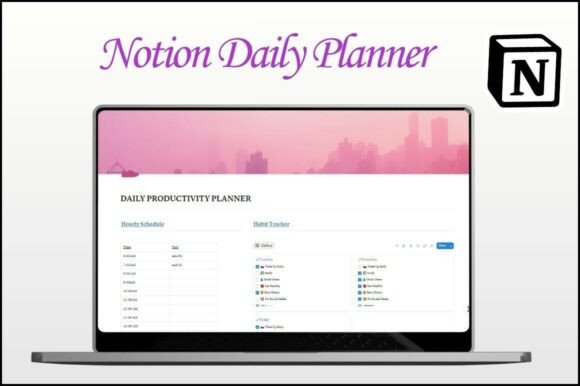
A minimalist one-page planner that keeps your day focused. It has a top three priorities section, a to-do list with an hourly schedule, and a habit tracker with notes. It suits students, freelancers, entrepreneurs, and anyone organizing their day.
5. ADHD-Friendly Routines and Planning Pages
Best for: readers who want visual routines and planning prompts. It is a planning tool, not a treatment.
Routine-First Life Planning Pages
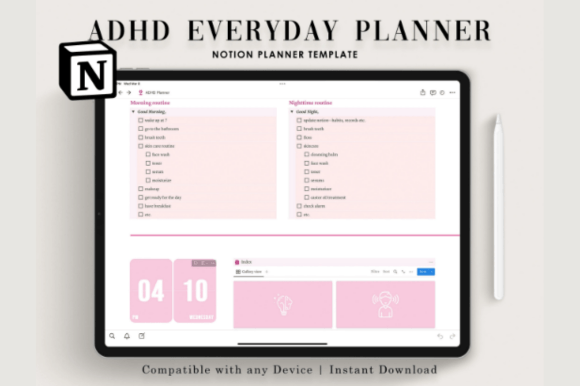
This Notion planner bundles several ADHD-oriented pages into one simple, visual set. You get a dashboard, morning and nighttime routines, priority tasks, a habit tracker, a journal, a calendar, a water tracker, and a sleep log, plus focus, reflect, plan, and be-present sections.
6. Money Habits and Monthly Budget Overview
Best for: readers building saving and spending habits with clear numbers.
Money Habits and Budget Overview
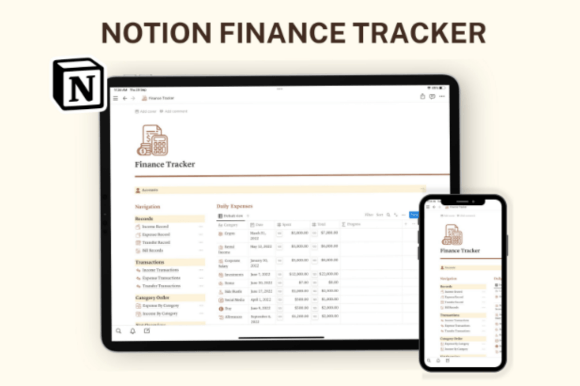
A minimalist finance system with a dashboard, daily expense records, income and transfer logs, bill tracking, category breakdowns, and a yearly overview. It also includes a financial habit tracker and income goals, with automated calculators.
7. Calendar Habit Tracker Inside a Second Brain
Best for: people who want habit tracker ideas inside one connected system.
Projects, Tasks and Habits Together
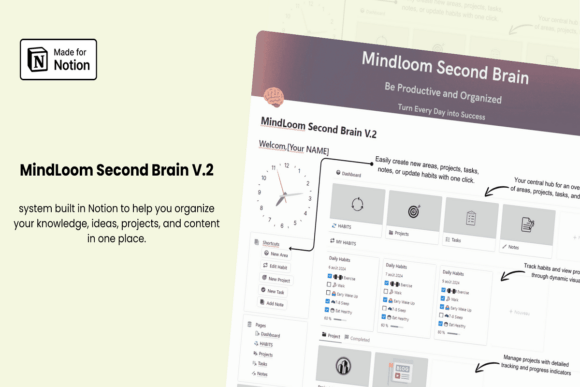
A flexible all-in-one system that acts as a second brain. It offers a habit tracker with a calendar view for checking consistency, a project gallery for milestones and deadlines, a task table for priorities, a notes section for ideas, and progress monitoring to keep goals visible.
8. Self-Care Tracking and Reflective Journals
Best for: readers who want gentle self-care tracking and journaling. It is for reflection, not medical tracking.
Gentle Reflection and Self-Care Journal
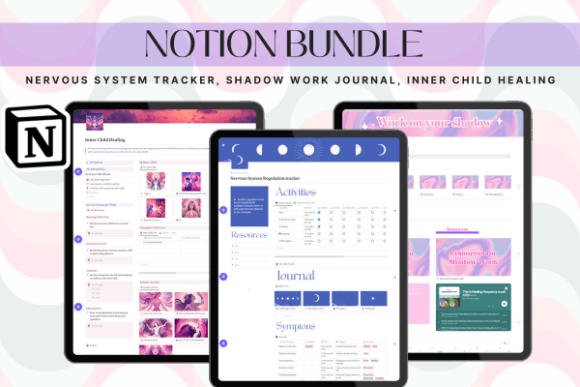
A wellness bundle with a nervous system tracker for activities, symptoms, and habits, a toxic habit tracker, and a journal space. It also includes a shadow work journal with guided prompts and an inner child healing template with a daily self-care tracker and a monthly reflection.
9. Build-Your-Own Habit List With a Progress Bar
Best for: readers who want to add their own habits from scratch. It is a different product from item 2, despite the similar name.
Custom Habits With Live Progress

A customizable tracker that starts empty, so you add any habits you like. Check off each one and the progress bar updates in real time. It is simple and easy to use, which makes it a good first custom tracker.
10. Stress, Sleep and Calming Activity Log
Best for: readers tracking stress, sleep, and calming routines. It is a self-tracking tool, not a treatment.
Calm Body Routine Tracker

A Notion template for tracking activities that support nervous system balance, such as meditation, breathing, and yoga. It includes a symptom log, a journal, a toxic habit tracker for things like late-night screens or extra caffeine, and an activities table to guide your routine.
11. Charts for Ten Habits and Success Rates
Best for: data-minded readers who like charts, percentages, and clear progress.
Checkmarks and Visual Progress Charts
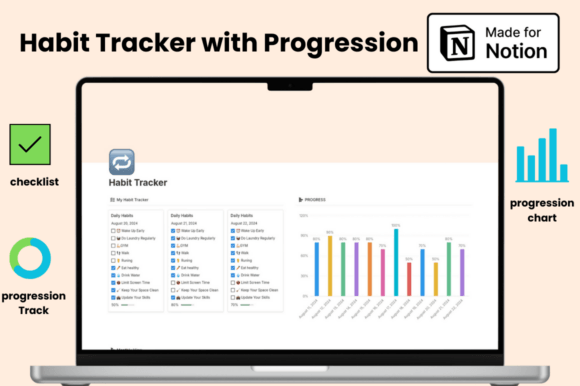
Track up to ten habits each day with simple checkboxes. The template calculates your success rate automatically and displays progress in dynamic charts, so you can see where you excel and where you need work. You can add, remove, or adjust habits as your routine changes.
12. Daily Agenda for Work and Study Life
Best for: professionals and students who need a daily agenda and routine structure.
Work Agenda and Daily Rituals
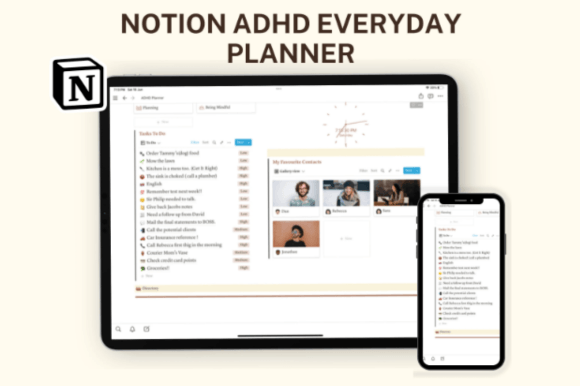
A distraction-free dashboard that organizes your day. Today’s agenda separates personal tasks, home chores, office appointments, and academics. It also includes a priority list, a calendar planner, a daily habit tracker, morning and night rituals, a journal for contacts, and a clock.
13. Soft Pink Aesthetic Habit Grid
Best for: readers who want a stylish, pink-themed take on habit tracker ideas. The listing is brief, so verify the features after duplicating.
Soft Pink Tracking Layout

A coquette-style Notion tracker built around pink elegance. It keeps habit tracking organized and easy to scan, so you can follow your routines and customize the look with a touch of pink.
14. Calm Blue Life Dashboard With Goals
Best for: readers who want goals, habits, and life areas in one dashboard.
Blue Calm Dashboard for Life Areas

A calm blue dashboard that brings together a goal tracker, an overview calendar, a daily quote, and a habit tracker. One-click navigation leads to planner, finance, investment, reading journal, health, notes, and lifestyle pages, with a user guide included.
15. Beginner-Friendly Pink Planner With a Guide
Best for: complete beginners who want a warm, pink daily and weekly planner. The seller states personal use only.
Warm Pink Weekly Planning Pages
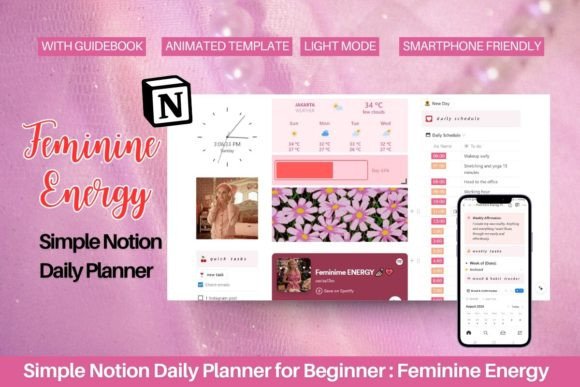
A pink-themed daily and weekly planner made for first-time Notion users. It includes a habit tracker, a guidebook with a video demonstration, and playful icons. Everything can be customized, and the template is for personal use only, not for resale.
16. Large Set with Twenty Systems Inside
Best for: readers who want many systems in one purchase and plan to compare styles before choosing a main one.
Twenty Ready-Made Systems Together

A large set with twenty templates for projects, tasks, passwords, life goals, daily planning, finance, a library, freelancing, CRM, and habits. It includes a habit tracker and daily planner, a progression-style tracker, and a second brain template, and it is easy to customize.
17. Creative Habit Log for Artists and Illustrators
Best for: illustrators, artists, and creative hobbyists who want a steady practice.
Sketch Challenge and Art Habit Log

A beginner-friendly planner for illustrators and hobbyists. It includes a monthly sketching challenge, collections for art licensing, inspiration, journaling, a monthly planner, a creative habit tracker, a project tracker, and a skill-learning tracker, plus an instructional video tour.
18. Health, Fitness and Nutrition Tracking Pages
Best for: readers who want habits connected to health, fitness, and meals. The listing says it works in the free version of Notion.
Five Areas for Body and Mind

A wellness planner with five areas: productivity, health with mood, sleep, period, and hydration trackers, fitness with exercise and workout databases, self-care with habit and reading trackers, and nutrition with meal tracking, recipes, and an ingredient list.
19. Second Brain, Habits and CRM in One Set
Best for: freelancers and entrepreneurs who want a full system at once. Check the license terms before any commercial use.
Four Systems for Daily Routines
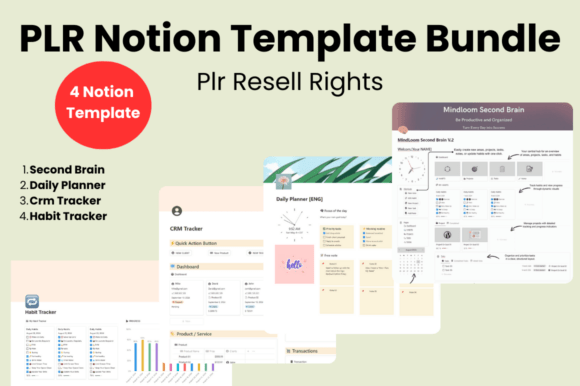
A four-template bundle with a second brain system for notes and projects, a habit tracker for daily, weekly, and monthly habits, a daily planner with time blocking, and a CRM tracker for contacts and pipelines. It is fully built in Notion and easy to customize.
How to Get the Templates and Duplicate Them in Notion
Creative Fabrica currently offers one month of free access under its current offer, as listed on the site when this guide was written. Treat it as a trial rather than a permanent free plan. Not every template in this list is free, and terms can change, so check eligibility at checkout.
Whichever of these habit tracker ideas you choose, the process is the same. Each template is a digital Notion template, so there is nothing to print. You copy it into your own workspace and customize it there.
- Open the product page from the button in the template section.
- Follow the seller’s instructions to get the Notion template link.
- Open the link in Notion and click Duplicate.
- Rename the page, remove sections you do not need, and set up your habits.
Most templates work with a free Notion account. Check each product description for any extra requirement before you buy.
Want a no-cost option? The step-by-step build later in this guide creates a working habit tracker on the free plan in under an hour.
Daily Habit Tracker Ideas That People Actually Keep Using
Daily trackers fail when they ask for too much. These habit tracker ideas keep each check-in short enough to finish in under a minute.
- A checkbox grid with three to five habits at most. Fewer habits are easier to keep up.
- Morning and evening routine sections that take under two minutes to complete.
- A progress bar or streak counter for visible motivation.
- A one-sentence reflection line each night.
Start with this list for a week, then swap out anything you skip most often.
Monthly Habit Tracker Ideas for Long-Term Consistency
Daily checkmarks show today. Monthly views show patterns, such as a rough Tuesday or a strong weekend. Pair these monthly habit tracker ideas with a short weekly review so small slips do not become a trend.
- A 30- or 31-day grid per habit so weekly patterns stand out.
- A monthly intention written at the top of the page.
- An end-of-month review with three questions: what worked, what slipped, and what changes next month?
- Monthly pages linked to your 2027 yearly overview.
Ideas to Copy for Common Goals
- Morning routine: water, stretching, and ten pages of reading.
- Fitness: workouts, daily steps, and a consistent bedtime.
- Finance: a no-spend day, a budget check, and an automatic savings transfer.
- Creative work: twenty minutes of practice and one sketch a day.
Journal Habit Tracker Ideas: Step-by-Step Notion Setup
The best journal habit tracker ideas add one sentence of reflection to each check-in. This setup takes about 30 minutes and works on the free plan.
Step 1: Choose Your Layout
Pick one of these habit tracker ideas to start: a daily grid, a monthly grid, or a habit-plus-journal page. Begin with one layout and add others later.
Step 2: Create a Habit Database
Create a table with four properties: Habit (title), Date (date), Done (checkbox), and Notes (text). This structure supports nearly all habit tracker ideas, because each row records one habit on one day. A formula that counts completed checkboxes gives you a weekly completion rate.
Step 3: Add Views
Create three table views named Today, This Week, and This Month, each filtered by the Date property. Add a calendar view to see streaks as colored days, and test every view on your phone so your habit tracker ideas stay easy to check each morning.
Step 4: Add a Reflection Column
Add a Reflection text column or link a small journal database to your tracker. Ask one prompt each evening, such as What made this habit easier today? Review the reflections every Sunday and adjust your habit list.
Step 5: Plan Your 2027 Overview
Create a yearly page that links to twelve monthly pages. Add a goals section for January to March, then review your progress each quarter.
Notion vs Paper Planners and Habit Apps
- Notion: customizable and searchable, and it can link habits to projects and goals. It works across devices, but setup takes time.
- Paper planners: tactile and screen-free, which helps focus. They are harder to analyze over months.
- Dedicated habit apps: simple reminders and streak counts. They are less flexible when habits connect to notes, budgets, or projects.
Choose Notion if you want one connected system, paper if you want screen-free focus, and an app if you mainly need reminders. Whichever tool you pick, none is universally better, so match it to the habit tracker ideas you will really keep.
Using Your Habit Tracker on Phone and iPad
Using these habit tracker ideas on a phone or iPad is easy once the layout is set. These habits keep things smooth:
- Pin the tracker page to your home screen through the Notion app for a one-tap check-in.
- Use the iPad for weekly and monthly reviews, where the larger calendar view is easier to read.
- Keep daily views short so they fit on a small screen.
- Test the layout on your own device before committing, because spacing can vary.
Common Habit Tracker Mistakes and How to Avoid Them
Most failed trackers share the same few problems. Keep your habit tracker ideas small, specific, and reviewed each week.
- Tracking too many habits: start with three to five.
- Vague names: “Exercise” is weaker than “20-minute walk after lunch”.
- Skipping the review: set a weekly ten-minute check.
- Perfectionism: missing one day is not failure, so never miss twice.
- Over-customizing: keep setup under one hour and start tracking.
Frequently Asked Questions
What Are the Best Habit Tracker Ideas for Beginners?
Start with one of the habit tracker ideas above, such as the simple daily check-in dashboard. After ten days of data, add a monthly view.
Is There a Free Notion Habit Tracker?
Yes. The step-by-step build in this guide creates a working tracker on the free Notion plan. Some templates in the list are also free on their product pages, but check each listing first.
Do I Need a Paid Notion Plan to Use These Templates?
Most templates work with a free Notion account. Check the description of each product for any extra requirement.
How Do I Duplicate a Notion Template?
Open the product link, follow the seller’s steps to get the Notion link, click Duplicate, and then rename and customize the copy.
Can I Use Notion Habit Trackers on My Phone and iPad?
Yes. Notion works on desktop, phone, and iPad. Test each layout on your own device before committing.
What Is the Difference Between a Habit Tracker and a Habit Planner?
A tracker records completions. A planner adds scheduling, priorities, and goals around your habits.
How Long Should I Use One Habit Tracker Before Switching?
Give a layout at least 30 days. Switch only if it causes friction.
Can I Use a Habit Tracker for ADHD or Stress Management?
Yes, as a planning and self-observation tool. These habit tracker ideas can support routines, but they do not replace professional advice.
Is the Creative Fabrica Free Month Really Free?
It is a free trial under the current offer. Terms may change, so check the site at checkout.
The Bottom Line
Good habit tracker ideas work for one simple reason: they make progress visible. You do not need a perfect system to get started. Begin with one daily check-in, add a monthly view for patterns, and spend ten minutes each week reviewing what worked. If you want to start today, build the free tracker from this guide, or choose one of the 19 templates that matches your routine. Duplicate it, check off your first habit, and let the streak begin. Small steps add up faster than big plans that never leave the page. Consistency grows from repeated wins, and your 2027 routine can start with a single checkmark.

Worth Checking Out
22 Notion 2027 Planner Templates That Make Every Week Feel Lighter