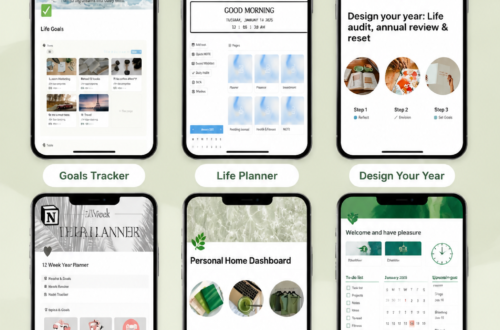
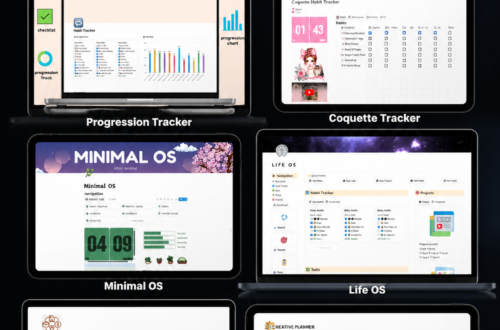
Most people set their yearly goals with real enthusiasm, then lose them by February because the targets live in scattered notes, sticky pads and forgotten apps. A good notion goals template solves that problem by putting yearly goals, quarterly milestones and daily tasks on one page you actually open every day.
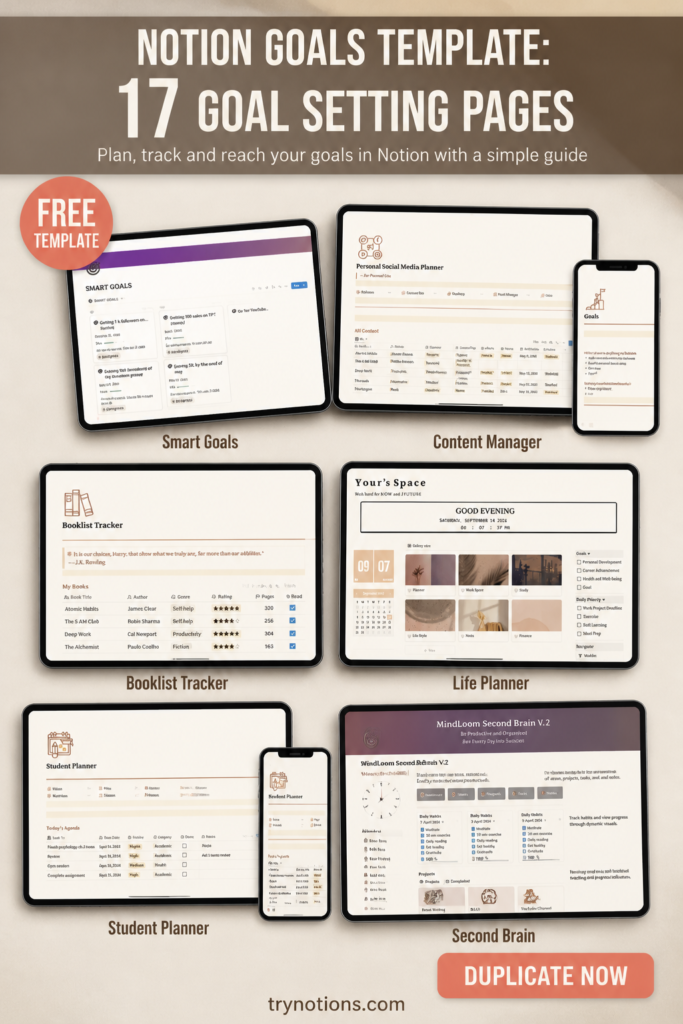
Notion is free to start, and every notion goals template in this guide duplicates into your own workspace. You can run the same goal system on a desktop, an iPhone or Android phone, or an iPad, so your targets follow you through the day.
This guide covers what a goals notion page is, seventeen ready-made options, how to duplicate and customize one, a six-step build from an empty database, and the mistakes that sink most goal systems. Some templates are dedicated goal pages, while others are broader planners where goals are just one section among many.
If you are a student, a freelancer, a creator or a busy professional, the list below has a starting point for you. Pick the option that fits your main area, then follow the steps to make it work for your year.
Notion Goals Page: What It Is and Why It Helps
A notion goals template is a pre-built set of linked Notion pages and databases for setting, tracking and reviewing goals. Instead of starting from a blank page, you get the structure already in place: a goal list, status labels, deadlines, progress indicators and a review area.
The core elements usually look the same across any notion goals template: a goal name, the life area it belongs to, a deadline, a status, a progress value, linked tasks and a few lines of review notes. Once those fields are in place, the page answers the questions that matter: what am I working toward, how far along am I, and what comes next?
Notion works well for this because it combines databases with flexible views. A table shows every goal at once, a board groups them by status, a calendar shows deadlines, and a gallery makes priority items easy to scan. Add filters, sorting and a formula for percent complete, and your goals page becomes a live dashboard rather than a static list.
A Notion account is free, and the templates here are digital files you duplicate into your own workspace. There is no printing or paper setup involved, so you can start within minutes.
17 Notion Goals Template Ideas for Every Type of Goal
The list moves from dedicated goal pages to broader planners where goals sit beside tasks, money or study. Each entry names the best reader, what the template includes and where its goal features live. The “Best for” notes are our own editorial guidance to help you choose faster.
Structured Goals With Clear Deadlines
Best for people who want structured yearly and quarterly goals with firm deadlines. This notion goals template splits targets by year and quarter, guides each one through a SMART frame (Specific, Measurable, Achievable, Relevant, Time-bound), and shows current progress so you can adjust before a deadline slips.
Yearly Goals With Quarterly Checkpoints

A roadmap for turning big intentions into measurable steps. Goals are sorted by year and quarter, each one gets a deadline, and progress bars keep your momentum visible from week to week.
Creator Goals Next to Content Planning
Best for creators and small brand owners who want business goals sitting next to their content plan. You get short-term and long-term goals, a brand vision page, a task list, a hashtag library and platform pages in one connected workspace.
Brand Goals Beside Daily Content

A social media planner built for creators and small brand owners who want business targets next to their posting schedule. It includes a goals section, a brand vision page, a task list, hashtag pages and platform pages in one connected space.
Annual Reading Targets in One View
Best for readers who want a yearly book target with a clear progress view. It includes a reading goals section, a book list, currently reading and books read pages, ratings, and a music page for focused reading sessions.
Yearly Reading Targets Made Visible

A reading log designed around annual targets. Track the books on your shelf, what you are reading right now, what you have finished and how you rated each one, with a calm layout that keeps distractions out.
Goals Alongside Study, Work and Money
Best for people who want goals sitting beside study, work, finances and lifestyle in one system. The monthly, weekly and daily planner views keep your schedule on track, while the lifestyle page holds a bucket list, wishlist, travel plans and health goals.
Life Areas Mapped in One Place

A complete life system for study, work, money and personal goals. Monthly, weekly and daily planning sit beside a finance page, a study section, a workspace page and a lifestyle area for travel and health targets.
Study Goals Tied to Daily Routines
Best for students who need academic goals next to tasks, budget and fitness. The goals page sits beside daily tasks, notebooks and a monthly board, and the calendar and budget planner help you turn big semester targets into realistic weekly plans.
Academic Goals With Daily Structure

A student dashboard that keeps academic targets close to daily tasks. Notebooks, a goals page, a budget planner, a fitness tracker and a calendar work together with light, distraction-free colors.
Goals Linked to Projects and Habits
Best for people who want goals linked to projects, habits and notes. The habit tracker uses a calendar view, the project gallery keeps milestones and deadlines visible, and a progress section shows how each activity supports your bigger targets.
Habits, Projects and Notes Connected
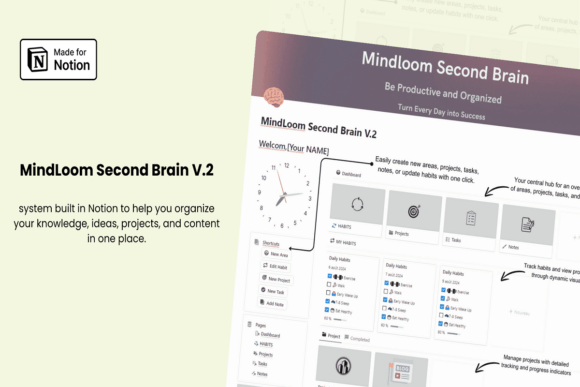
A second brain built for people juggling several projects at once. A calendar-view habit tracker, a gallery of projects with milestones and deadlines, a task table and a notes section connect everything you are working toward.
Long-Range Brand Goals Made Simple
Best for business owners who plan multi-year brand and content goals. The long-term goals planner, SWOT analysis and content strategy pages sit alongside income tracking and a brand identity planner with colors, logos and typography.
Multi-Year Brand Strategy Board

A business-focused layout for planning multi-year brand goals. It pairs a long-term goals planner and SWOT analysis with a content strategy section, income tracking, a brand identity page and a deals database.
Goal Tasks With Priorities and Deadlines
Best for freelancers and project managers who need goals broken into projects and tasks. Each task carries a priority and status, deadlines appear on the calendar, and recurring tasks and subtasks keep the bigger goal moving.
Projects Broken Into Trackable Tasks

A project dashboard that turns broad goals into trackable tasks. Set priorities and statuses, watch deadlines appear on a calendar, handle recurring tasks and subtasks, and check progress for every project.
Measurable Content Goals for Marketers
Best for content marketers who set measurable channel and campaign goals. Strategy goals, content pillars and a monthly performance review give you a clear way to judge whether the numbers are moving.
Content Targets and Campaign Tracking

A content planning system for setting measurable channel goals. Plan posts on a calendar, define content pillars, manage promotional funnels, collect research ideas and review monthly performance.
Money Goals With Monthly Checkpoints
Best for people with savings or debt reduction goals who want to follow their money. Income goals, a financial habit tracker and a monthly budget tracker show whether your spending matches the plan.
Savings Targets and Budget Tracking

A finance planner with automated calculators for savings and spending goals. Track income and expenses, sort them by category, review a yearly overview and build healthy financial habits month by month.
Shop Goals for Etsy Sellers
Best for Etsy sellers setting sales and product targets. The My Goals page sits beside products, orders, sales and discounts, and an analytics tracker, so you can see which listings move the needle.
Sales Targets for an Online Shop

A shop dashboard that puts sales targets next to everything they depend on. Products, orders, discounts, pricing, keyword research and social posts all live in one customizable workspace.
Creative Goals for Artists and Illustrators
Best for illustrators, artists and hobbyists who want creative habits and skill goals. Daily creative goals, a habit tracker and a skill learning tracker keep practice consistent, and the video tour helps beginners get oriented fast. The bonus art journal is a separate Canva file, not part of the Notion workspace.
Creative Habits in a Cozy Layout

A beginner-friendly planner for illustrators, artists and creative hobbyists. It covers daily creative goals, inspiration, journaling, a monthly view, a creative habit tracker and a skill learning tracker, with a video tour included.
Finance Goals With Resell Rights
Best for users who want a finance tracker with savings and wishlist goals. The package also includes a to-do list, customizable categories and step-by-step instructions. It comes with resell rights, which apply to resellers; personal users should check the license terms before sharing or reselling anything.
Savings Goals and Wishlist Tracking
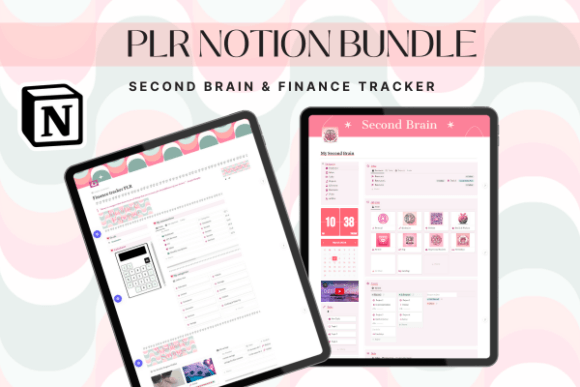
A pink-accented second brain paired with a finance tracker. It tracks income and expenses, savings progress and wishlist items, and the dashboard updates automatically as you add information to each area.
Browse a Large Collection of Options
Best for readers who want many options to compare before choosing a goal system. It works as a browse-everything pick rather than a single focused goal page, so plan on spending time sorting through the layouts.
Hundreds of Planner Layouts
A large bundle of planner layouts covering productivity, wellness, finance, nutrition and travel. Each design is fully customizable, and the download includes a text file with links to the full set.
Growth Goals for Content Creators
Best for YouTubers, bloggers and creators with growth goals. The creator goals page holds short-term and long-term targets, the platform insights section links them to engagement metrics, and the daily action list keeps the week’s work visible.
Creator Goals and Daily Action Lists
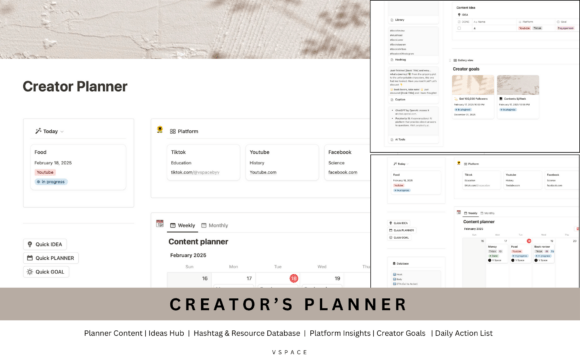
A planner for creators, influencers and entrepreneurs who want to turn ideas into action. It combines a content schedule, an ideas board, a resource database, platform insights, creator goals and a daily action list.
Ad Copy Targets for Copywriters
Best for copywriters and marketers tracking campaign performance targets. Goal-setting features are lighter than in dedicated goal templates, so this is a niche pick if your main goals are about ad results.
Campaign Performance Targets

A workspace for drafting and organizing ad copy. Log hooks by type, store AI prompts, group campaigns by goal and audience, and track clicks, conversions and engagement in one tidy place.
Life Area Goals With Journals and To-Dos
Best for people who want goals grouped by life area alongside journals and daily to-dos. The On This Day, Week, Month and Year views remind you what needs attention, and a shopping list keeps everyday essentials in the same place.
Goals Grouped by Life Area
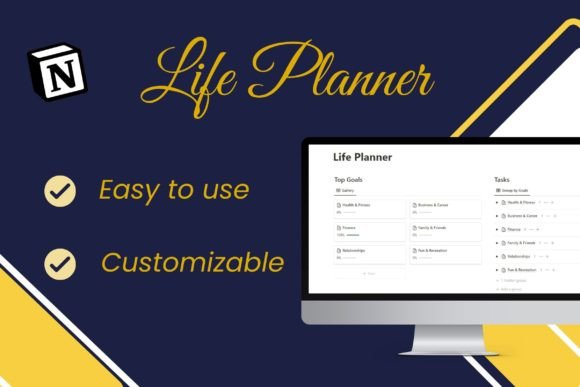
A life planner that groups goals by area of life. It includes an all-in-one dashboard, unlimited journals, a daily to-do list, a shopping list and a calendar view that shows entries across every journal.
Notion Yearly Goals: A Simple Structure That Works
The structure that works for most people runs from year to quarter, then month, week and day. When you apply it to notion yearly goals, you start with a short list of targets and break each one into milestones you can check every few months.
Keep the list to three to five yearly goals. More than that and every target competes for attention, so none of them move. Build the yearly layer of your notion goals template first, then add quarters underneath it.
Here is a worked example. In a notion goals template, the yearly goal “Read 24 books this year” becomes quarterly targets of six books each. Each quarter then breaks into a weekly reading habit, such as finishing one chapter every evening. The calendar view of your goals database shows every deadline across the year, so you can spot a crowded month before it arrives.
Getting the Template: Access and Duplication Steps
Searching for a notion goals template free download is common, but free access depends on the current offer. Most templates here are paid digital products, so check the product page for pricing and any promotion before you buy.
Your Notion account, on the other hand, costs nothing to start, and it is all you need to use these files. To add a template to your workspace, follow these steps:
Open the template link from your purchase or download file.
Sign in to Notion, or create a free account first.
Click Duplicate from the three-dot menu at the top of the page. On a phone or iPad, the same menu sits in the top corner.
Rename the copy, then adjust colors, sections and properties to suit your year.
Once you have duplicated the notion goals template, take ten minutes to delete any sections you do not need. Duplicated templates are for personal use unless the license says otherwise, so check the terms before you share or resell anything.
Step-by-Step: Build a Goal Setting Page in Notion
If you use a notion goals template, you can skip most of the setup. Building the page yourself still teaches you what each part does, which makes customizing any template much easier later.
Step 1: Create a Goals Database
Create a full-page database and name the title property Goal. Add three views: a Table for your main list, a Board grouped by status, and a Calendar that uses the deadline property.
Step 2: Add the Properties That Matter
Add an Area select (Health, Career, Money, Learning), a Status select (Not started, In progress, Done), a Deadline date, a Quarter select and a Priority select. Keep it to six to eight properties in total, because every extra field adds friction, and friction is the most common reason goal systems get abandoned.
Step 3: Set Yearly Goals and Split Them by Quarter
Write one yearly goal per row. For each goal, create three to five quarterly milestones as separate rows linked by a relation property. Every row in your notion goals template should answer one question: what will be different when this is done?
Step 4: Track Progress With a Formula
Add a Number property for the target and another for the current value. Then create a formula property that divides current by target and multiplies by 100 to show percent complete. Display it on the board or table view, and the number updates every time you change a value.
Step 5: Link Tasks to Goals
Create a tasks database with a relation property that points to your Goals database. Then add a rollup that counts completed tasks for each goal. Progress now reflects real actions, not just the numbers you typed in a hurry.
Step 6: Build a Weekly and Monthly Review View
Create a filtered view that shows goals with the status In progress and a deadline this month. Add a short review template with three prompts: wins, blockers and the next action. Ten minutes a week keeps any notion goals template honest.
Goals Notion Page Layout: What to Put on Your Page
If you searched for goals page notion layouts, start with three zones. Read them top to bottom like a short briefing, and keep each zone small enough to scan in under a minute.
The top section holds one vision statement and a yearly theme, such as “Build stability” or “Ship my first course”. Keep it to a single sentence so you read it every time you open the page.
The middle is your goal table with progress bars and status labels. It is the part of any goals template notion build that you check most often, so keep it wide enough to read on a laptop and short enough to scroll on a phone.
The bottom section holds quarterly review notes and linked tasks. Write what worked, what got in the way and one change for next quarter.
If habits matter to your goals, add a small habit board linked to the goal table, much like the habit sections in a notion goal tracker template. The second brain and life planner picks above already include habit or journal areas you can borrow from.
Notion Versus Dedicated Goal Apps: Which Fits You
Notion’s main strength is flexibility. You can build custom databases, connect goals to tasks with relations, roll up progress and keep everything in one workspace. Dedicated goal apps usually have a shorter setup, built-in reminders and fewer decisions to make.
A paper notebook or wall planner still helps with daily focus, and many people enjoy the ritual. The drawback is that paper rarely links to tasks, deadlines or weekly reviews, so you end up rewriting everything to see the bigger picture.
Choose a notion goals template if you want goals connected to projects, notes and money. Choose a single-purpose app if you want less setup and fewer choices. A notion smart goals template gives you a structure that outlives any single app.
Using Your Goals Page on Phone and iPad
A notion goals template syncs across phone, tablet and desktop, so a change made on your iPad shows up on your laptop moments later. Pick the view that suits each device rather than forcing one layout everywhere.
On iPad, the board view works well for weekly reviews because you can move cards between status columns with a tap and drag. On a phone, a table filtered to In progress goals is the quickest way to do a daily check-in.
Keep progress formulas and labels simple so they stay readable on small screens. Long property names get cut off quickly on a phone, and a bar that is hard to read is a bar you stop checking.
Common Goal Setting Mistakes to Avoid
Most goal systems fail for predictable reasons. Watch for these five and you will sidestep the usual dead ends.
Setting more than five goals a year, which spreads your attention too thin.
Leaving goals without deadlines or quarterly milestones.
Designing an elaborate layout before tracking anything for a few weeks.
Keeping goals and tasks in separate places, so progress never updates.
Skipping the weekly review, which is where the system earns its value.
Fix one mistake at a time. A simple notion goals template you use every day beats a perfect one you open once.
Frequently Asked Questions
Is a Notion goals template free?
Notion itself is free to start, and a free account is enough to duplicate most templates. Many goal templates are paid digital files, though, so check the product page for current pricing before you buy a notion goals template.
Do I need a paid Notion plan to use a goals template?
No. The product descriptions state that a free Notion account is enough to duplicate and use these files, including a notion goals template with several linked pages.
What is the best Notion goals template for beginners?
A simple structured option, such as the SMART-style yearly planner, is a good starting point because it has clear sections and deadlines from day one. Add more pages once the basics feel natural.
Can I use a Notion goals template on iPhone and iPad?
Yes. A notion goals template works on any device signed in to the same account, so you can plan on iPad and do quick check-ins on your phone.
How do I track yearly goals in Notion?
Create a goals database, add quarterly milestones, use a progress formula and review weekly with a filtered view. A notion goals template with these pieces already built saves most of that setup time.
Can I customize a Notion goals template?
Yes. Duplicate your notion goals template, then change colors, properties, views and sections. Check the license for resale rules before you share your customized version.
Which template works best if I want goals plus finance or habits?
Pick a broad life planner or the second brain option from the list, since both combine goals with money tracking, habits and notes.
Wrapping Things Up
A notion goals template turns yearly intentions into a working system with milestones, linked tasks and regular reviews. Pick the one that matches your main goal type, whether that is career, money, content, learning or everyday life. Duplicate it this week, set three goals, and book a fifteen-minute review on the same day each week. Revisit the page every quarter and adjust, because goals change as your life does. Small, consistent check-ins will do more for your year than a perfect plan you never open again. Start small, keep the layout honest, and let the page grow with you. Your next year deserves a clear plan you can actually see.
Worth Checking Out
Goal Setting That Sticks: 12 Notion Templates to Finally Reach Your Dreams