Most study tips fail for one simple reason: they never make it into a weekly routine. You read a list, nod along, and then fall back into the same habits that left you scrambling before the last exam. This guide gives you study tips that work in practice, plus 19 Notion study planner templates to put them into action.
Every template here is a digital file you duplicate into your own Notion workspace. You can open it on a computer, a phone, or an iPad, and a free Notion account is all you need. Some picks suit classes and exams, while others support side projects or everyday planning. Each entry notes its best use, so you can match your study tips and goals without guesswork.
Why Most Study Tips Fail (and What Actually Works)
Active Recall Beats Rereading
Rereading notes feels productive because the page looks familiar, but familiarity is not the same as memory. active recall means closing the book and pulling the answer from your head, then checking what you missed. Research on learning keeps finding that this kind of retrieval beats passive review, which is why it sits near the top of almost every list of reliable study tips.
Spacing Makes Memory Stick
Cramming can get you through tomorrow’s test, but little of it lasts. Spaced repetition spreads review across several days, so each session pulls a memory back before it fades. A simple rhythm is to revisit new material after one day, three days, and seven days. Spacing is one of the study tips with the strongest evidence behind it, so treat those intervals as a starting point and adjust them based on how easily you recall the material.
A Planner Turns Advice Into Routine
Good advice fades when it lives only in a bookmark or a notes app. A planner gives every tactic a slot: a session on Tuesday, a review on Sunday, an exam countdown on the calendar. That is the real job of a study planner. It moves you from knowing about study tips to running them every week, even on the days you feel unmotivated.
Effective Study Tips to Build Into Your Notion Planner
Here are four techniques that hold up across subjects, each mapped to a section you can build in Notion.
Weekly Study Blocks
Many study tips for students start with time blocks. Put your sessions on the calendar before anything else. Two or three focused blocks per week for a hard subject beat one long marathon the night before. Leave empty buffer slots for overflow, because real weeks rarely go to plan. In your Notion study schedule, each block links to the subject and task it covers.
Subject and Task Database
Create one database for every assignment and reading. Give it properties for subject, task, due date, status, and priority, then switch between table, board, and calendar views. Filters keep the list short when you have a lot on your plate, and you can see what is due this week at a glance.
Active Recall Section
Add a short section at the end of each session with three questions you should answer from memory. Write the answers without looking, then check your notes. Gaps show up quickly, which tells you exactly what to review next. It is one of the most dependable study tips for students who feel they know a topic until a test asks them to explain it.
Exam Countdown Tracker
Each exam gets its own row with a date, a list of topics, and a progress bar. Update the bar after every session, and use a formula to count the days left. When the countdown drops below two weeks, the view helps you shift time toward topics that are still weak, which is what makes an exam study plan feel manageable.
Study Tips for High School Students: A Step-by-Step Notion Setup
High school schedules change every term, so your setup should be quick to build and easy to keep up. These study tips for high school learners take about an afternoon to set up and only a few minutes a week to maintain.
Pick a dashboard. Start with a daily-structure template or the high school dashboard in the list below, or choose a minimalist layout if you want fewer distractions.
Add classes and deadlines. Enter weekly lessons, homework, and reminders two or three days before each due date.
Schedule a weekly review. Spend 20 minutes on Sunday checking what got done, what moved, and what needs another look.
Use spaced repetition. Revisit tough topics after one day, three days, and seven days, and log each date in a table so nothing slips.
Here is what that looks like for a 15-year-old with a chemistry quiz on Friday. On Monday they add the quiz to the calendar, on Wednesday they run a recall session on moles and reactions, and on Thursday they review the two topics they missed. By Friday the plan has done most of the work, and the quiz feels like a checkpoint instead of a crisis.
Notion vs Calendar Apps and Flashcard Tools
Calendar apps handle reminders well, and flashcard tools are built for repetition. Notion works best as the central workspace that connects everything. One database can hold your tasks, notes, and exams, and filters let you pull up exactly what matters this week. Few simple apps offer that kind of single view for planning.
You don’t need to choose just one. Many students keep a Notion study planner for the big picture, a calendar for reminders, and a flashcard app for memorization. Structure matters more than the brand, so pick the mix you will open every day, and let your study tips shape the layout rather than the other way around.
Common Mistakes With the Best Study Tips
Even the best study tips stop working when the system around them breaks. Here are four mistakes to watch for.
Overloading the Dashboard
A page with fifteen sections looks impressive and then gets ignored. Too many sections can bury even solid study tips. Keep three to five working blocks on your main page and move everything else to a reference area. If you keep scrolling past sections you never touch, cut them.
Rereading Instead of Testing
Highlighting and rereading feel productive but leave most of the material unlearned. Replace them with questions, quizzes, and blank-page summaries. Even five minutes of self-testing beats half an hour of skimming.
Skipping the Weekly Review
Without a review day, the plan goes stale within a week. Pick one slot, usually Sunday evening, to check what got done and reschedule what didn’t. A short review keeps your study schedule aligned with real life.
Ignoring Breaks and Sleep
Long sessions without breaks drain focus fast. The Pomodoro technique for students works because it builds in short rests: 25 minutes of work, then 5 minutes off, with a longer break after four rounds. Protect your sleep too, since memory consolidates while you rest.
Notion Study Planner Templates: 19 Picks by Goal
Not every template here is built for school. Some are general life dashboards, a few suit sellers or creators, and one is a bundle of twenty. Everything duplicates into Notion and works on a computer, phone, or iPad. If your study tips depend on a clear weekly view, start with the planners that include a calendar or weekly section. Productivity tips student routines often rely on a short priority list, and you will see that pattern repeated below.
Cash Flow and Budget Tracker for Side Hustles
Calm Money Tracking Dashboard

This planner keeps cash flow, budgeting, expenses, net profit, and savings in one place. It also covers marketing, inventory, and utilities, plus revenue split by sales channel and a year-to-date progress tracker. A practical choice for students who run a side business alongside their classes.
All-in-One Student Planner for Daily Life
Cozy Student Life Overview
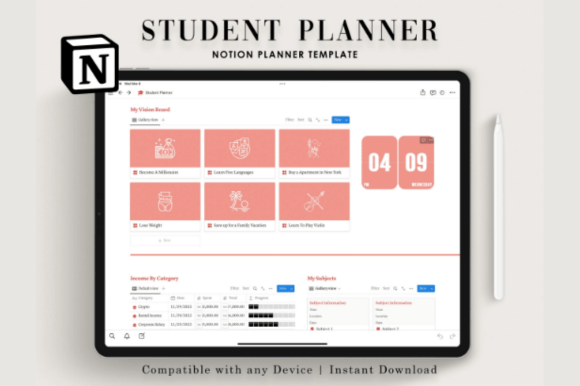
A complete student setup with daily tasks, a priority list, and an academics section for notebooks and coursework. It adds a monthly tasks board, budgeting, fitness and meal tracking, goals, a shopping section, and a log for books and shows. Colors are coordinated, and every section can be customized.
Etsy Seller Dashboard With Analytics
Shop Orders and Sales Overview
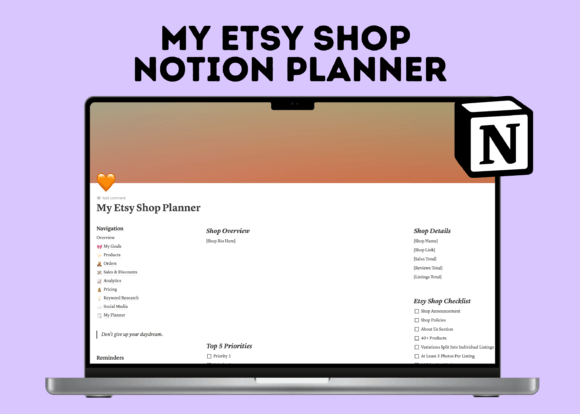
Built for Etsy sellers, this dashboard organizes products, orders, sales and discounts, pricing, and keyword research. It includes an analytics tracker and a social media area, and it stays minimal enough to plan a day, week, or month without clutter. Take it with you on the go.
AI Prompt Library for Notes and Drafts
Reusable AI Prompt Collection

A library of ready-to-use AI prompts for headlines, stories, emails, and graphics. Prompts are grouped by model and task, can be reused anytime, and are easy to adjust for your own tone and goals. Handy when you need quick drafts for summaries, flashcards, or practice questions.
University Course and Exam Dashboard
Courses, Exams and Deadlines View

A planner for academic life that keeps classes, courses, and study materials together. It includes topic and class materials, exam prep, an exam tracker, a study plan, and a progress tracker, plus a schedule view, meetings, and a list of useful resources. Assignments and deadlines have dedicated spots.
Full Life Planner With Habits and Goals
Monthly and Weekly Life Layout
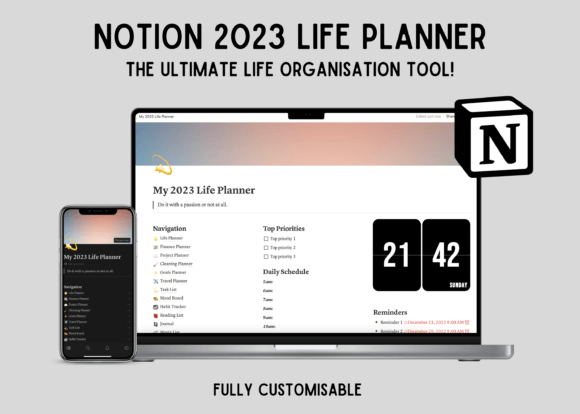
A dashboard for work, school, and personal goals. It includes a monthly planner, a weekly to-do list, finance and project planners, a goals planner, cleaning and travel planners, a task list, a mood board, a habit tracker, reading and movie lists, and a journal.
Minimal Student Planner With Finance Tracking
Soft Minimalist Study Dashboard

A minimalist student layout with calm fonts and colors for distraction-free planning. It covers daily tasks with a priority list, a work page, a budget planner, monthly tasks, academics with notebooks, a media section, a fitness tracker, recipes, and a calendar. Sections can be added as you need them, and automated calculators are included.
Second Layout Life Dashboard
Alternate Daily Life Organizer
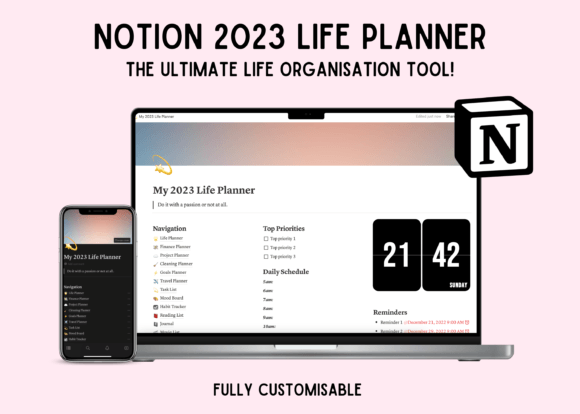
A second version of the all-in-one life dashboard with the same planning core: monthly and weekly views, a to-do list, a habit tracker, finance and project planning, a goals page, a journal, and lists for books and movies. Pick it if you prefer this look or its sections fit your routine better.
Etsy Shop Planner, Variant Two
Pricing and Keyword Research Board
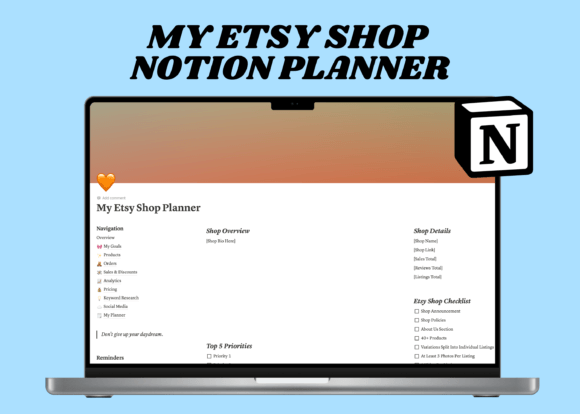
Another take on the Etsy shop dashboard, covering goals, products, orders, sales and discounts, analytics, a pricing guide, keyword research, social media, and a personal planner. It is customizable and built to help you organize your day, week, or month with clear, achievable goals.
Balanced Life Planner With Multiple Journals
Goals, Journals and Calendar

An all-in-one life organizer with multiple journals for different entries. Goals are grouped by life area, a daily to-do list tracks personal and work tasks, and a shopping list keeps essentials in view. A calendar shows entries across journals, and On This Day, Week, Month, and Year views show what to do next.
Twenty-Template Mega Collection
Twenty Ready-Made Pages

A set of twenty templates covering project and task tracking, passwords, life tracking, daily planning, sticky boards, goals, habits, finance, a book library, a freelancer workspace, a CRM, and a second brain setup. Each page is plug-and-play and fully customizable, so you keep only the parts you use.
Sticky Note Board for Quick Ideas
Drag and Drop Idea Board

A vibrant board for personal and work life, with sticky notes for quick ideas and reminders. Tasks can be sorted by priority, grocery lists and links sit within easy reach, and notes can be dragged between sections. A good fit for students and creatives who want an aesthetic, functional note board.
Learning Library With Progress Tracking
Books, Courses and Tools Library
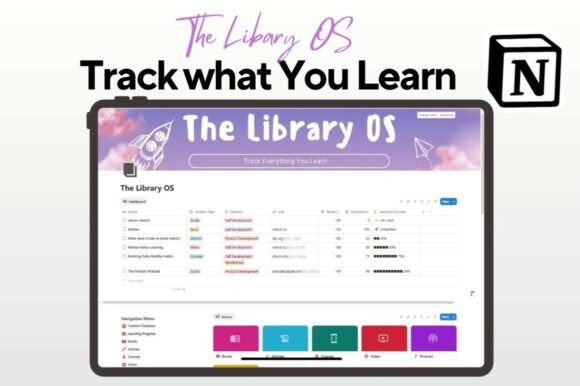
A learning library for books, articles, podcasts, courses, videos, and tools. Resources are tagged by type, topic, and completion status, with progress percentages across everything you consume. A navigation dashboard gives an overview of your learning, and colorful cards open saved links fast.
Student Dashboard for University Courses
Assignments and Course Schedule View

A customizable dashboard for university or college life. Assignments, course schedules, and to-do lists sit in one view, while notes stay organized and easy to find. Check the product page for current availability and terms before you duplicate it.
Habit Tracker and Project Overview
Progress Bars and Notes Board
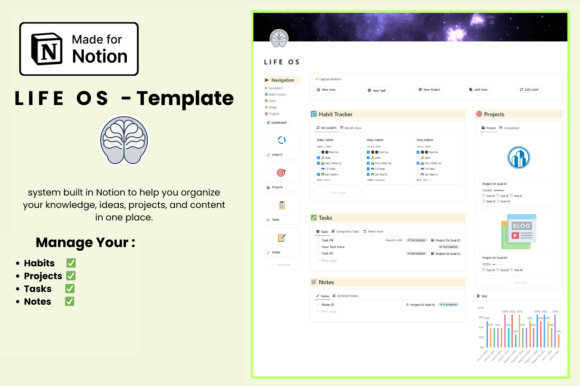
An all-in-one system for habits, tasks, notes, and projects. It includes a habit tracker with progress bars, a task manager organized by project or deadline, a project dashboard, a notes section, and monthly progress charts. It works on the free Notion plan and suits students and freelancers.
Hourly Daily Planner for Focus
Morning Routine and Priorities

A simple daily layout with priority tasks, morning and evening routines, sticky notes for quick reminders, and an hourly schedule from 7 AM to 10 PM. Built for students and freelancers who want more structure and less procrastination. Set up your day in a few minutes.
Pinboard for Notes and Study Materials
Drag and Drop Notes Grid
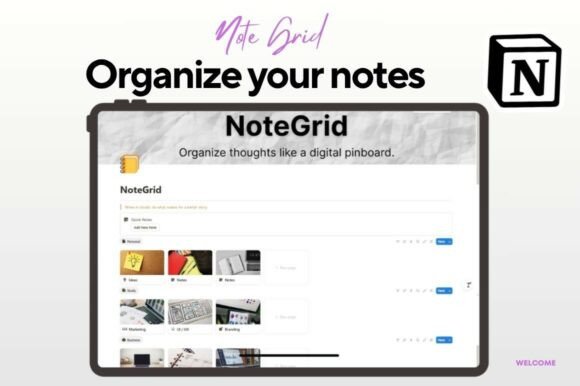
A digital pinboard for capturing ideas and organizing thoughts. Notes can be dragged into grids such as Ideas, Study, or Business, with topic categories, a monthly calendar for linking notes to deadlines, quick notes, and color or tag labels. Useful for managing class notes and study materials.
Student Dashboard for High School Schedules
Lessons, Events and Deadlines
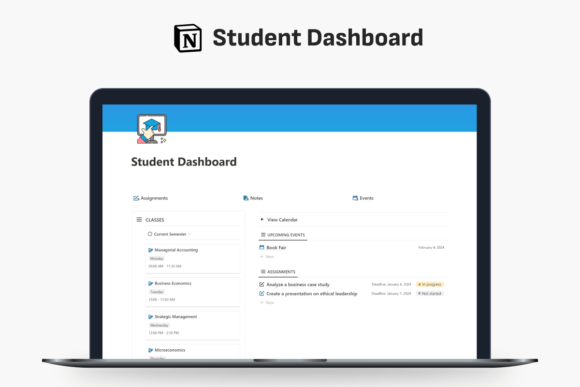
A single place for class schedules, events, and lesson notes, designed for students from high school through college. Assignments are tracked with deadline information, so you can see what is due next and plan your week around it.
Pomodoro Timer and Focus Session Planner
Focus Sessions and Recall Notes

A focus-first layout with a clock and Pomodoro timer, a deep work block, daily and weekly schedules, weekly time blocking, and notes sections for key points, recall, and self-testing questions. Designed for long study sessions where distractions tend to get in the way.
How to Get These Templates and Duplicate Them in Notion
Start by opening the product page from the button under each template. Creative Fabrica sometimes runs trial offers, and prices differ from one product to another, so check the current terms before you sign up. Some items are paid and some are offered free for a limited time, so don’t assume every template costs nothing.
Open the product page and confirm the price and access terms.
Open the template in Notion through the link on the product page.
Click Duplicate and choose the workspace where you want it.
Rename sections, add your courses or subjects, and change colors and dates to fit your routine.
The whole process takes a few minutes, and you only need a free Notion account. Once a template lives in your workspace, it behaves like any other page, so you can edit, move, and link it as you like.
Frequently Asked Questions
Are these Notion study templates free?
Not all of them. Some products are paid, while some offers appear free for a limited time. Check the product page for current pricing before you buy.
Do I need a paid Notion plan?
No. A free Notion account is enough to duplicate and use these templates, and several listings state that they work on the free plan.
Can I use these templates on iPhone and iPad?
Yes. Once duplicated, the templates sync across your devices, so you can plan on a computer and review on an iPad or phone.
Which template suits high school students?
For daily structure, the Daily Planner works well, and the high school dashboard covers classes, events, and notes. For a minimalist look, try the student layout with calm colors.
How do I use the Pomodoro technique in Notion?
Use the timer section of the focus template to run 25-minute work sessions with 5-minute breaks. After four rounds, take a longer break, then log each completed session so you can see your progress across the week.
Do study tips really work?
Yes, when you apply them consistently. Effective study tips such as active recall, spaced repetition, and a weekly plan outperform rereading, and a Notion planner keeps those habits visible on your screen.
The Bottom Line
Study tips only help when they become a habit, and that happens when they live inside a system you check every week. Start with active recall and spaced repetition, then build a simple schedule in Notion that fits your classes and deadlines. Pick one or two templates that match your goal, whether that is a university course tracker, a high school dashboard, or a focus timer for long sessions. Check current pricing on Creative Fabrica, duplicate your choice, and test it for one week. A clear plan makes steady work far easier, and it keeps your progress visible when motivation dips. Small, steady sessions beat late-night cramming every time.
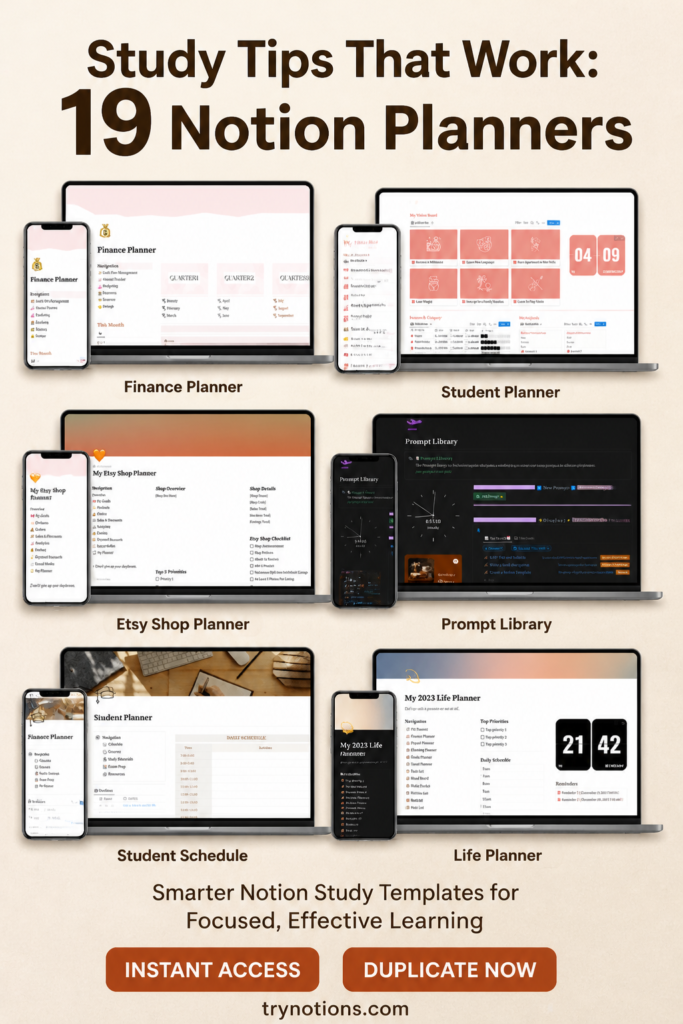
A Few More Options
12 Notion Writing Templates That Help You Plan Chapters and Track Every Word