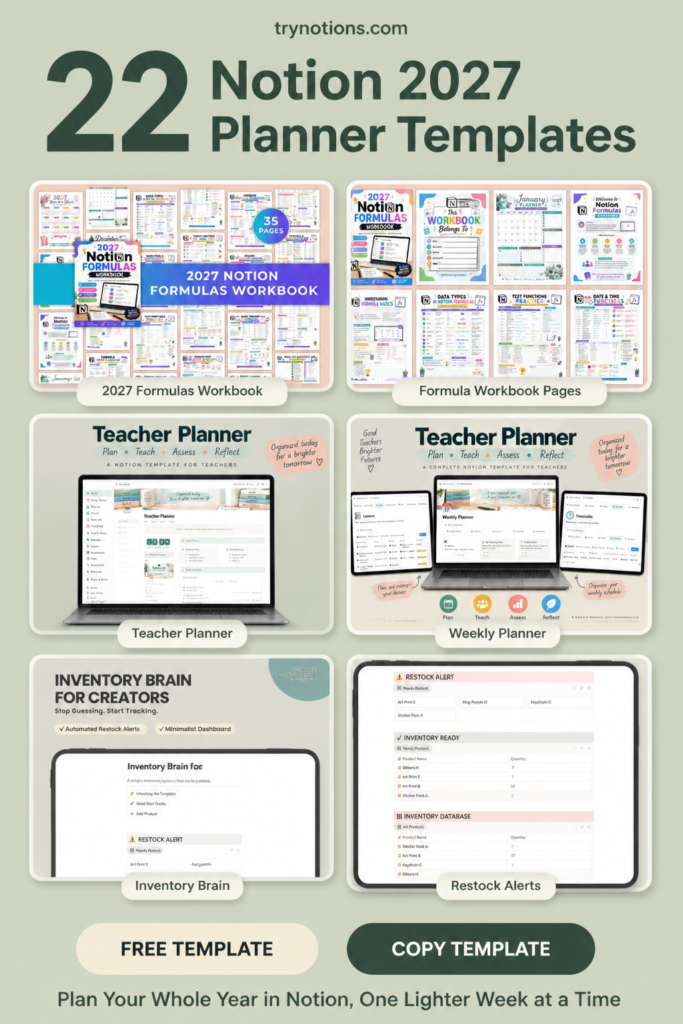
If you are searching for a notion 2027 planner that actually fits your week, you have landed in the right spot. I spent a long stretch testing digital setups for work, school, and personal goals, and the list below is what I kept opening again and again. Some are heavy on formulas, others feel soft and calming, and a few are simply great starting points for busy people who want less clutter in their days.
Every pick here is a Notion template you duplicate into your own workspace, and most of them work on the free plan, on a phone, or on an iPad. I wrote each mini review from my own point of view, so you can see what the pages look like in daily use. Scroll through, choose what matches your routine, and start with one or two templates instead of building everything at once. Your ideal notion 2027 planner is probably closer than you think.
1. Notion 2027 Planner With Formula-Powered Dashboards


I kept opening formula guides and closing them within ten minutes, so this 35-page workbook felt like a relief. It starts with the basics of syntax, data types, and operators, then moves into text, number, and date functions. Each lesson sits on its own page inside Notion, so I can read a section, try the example in my own database, and move on without digging through a pile of bookmarks.
The part I use most is the habit tracker and budget section, where streak and completion formulas turn plain checkboxes into a live dashboard. I also like the troubleshooting pages, since they explain why a formula breaks rather than just showing the fix. It suits beginners who want a notion 2027 planner that does the calculating for them, and it gives advanced users a handy reference shelf for relations and rollups.
2. 2027 Digital Planner for Teachers Who Plan Ahead
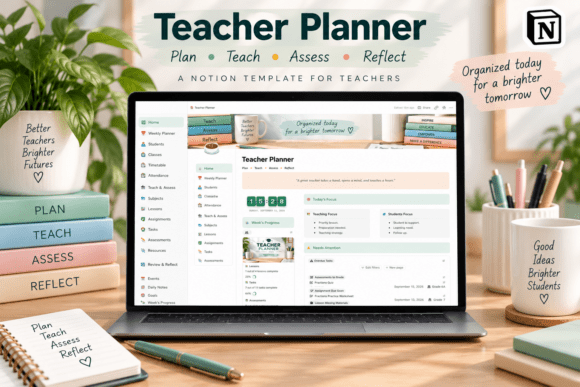
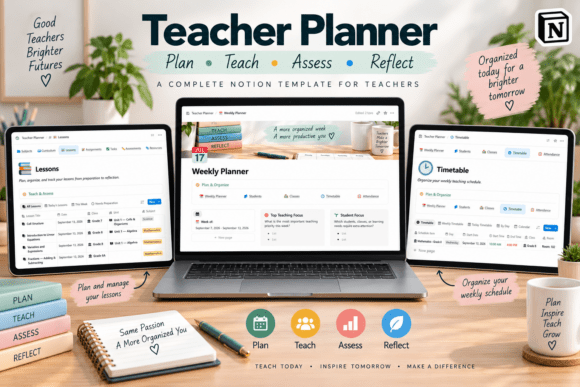
Between lesson plans, marking, and a stack of emails, my week used to blur together. This teacher planner gives me a central dashboard with lessons, assignments, assessments, and a weekly view, so everything sits in one connected workspace instead of scattered notes. I like that the timetable and attendance pages sit beside the curriculum tracker, which makes Monday mornings feel less frantic.
What I appreciate most is the progress tracking and daily notes, because reflecting on my teaching week now takes five minutes instead of an evening. Students and classes are easy to sort, and the optional habit tracker is a nice extra when I want to build a reading routine for myself. It fits new teachers and seasoned educators alike, and a notion 2027 planner like this one keeps the school year manageable from the first bell.
3. Creator Inventory Dashboard That Warns You Early
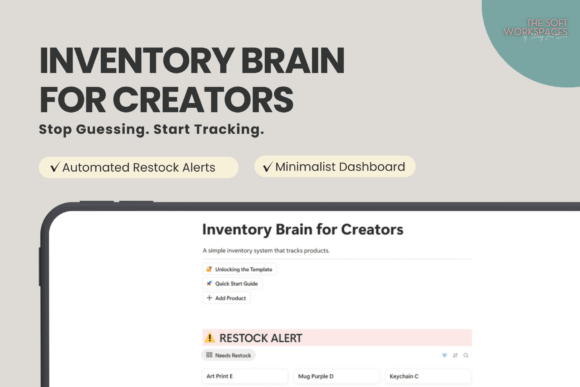
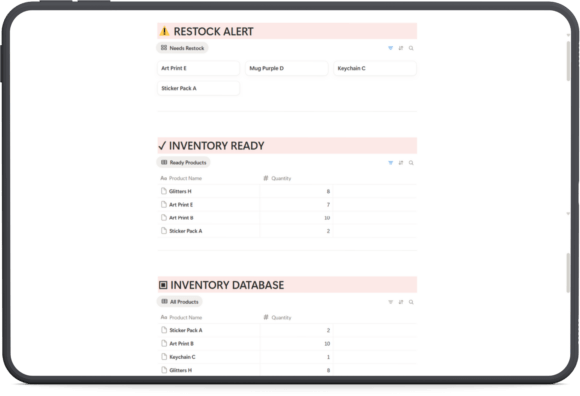
Counting boxes is the part of my small shop I dread most, so this inventory system felt like a gift. Every material, packaging item, and finished piece lives in one master database, and the ready-to-ship view shows what I can actually sell today. Restock alerts appear automatically when supplies drop below my minimum, which means fewer panicked weekend orders and fewer apologetic messages to customers.
The soft, minimalist look keeps admin work from feeling heavy, and I can open it on my phone while packing orders. Even though it is built for stock, it works like a notion 2027 planner for my weekly packing schedule. Setup is quick thanks to the included quick start guide, and I did not need advanced skills to get going. If you sell stickers, jewelry, or digital prints, this notion template grows with your product list without turning into another messy spreadsheet.
4. 2027 Notion Cover Ideas for a Branded Workspace
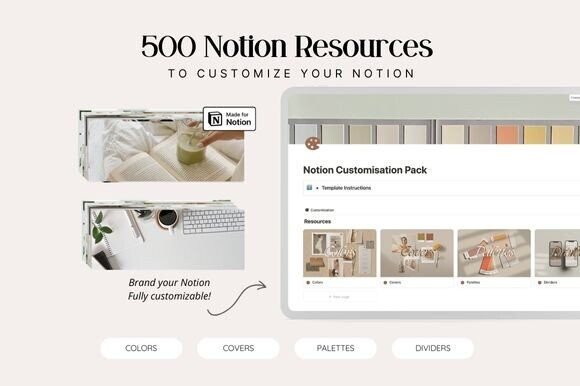

My Notion pages looked fine but never quite felt like mine, until I started swapping in custom covers and slim dividers. This customisation pack includes aesthetic covers I can tweak in Canva, separators that keep long pages tidy, and a set of fonts and color palettes that match my own branding. It is a lovely way to personalize a workspace without rebuilding anything from scratch.
I like how cohesive everything feels once the covers, dividers, and colors all agree with each other. Creators and small business owners will probably get the most out of it, but students who want a calmer study space will enjoy it too. A well-styled notion 2027 planner looks inviting enough that I actually open it every morning, and that small boost in focus is worth the afternoon it takes to set up.
5. Gentle Planner for Launching Digital Products

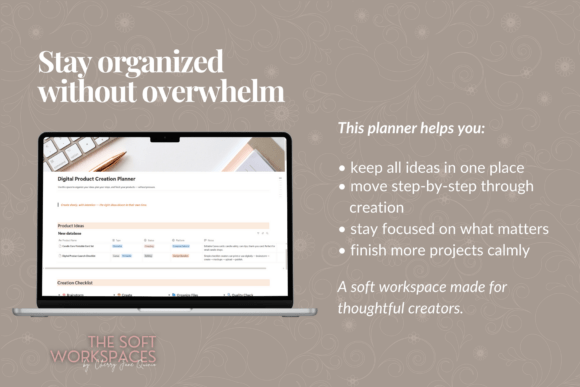
Launching my first set of digital products felt like juggling too many tabs, so this gentle planner came as a relief. The product ideas database holds every concept in one place, and the creation checklist walks me from the first sketch to the final upload without any pressure. I especially like the mockup planner, which keeps preview images and product descriptions tied to each idea.
There are no formulas or automations to learn, which suits me perfectly after a long week of design work. Launch notes and keyword ideas sit at the bottom of each card, so I can record what worked for the next release. It runs on the free version of Notion, and it feels right for Etsy sellers, Canva designers, and anyone who wants a calm notion 2027 planner for creative projects.
6. Botanical Formula Guide for Smarter Notion Databases
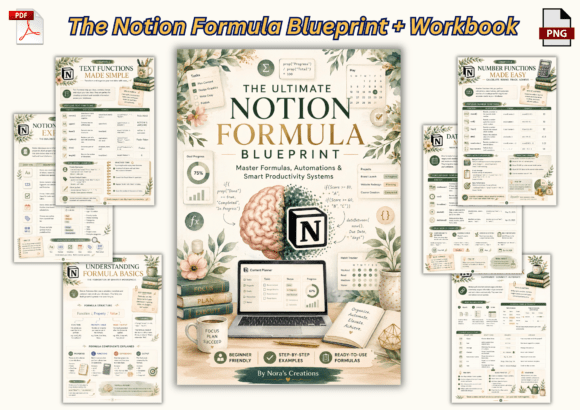

The botanical watercolor design alone made me want to open this guide, but the lessons are what kept me reading. Seventeen interior pages walk through formula fundamentals, text, number, and date functions, plus IF statements that make logic feel less intimidating. Each concept comes with a small example I can copy into my own database, which is how I actually learn Notion. It reads like a calm notion 2027 planner for anyone who wants formulas to do the heavy lifting.
Progress tracking systems and productivity dashboard ideas make the guide useful beyond theory, and the workflow automation tips helped me tidy up a messy reading list. Students, teachers, and remote workers will all find examples close to daily life. The pages are light to scroll on a tablet, and the layout feels more like a calm notebook than a technical manual.
7. 500-Plus Notion Templates Packed Into One Collection
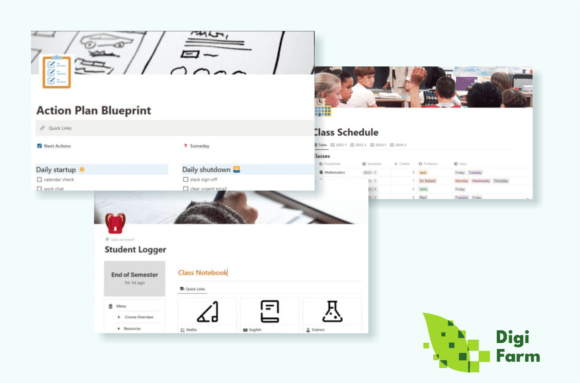
When I need a quick layout for a wellness routine or a travel itinerary, I no longer start from zero. This large collection covers minimal aesthetic planners, wellness trackers, financial planners, nutrition pages, and travel planners, so there is almost always a starting point for whatever I am working on. The access file links to every template, which makes browsing feel like wandering through a well-stocked library.
Each template is customizable, so I can rename sections, change colors, and keep only what I need. I open them on my phone, laptop, or tablet depending on the day, and the goals and daily planning pages are my favorites to start with. A bundle this big can feel overwhelming, so I suggest picking two or three that match your week and building from there.
8. Holiday Gift Tracker and Budget Board for December
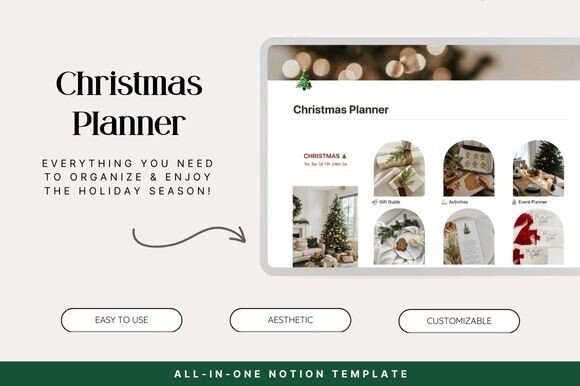

December sneaks up on me every year, and this holiday planner has become my calm corner during the rush. The gift tracker holds more than two hundred ideas sorted by recipient, with status, price, and link fields, so I never buy the same scarf twice. A cards organizer, a decorations checklist, and a budget tracker sit right beside it, keeping every festive expense in view.
I use the menu planner to store recipes and generate grocery lists before family dinners, and the wishlist makes it easy for friends to pick something I will love. Honestly, it is my favorite notion 2027 planner for the December crunch. The event planner and task list handle the rest with deadlines and priorities, and even a simple celebration feels joyful instead of stressful.
9. Caseload Dashboard for Teachers Supporting Every Student
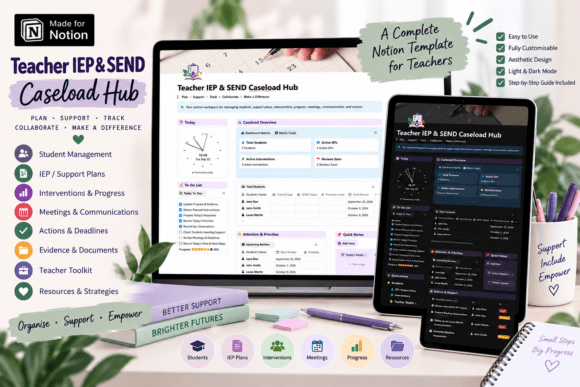
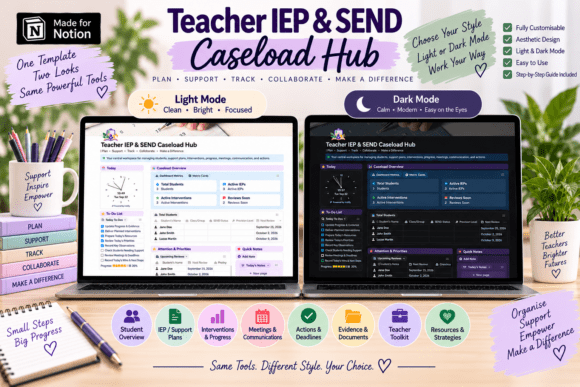
Keeping track of IEP goals, meetings, and intervention notes used to take up my whole planning period. This SEND template gathers student management, support plans, and progress assessments into a single caseload view, so I can see who needs attention before the week begins. The communication log and the actions with deadlines mean nothing slips through between parent emails and team reviews.
Evidence and documents have their own space, and the teacher toolkit plus resources library are handy when I need a quick reference during a meeting. Daily quick notes capture the small wins I would otherwise forget. The package includes fictional demo data and a quick start guide, which made the first setup feel gentle. It works well for learning support staff and inclusion teams who want clarity without extra admin.
10. Notion New Year Life System for Goals and Money


Every January I promise myself a tidier life, and this Life OS template is the first system that actually stuck. The dashboard shows my top three tasks, a weekly agenda, and a quick capture inbox, so new ideas land somewhere useful. The goals pages break yearly targets into quarterly OKRs, and the habit tracker keeps my morning walks consistent.
Health pages cover meals, workouts, and a mood journal, while the finance module tracks income, expenses, and subscriptions in one view. I also love the learning section for online courses and the personal CRM for keeping birthdays and contacts in order. If you want a notion 2027 planner that doubles as a full life dashboard, this one covers more ground than most, although it is available in English only.
11. Short Formula Practice Pages for Notion Beginners

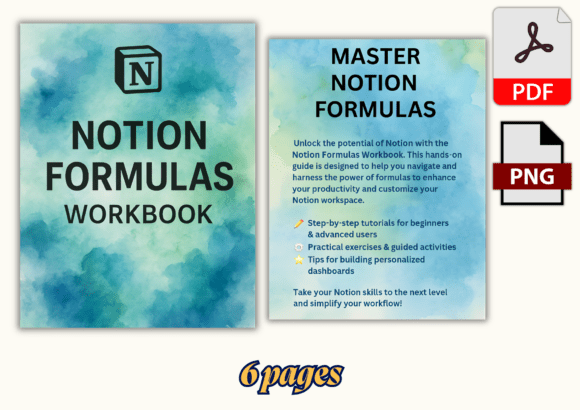
Six pages is all it takes to get comfortable with Notion formulas, which is why this workbook feels so approachable. Each page mixes step-by-step tutorials with short exercises, so I practice conditional logic, date formulas, and text functions right inside my own pages. The watercolor design keeps the learning fun, and I never felt buried in theory.
I especially enjoyed the dashboard activities, where I build a small layout and then test it against real tasks. It suits creators, freelancers, and students who want to automate a database without weeks of study. Pair it with a notion 2027 planner you already use, and you will feel the difference within a single afternoon.
12. Novel Outlining Workspace for Ambitious Writers


Outlining a novel inside my head never worked, so I moved the whole thing into this writing template. The chapters and plot organizer tracks my story structure, while the character development pages hold profiles, arcs, and motivations. A writing progress tracker logs my daily word count, and it feels good to watch those numbers climb week after week.
The research board collects reference images and world-building notes, and the playlist section helps me set a mood before a long session. Writers who like a notion 2027 planner for their drafts will feel at home here, and screenwriters and bloggers juggling several projects will find the structure helpful too. Setup takes only a few minutes, and then the book outline lives right where your ideas already gather.
13. Semester Command Dashboard for Busy Students

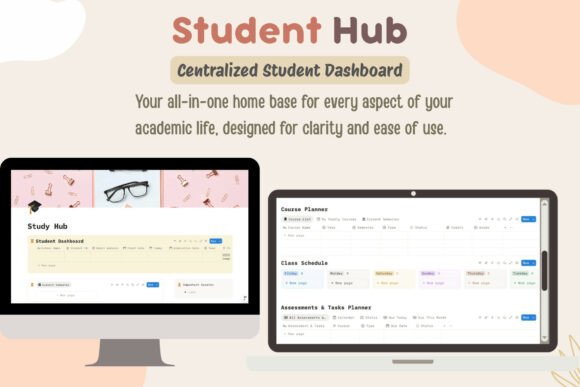
Juggling syllabi, assignments, and exam dates across four different apps was draining my energy before classes even started. This student planner pulls everything into a cozy dashboard with a central home base, a course and semester planner, and a clean weekly class schedule. The smart task planner gives me views for due today and due this month, which keeps deadlines calm and predictable.
The academic progress tracker helps me plan exam prep and keeps my GPA goals visible, so I can see whether my study time is paying off. The design is soft and aesthetic, and no advanced Notion skills are needed to follow the layout. It is a dependable choice for students who want a notion 2027 planner that feels cozy rather than clinical.
14. Social Content Calendar for Candle Makers


Posting consistently is hard when my hands are busy pouring wax, so this content planner has become my favorite calm corner. The content calendar offers calendar and list views, so I can plan posts by date, platform, and status. An idea bank sorts my thoughts into education, promo, behind-the-scenes, and seasonal categories, which keeps creativity flowing even on slow weeks.
When I feel stuck, the hooks and caption prompts give me a starting line, and the launch checklist keeps product drops from catching me off guard. The hashtag library and notes space hold screenshots and drafts in one place. Anyone who wants a notion calendar template 2027 will appreciate how gentle and easy to customize it feels.
15. Twelve-Week Yearly Planner for Ambitious Goals
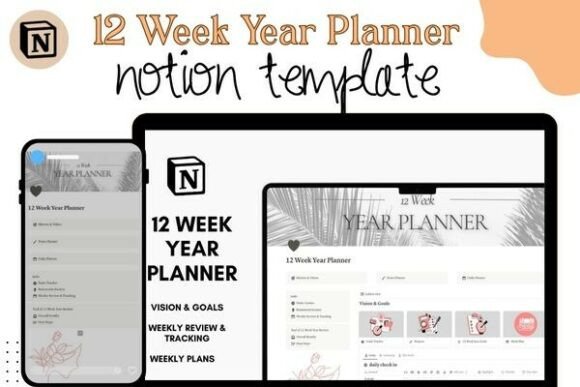
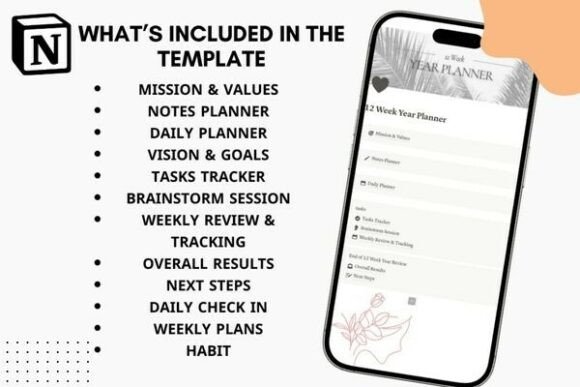
A full calendar year felt too vague to me, so I switched to a twelve-week rhythm with this template. It condenses a year of progress into focused sprints, and the mission and values page reminds me why each goal matters. The vision and goals section, tasks tracker, and brainstorm session help me turn a big dream into weekly steps I can actually take.
The weekly review and overall results sections make it easy to see what worked, while the daily check-ins and habit tracker keep my routines honest. If you are looking for a notion yearly template that feels structured yet flexible, this one fits well. It suits people who like clear checkpoints, and although it is English only, it is simple to follow.
16. Gentle Self-Care Dashboard for Daily Resets
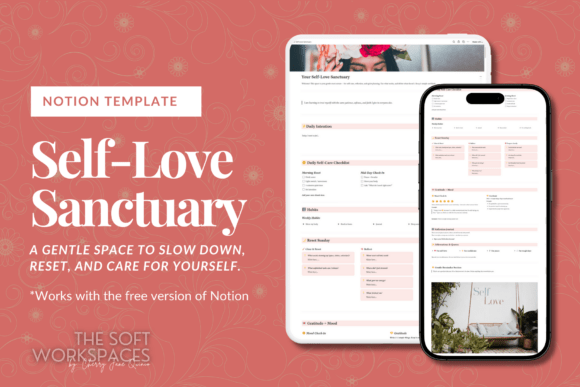

Some weeks feel loud, and I need a soft place to land more than another productivity system. This calm template offers a home dashboard with a daily self-care checklist, gentle habits, and Reset Sunday prompts. Mood and gratitude reflections sit right alongside affirmations and quotes, so I can check in with myself without any fuss.
The reflection journal comes with table, list, and calendar views, which lets me look back on my entries and notice patterns over time. Toggle sections keep the dashboard uncluttered, and everything scrolls nicely on a phone for quick evening check-ins. It suits beginners, mindfulness lovers, and anyone who wants a simpler way to care for themselves, and it works as a gentle notion 2027 planner for the days when you just need to breathe.
17. Freelance Client and Project Tracker Dashboard
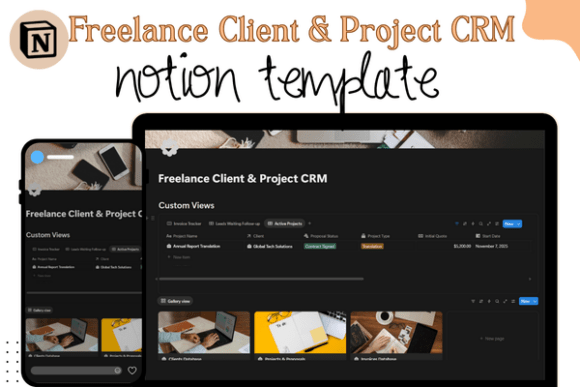

Chasing invoices and keeping client details straight across email threads was wearing me down, so I built my freelance routine around this CRM. Dedicated databases hold client information, project statuses, and deadlines, while a tasks area keeps my daily to-dos in order. Proposals and invoices live as documents right inside the same workspace, so I stop searching through old inboxes.
Everything is centralized, which means I rarely scroll back through old messages to recall what a client agreed to. The layout feels professional enough to share with clients when needed, and it helps me stay ahead of payments. It suits freelancers, creatives, and consultants who want a notion 2027 planner style of control over their workflow without a complicated setup.
18. Sticky Note Board for Quick Brain Dumps
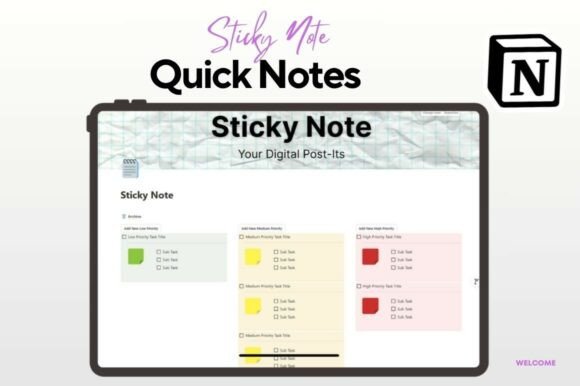
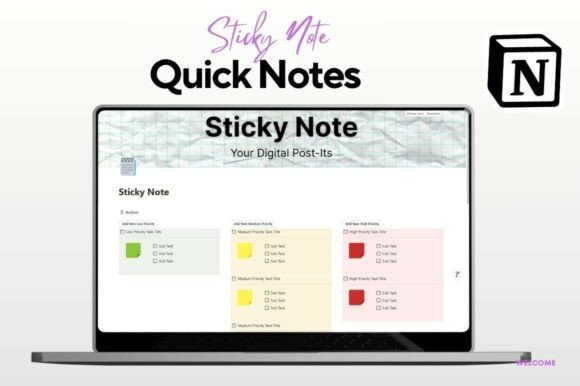
Some days my head feels like a browser with ten tabs open, and a sticky note board is exactly what I need. This dashboard mimics real sticky notes with a bright, easy layout, so I can jot down an idea, plan my week, or empty my thoughts in seconds. It has no clutter and no learning curve, which makes it great for creatives, freelancers, students, and content creators who love visual organization. It doubles as a quick notion 2027 planner when my week feels loose, and I keep it open on my tablet as a simple daily companion.
19. Daily Skincare Routine Log With Product Tracking
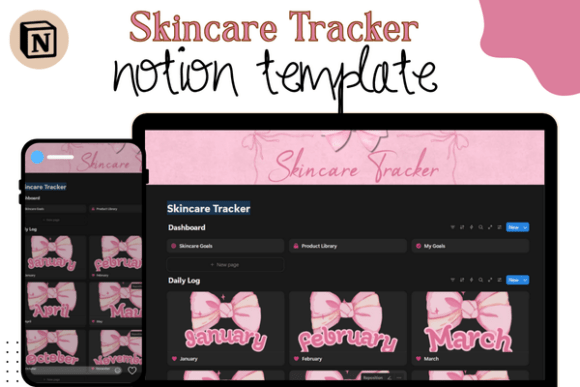

My skincare shelf grew faster than my routine, so this tracker became the way I keep everything organized. Databases store my products, my routine steps, and my progress over time, and I can see at a glance which steps slipped during a busy week. The layout feels calm and aesthetic, and I like building my morning routine right into it.
Reminders and a wishlist help me plan new purchases without doubling up on serums. It is a gentle fit for beginners who want to build habits, and it stays simple once the setup is done. It is also a surprisingly calm notion 2027 planner for skin habits, and because it lives in Notion, I can check it on my phone while standing at the sink.
20. One-Page Daily Planner With Habit Streaks

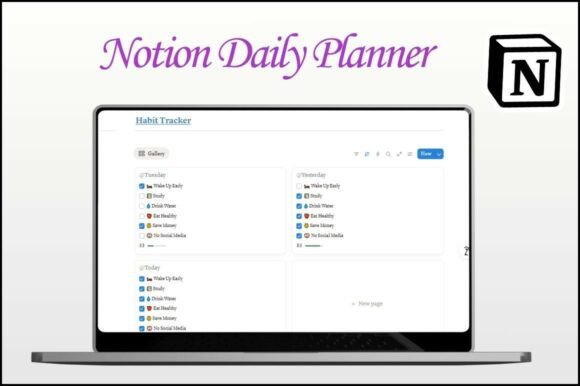
Some mornings I only need one page to get my head straight, and this daily productivity planner delivers exactly that. The top three priorities section keeps me honest, while the to-do list and hourly schedule show my day in order. A habit tracker and notes area sit at the bottom, so small routines actually get noticed. It fits students, freelancers, and entrepreneurs who want a notion 2027 planner that stays minimal and easy to read.
21. Formula Essentials Guide for Task Tracking
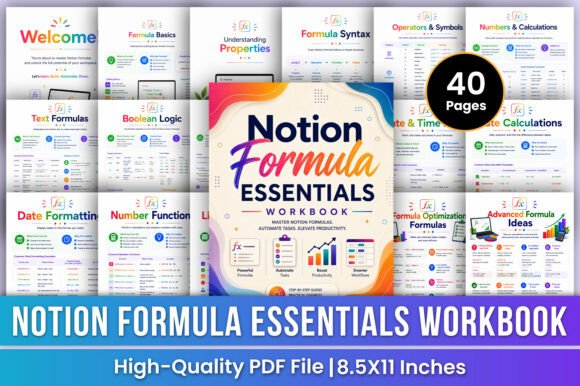

I thought I knew Notion formulas until this 40-page workbook showed me how much I was missing. It walks through formula basics, properties, operators, and nested conditions, then moves on to text, number, and list functions. Each section has step-by-step explanations and clear examples, so the jump from beginner to more advanced logic feels manageable.
The date and time pages helped me automate deadlines, and the task management formulas now flag overdue items for me. A quick reference page keeps SUM, VLOOKUP, and CONCAT close at hand, which saves me a lot of back-and-forth. It is a strong pick for Notion beginners and database builders, and it is a notion 2027 planner upgrade for anyone who builds formulas by hand. The reusable patterns also speed up new projects.
Eight Standout Picks Compared Side by Side
Eight templates from this roundup made the cut for a closer look, and each one suits a different kind of week. Life OS is the most complete option, with dashboard, goals, finance, and learning pages all connected, though it asks for a bit more patience during setup. The Teacher Planner sits on the classroom side of the spectrum, with lesson, assessment, and timetable pages built for educators. The Student Notion Planner and Study Hub is cozy and beginner-friendly, while the Freelance Client and Project CRM is more structured for people juggling several clients at once.
The 12 Week Year Planner works like a focused sprint system, and the Self-Love Sanctuary leans soft and reflective with its journal and affirmation pages. The Candle Business Content Planner keeps social posting organized with calendar and list views, and the Notion Habit Tracker is the quickest to start because it fits on a single page. If you want a notion 2027 planner that matches your current routine, start with the one that solves your biggest daily friction.
| Template | What’s Inside | Best For | Ease of Start | Visual Style |
|---|---|---|---|---|
| Life OS Notion Template | Dashboard, goals, health, finance, learning and home pages | Anyone running a full life system | Intermediate | Clean and structured |
| Teacher Planner Notion Template | Lessons, assignments, timetable, attendance and goals | Classroom teachers | Beginner | Professional and tidy |
| Student Notion Planner and Study Hub | Course planner, class schedule, task planner and GPA tracker | Students | Beginner | Cozy and aesthetic |
| Freelance Client and Project CRM | Client database, projects, tasks, proposals and invoices | Freelancers and consultants | Intermediate | Professional and minimal |
| 12 Week Year Planner | Vision, goals, weekly plans, tasks and weekly review | Goal-driven planners | Intermediate | Focused and neat |
| Self-Love Sanctuary | Home dashboard, journal, affirmations and reset prompts | Self-care and journaling | Beginner | Soft pastel |
| Candle Business Content Planner | Content calendar, idea bank, hooks and launch checklist | Small creative shops | Beginner | Calm and warm |
| Notion Habit Tracker | Priorities, to-do list, hourly schedule and habit tracker | Daily planning on one page | Beginner | Minimal and bright |
The Bottom Line
Choosing a notion 2027 planner comes down to what your week really looks like. If you juggle classes, clients, or a small shop, start with the template that removes the most daily friction and let the rest wait. Every template in this roundup is a starting point rather than a rulebook, so feel free to rename sections, delete what you never use, and add a page when something new comes up.
Give yourself a week with one template before you judge it. Most of these set up in under an hour, and a single habit or task view often shows you more than a long feature list ever could. I hope this roundup saves you a few evenings of trial and error, and that your next notion 2027 planner finally feels like it was built for you.