Work, money, health, and goals usually live in five different apps, and none of them talk to each other. A notion life planner fixes that by putting every area of your life into one connected workspace, where each area is a page, a database, or a view. This guide shows you how that setup works, compares 17 ready-made templates by use case, and walks you through a routine you can finish in an afternoon.
Every template in this list is a digital Notion template. You duplicate it into your own workspace and use it on a computer, a phone, or an iPad with a free Notion account. Treat each one as a starting point rather than a rulebook. The best choice is the one you will actually open every day.
Life Planner Organization Works Best When Everything Connects
Most people organize their lives with a patchwork of tools: a calendar app for appointments, a notes app for ideas, a spreadsheet for money, and a habit app that gets forgotten after two weeks. Each tool does its job, but nothing links them. As a result, life planner organization turns into a chore, because you keep switching apps just to answer a simple question like “What is due this week, and can I afford it?”
A notion life planner works differently. Pages hold your content, databases store your records, and relations connect the two. A task can point to a goal, expenses can roll up into a monthly budget, and a reading entry can sit next to your journal. Filters show only what matters today, while board, calendar, table, and gallery views display the same information in different shapes.
That is why a life planner notion setup cuts decision fatigue. When your whole life lives in one place, you stop wondering where something is saved. You open a single dashboard, scan the day, and move on. Search covers every database at once, and a shared tag system lets a project, a goal, and a receipt point to the same idea.
Life Planner Notion Picks: 17 Ready-to-Duplicate Templates
Choose by use case first and look at the layout second. The entries below group templates into ADHD-friendly setups, minimalist light-mode planners, study and work systems, goal-focused workbooks, dark themes, and full dashboards. Several listings look almost identical, so each entry explains the practical difference in plain words. Check the preview before you commit, and compare any options that look similar.
If you prefer to build your own, a notion template life planner gives you a head start: keep the pieces you like and delete the rest. Each button below opens the template page, where you can confirm the details before you duplicate.
1. ADHD-Friendly Daily Dashboard
Best for people with ADHD who need a simple, visual structure. This notion life planner centers on a dashboard with morning and nighttime routines, a decisions page, a high-priority task list, and a 15-minute space maintenance checklist. Habit, water, and sleep trackers sit alongside Focus, Reflect, Plan, and Be Present pages, so the next small step is always visible.
Calm ADHD Routine Dashboard
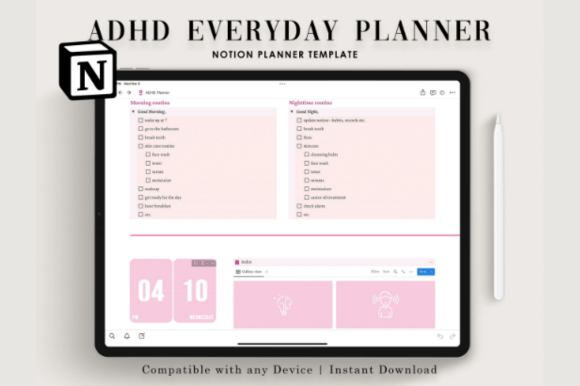
A calm, visual setup with a routine-focused dashboard, a decisions page, a 15-minute cleaning checklist, and trackers for habits, water, and sleep, plus reflection pages built for ADHD minds.
2. Study, Work and Money in One Place
Best for students and professionals who juggle classes, projects, and personal goals. Monthly, weekly, and daily planners sit alongside a study area for reading lists and class notes, a workspace for tasks and meetings, and a finance page for tracking income and spending. A lifestyle page covers bucket lists, wishlists, travel, and health goals.
Study, Work And Lifestyle Planner

Plan your studies, job projects, finances, and personal goals from one place. Monthly, weekly, and daily planners, a reading and class notes area, a workspace for tasks and meetings, and finance and lifestyle pages cover the whole picture.
3. Clean Light-Mode Daily Planner
Best for anyone who wants a calm, distraction-free look. The light-mode dashboard includes a progress view, a journal, a daily reflection area, and a weekly priority list. It works as a minimalist notion life planner with automated budget calculators, a media list, a shopping list, and routine pages, and every section can be renamed or extended.
Minimal Light Mode Daily Planner
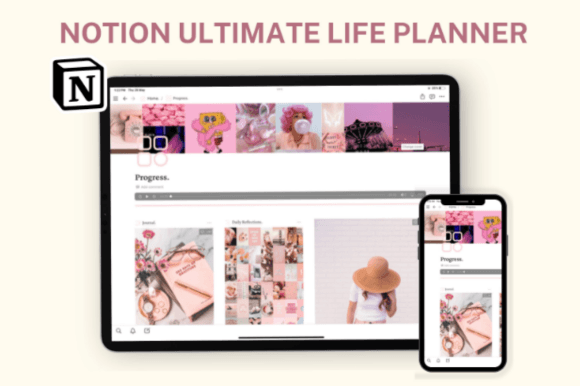
A minimalist, distraction-free planner with light-mode pages, a progress view, daily reflection, and weekly priorities, plus automated budget calculators and fully editable sections.
4. ADHD Planner With Yearly-to-Daily Pages
Best for ADHD users who want several planning horizons in the same place. A today’s agenda page links to yearly, monthly, weekly, and daily planners. Budget templates, a habit tracker, a sleep log, a reading tracker, fitness and recipe trackers, and grocery lists fill out the rest, so routine logging stays in one workspace.
Multi-Horizon ADHD Planning Pages
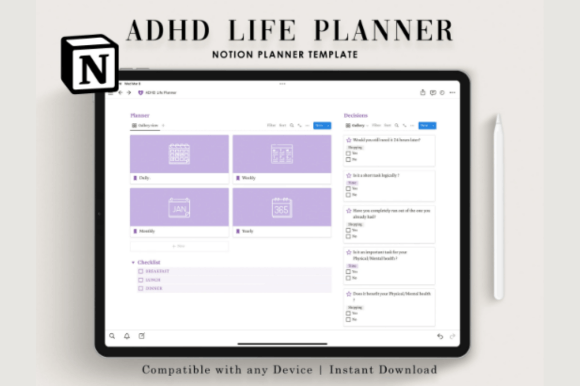
An ADHD-focused planner with a today’s agenda, yearly to daily planning pages, budget templates, a habit tracker, sleep log, reading tracker, fitness and recipe trackers, and grocery lists.
5. Task-First Dashboard for Daily Focus
Best for people whose main pain is task overload. The dashboard pairs a clock and calendar with a to-do system that uses To Do, In Progress, Done, Low Priority, and High Priority statuses. Add custom sections whenever your list outgrows the default layout.
Simple Task Board Dashboard

A simple to-do system with statuses for To Do, In Progress, Done, and priority levels, paired with a clock, a calendar, and room to add custom sections.
6. Beige Aesthetic Planning Dashboard
Best for readers who prefer a warm, neutral visual style. It offers a progress dashboard, a journal, daily reflection, and recipe and fitness pages, plus a calendar, automated budget calculators, a media section, shopping, routines, weekly priorities, and a guided tour page.
Warm Neutral Beige Planner
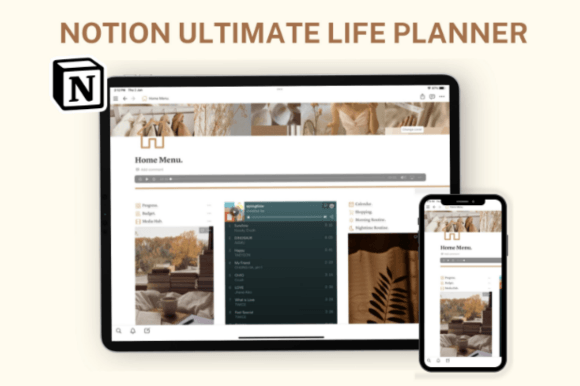
A warm, neutral dashboard with a progress view, journal, daily reflection, recipe and fitness pages, calendar, budget calculators, media section, shopping list, routines, and a guided tour.
7. Lifebook With a Vision Page
Best for goal-driven people who want long-term direction next to daily planning. A vision page holds your big goals, while yearly, monthly, weekly, and daily planners handle execution. A wallet, a finance calculator, a subscription tracker, a leisure section for travel and music, and fitness and nutrition pages keep personal life in view.
Vision-First Lifebook Planner

A goal-first lifebook that opens with a vision page, followed by yearly to daily planners, to-do lists, a wallet and subscription tracker, a travel and music leisure section, and fitness and nutrition pages.
8. Life Coach Workbook for Structured Goals
Best for coaches and anyone running a structured self-coaching practice. The Wheel of Life, a SMART goal map, a four-quadrant priority grid, habit-building pages, and a procrastination section guide you through reflection, while free-form notes keep everything in one place.
Self-Coaching Workbook Pages
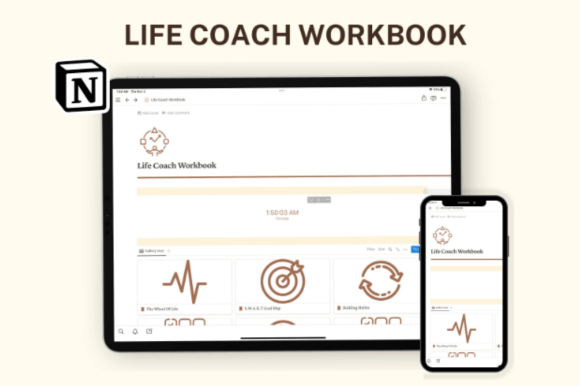
A structured coaching workbook with the Wheel of Life, a SMART goal map, a four-quadrant priority grid, habit-building pages, a procrastination section, and notes you can customize.
9. Capture Ideas, Links and Notes in One Place
Best for people overwhelmed by scattered links, ideas, and quick notes. An ideapad captures thoughts fast, a bookmark manager organizes web links and social posts, and a prompt logger keeps your best AI prompts ready to reuse. A notes section sits alongside them. Keep sensitive logins in a dedicated password manager rather than on a shared page.
Ideas, Bookmarks And Prompt Log
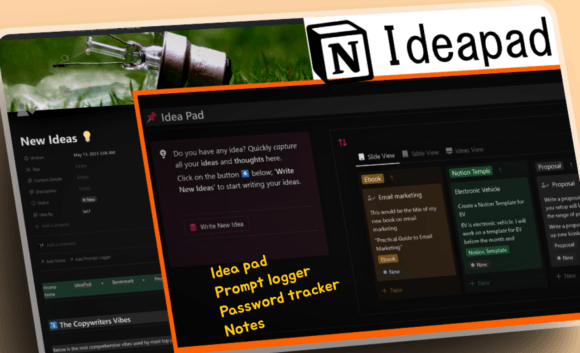
A capture-first organizer with an ideapad, a bookmark manager for links and social posts, a prompt logger for reusing ideas, a password tracker, and a notes section for everything else.
10. Dark-Mode Dashboard for Evening Planning
Best for night planners and anyone who prefers dark interfaces. It includes a journal, a daily task section, a work page, and a budget, plus a monthly task board, an academics section, a media section, a goals page, a shopping list, a fitness tracker, recipes, and a calendar with a weather forecast.
Night-Friendly Dark Planner

A dark-mode dashboard with a journal, daily tasks, work page, budget, monthly task board, academics section, media section, goals page, shopping list, fitness tracker, recipes, and a calendar with weather.
11. Routines and Sleep Tracking First
Best for people who want to fix mornings, evenings, and sleep before adding more systems. Morning and nighttime routine pages, a sleep tracker, and a journal come first. Daily tasks, a weekly agenda, a work section, a budget tracker, monthly tasks, a subject tracker, a shopping cart, and a media section follow.
Routine And Sleep Focused Pages
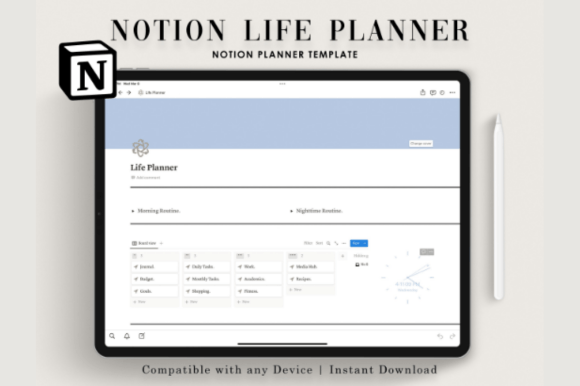
Built around mornings and evenings, with routine pages, a sleep tracker, and a journal, plus daily tasks, a weekly agenda, work and budget sections, monthly tasks, a subject tracker, and shopping.
12. Dark Theme With a Red Accent
Best for users who want a dark theme with one bold accent color. A progress view, a journal, daily reflection, and weekly priorities open the setup. A calendar, budget, media section, shopping, routines, a to-do list, recipes, fitness, and a guided tour complete it.
Bold Red Accent Planner
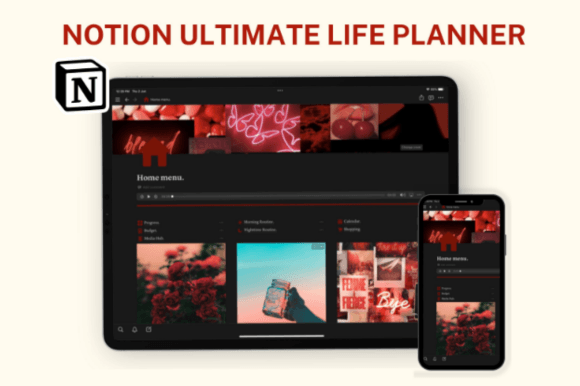
A dark-theme planner with a bold red accent, featuring a progress view, journal, daily reflection, calendar, budget, shopping, routines, to-do list, recipes, fitness, and a guided tour page.
13. Annual Life Audit Worksheet
Best for year-end reflection, vision setting, and yearly goal planning. The worksheet runs in three steps: reflect on well-being, career, relationships, and finances; envision the year with a vision board; and set SMART goals with milestones. Return to it once a year or every quarter.
Yearly Reflection Worksheet

A three-step yearly worksheet: reflect on well-being, career, relationships, and finances; envision the next year with a vision board; then set SMART goals with milestones and bucket-list items.
14. Second-Brain Planner for Money and Reading
Best for second-brain fans who also track investments and reading. The notion life planner dashboard shows a goal tracker, an overview calendar, a daily quote, and a habit tracker. Sections for planning, finance, investments, a reading journal, health, notes, and lifestyle sit one click away, and a user guide explains the setup.
Second Brain Money Planner
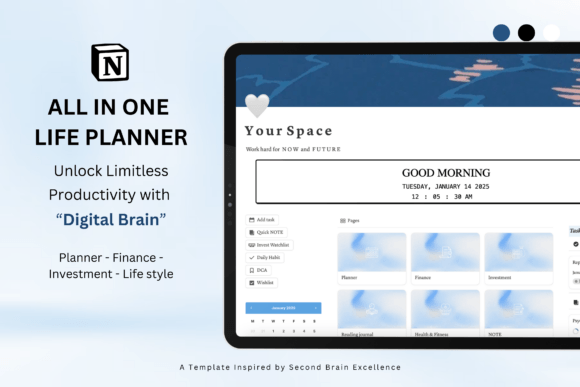
A second-brain dashboard in calm blue tones, with a goal tracker, overview calendar, daily quote, habit tracker, and sections for planning, finance, investments, reading, health, notes, and lifestyle.
15. Monthly, Weekly and Project Dashboard
Best for busy professionals and small business owners. Monthly and weekly planners sit next to finance, project, goals, cleaning, and travel planners. A task list, a mood board, a habit tracker, reading and movie lists, and a journal round out the layout.
Project And Cleaning Dashboard
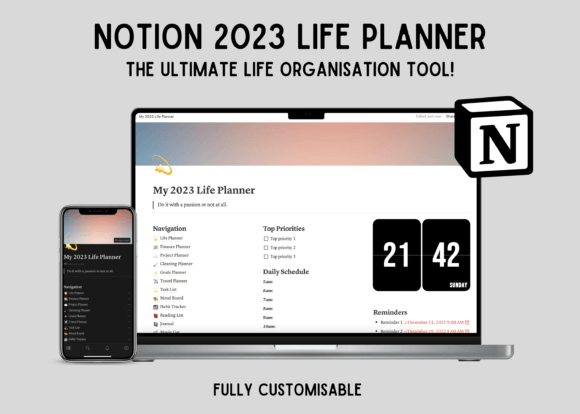
A dashboard for busy professionals and business owners, with monthly and weekly planners, finance, project, goals, cleaning, and travel planners, a task list, mood board, habit tracker, and reading lists.
16. Alternate Dashboard Option to Compare
Best for readers who want to compare two layouts before choosing. It covers the same core areas as the dashboard above, including monthly and weekly planning, finance, projects, goals, travel, habits, reading, and journaling. Open both previews side by side to see which layout fits your habits.
Alternate Dashboard Layout

An alternate take on the same dashboard idea, with monthly and weekly planners, finance, projects, goals, travel, habit tracking, a reading list, and a journal. Compare its preview with the previous entry.
17. Journal-Led Planner With Goals by Area
Best for people who plan through journaling and want goals grouped by life area. This notion life planner template offers unlimited journals, a daily to-do list, a shopping list, and a calendar that shows entries from every journal. On This Day, Week, Month, and Year views surface what matters at each scale.
Journal-Led Goals Calendar

An all-in-one planner with unlimited journals, main goals grouped by life area, a daily to-do list, a shopping list, a calendar view across all journals, and On This Day, Week, Month, and Year views.
Free Notion Templates Life Planner Access and How to Duplicate
Let’s answer the question people search for most: can you get a notion life planner template free? A free Notion account is enough to duplicate these templates, so the software itself costs nothing to start. The templates are a separate matter. Each product has its own price and license, so read the product page before you download or buy.
Creative Fabrica has run one-month free access offers in the past, but a trial like that is temporary and its terms can change. If you search for free notion templates life planner options, treat any trial as a short window rather than a permanent giveaway, and check the current offer before you plan around it.
Duplicating a template takes only a few minutes:
- Open the template page from the button in the section above.
- Follow the template link and choose Duplicate in Notion.
- Pick the workspace where you want the copy to live.
- Rename the copy, delete what you do not need, and customize the rest.
Disclosure: some links on this page may be affiliate links. They cost you nothing extra and help keep this blog running.
Notion Life Planner Aesthetic and Dashboard Setup: Step by Step
A good notion life planner dashboard feels calm and is easy to scan within seconds. That matters because the dashboard is the first thing you see every day.
A pleasing notion life planner aesthetic makes you want to open the workspace, but function always comes first. Use these steps to set up a dashboard that looks good and works well.
Step 1: Duplicate and Rename
Duplicate the template, give the copy a clear name, and pin it to your sidebar so it opens first every morning.
Step 2: Set the Dashboard as Your Home Screen
Keep four to six key widgets or links on the dashboard, such as today’s tasks, habits, calendar, goals, and budget. Everything else belongs one click deeper.
Step 3: Connect Your Databases
Check that relations and rollups link tasks to goals and expenses to budget categories. Delete sections you will never use, because unused databases quietly add clutter.
Step 4: Make It Look Good Without Losing Function
Pick two or three colors and one font family, then use cover images and icons consistently. Save the decorative touches for pages you open daily, and keep dense tables plain so they stay easy to scan.
What to Track in Each Life Area
A balanced life planner covers six areas: work, money, health, learning, home, and relationships. Track only what you will review, since a long list of metrics is the fastest way to abandon a system.
Work
One task database with statuses, due dates, and priorities shows what matters this week.
Money
A monthly budget with categories, a subscription list, and one savings goal keeps spending visible.
Health
A habit tracker, a sleep log, and a simple workout plan. Keep it to three to five metrics.
Learning
A reading list and a single notes area work better than five scattered pages.
Home and Shopping
Recurring chores and a shopping list you can check off on your phone at the store.
Weekly and Monthly Review
Set aside 15 minutes to review, reprioritize, and archive what is finished. Without this ritual, the whole system slowly decays.
Notion vs Paper Planners and Other Apps
When people compare a notion life planner vs paper planner, the real question is whether they need links between areas. Paper offers tactile satisfaction and zero screen distraction. A notion life planner trades some of that for linked data, fast search, and views you can reshape at any time.
Single-purpose apps still win on speed. A dedicated habit or budgeting app is often faster for one narrow job. A hybrid works well: keep Notion for planning and linked reviews, and use a dedicated app for one high-frequency habit. Choose by counting how many areas must connect. If the number is three or more, a connected workspace usually pays off.
Using Your Notion Life Planner on Phone and iPad
A notion life planner works across phone, tablet, and desktop with the same workspace, so changes sync between devices. Use each device for what it does best. The phone is ideal for quick task capture and habit check-ins, the iPad gives you room for a weekly review, and the desktop is best for setup and large database edits.
Simplify the dashboard for smaller screens. Fewer columns and collapsed toggles keep pages readable. Also confirm which pages you need offline, because sync behavior away from Wi-Fi can vary, so test your key pages before you rely on them.
Common Mistakes When Organizing Your Life in Notion
If you are new, a notion life planner for beginners should start small. These are the traps that catch most people:
- Building too many sections on day one. Start with three areas and expand later.
- Duplicating a template and never customizing it.
- Skipping the weekly review, which lets the system decay.
- Tracking too many habits at once.
- Storing sensitive passwords or bank details on a shared page.
- Keeping duplicate databases for the same purpose.
Frequently Asked Questions About the Notion Life Planner
Is there a notion life planner template free?
Yes, in one sense. A free Notion account is enough to duplicate these templates. The Creative Fabrica trial is a temporary offer rather than a permanent free download, so check the current terms.
Do I need to pay for Notion to use a life planner template?
The free plan covers most personal use. Consider a paid plan only if you need team features or more storage and page history.
Which template is best for ADHD?
Template 1, the ADHD-Friendly Daily Dashboard, suits routines and simple visuals best. Template 4 fits people who want several planning horizons in one place.
Can I use a Notion life planner on iPhone and iPad?
Yes. Install the Notion apps on both devices, then simplify the layout so the key widgets fit on smaller screens.
How long does it take to set up a Notion life dashboard?
A basic version takes one to two hours. Expect a few weeks of tweaking before the system feels natural.
Can I customize these templates?
Yes. After duplicating, rename, add, or delete pages and databases to match your routine.
Notion or paper: which is better for life planning?
Notion works better for linked data and search, while paper suits focus and simplicity. Many people use both.
Is it safe to store passwords in a Notion template?
Not for sensitive credentials. Use a dedicated password manager instead, and keep only non-sensitive notes in Notion.
Wrapping Things Up
A notion life planner works best when it stays simple, connected, and reviewed every week. Choose the template that matches your biggest need, be it an ADHD-friendly routine, a study and work setup, or a minimalist light-mode layout. Then set up three areas this week, not all of them at once. Give the system two or three weeks before you change anything, because habits take time to settle. Finally, book a 15-minute weekly review so the planner keeps pace with your life. Your life is too varied for a perfect setup on the first try, so accept small imperfections. Duplicate one template today and let the rest of your organization grow from there.


