Many people open Notion and stare at an empty page. A well-built notion dashboard solves that moment. It works as a home screen for your tasks, goals, money, and habits, so you know what matters before your first meeting or study session.
This guide covers 14 notion dashboard ideas grouped by use case. You will learn how to duplicate a template, arrange the first screen, set up views, style the page, and avoid the mistakes that make most setups fall apart. Each idea comes with a button to its product page, so you can compare details before you decide.
Every product here is a digital Notion template. You duplicate it into your own workspace and use it in the Notion app on a computer, phone, or iPad. A free Notion account covers basic use. Some products are reachable through a limited Creative Fabrica trial, which is covered later in this article.
The guide suits students, freelancers, small business owners, creators, and anyone building a personal system from the ground up.
Notion Dashboard Ideas: Why a Dashboard Helps
A notion dashboard is a main page that pulls linked databases, filtered views, calendars, and small widgets into one overview. Regular pages hold details. A dashboard shows the summary and points you to the detail when you need it.
The main benefit is fewer tab switches and a clear list of priorities. When tasks, deadlines, and money notes sit on one screen, you spend less energy searching. A consistent look also makes the page pleasant to open each morning, which can help a daily review habit stick. Treat that as a motivation benefit, not a promise of higher output.
Common dashboard types include life planners, work and project boards, finance views, study setups, content planners, and travel planners. Each section below follows one of these patterns.
Notion Dashboard Ideas Aesthetic: 14 Layouts for Work and Life
The list is ordered by use case, not by quality. Each entry has a short note on who it suits, what it contains, and one practical tip. Choose the idea that matches your main problem, duplicate it, and change one section at a time. A good notion template dashboard should feel like a tool you want to open, not a maze you have to study.
1. A Routine-Focused ADHD Daily Dashboard
Best for daily routines and simple, visual planning. This ADHD-focused notion dashboard includes a main dashboard page, morning and nighttime routines, a decision helper, high-priority tasks, a habit tracker, a sleep log, a daily water tracker, a journal, and focus, reflect, plan, and be present pages. Start with the routine and priority pages and add the rest later, so the setup does not overwhelm you. It is designed to support routines, not to treat any condition.
Calm Daily Routine Dashboard

A visual planner built for people with ADHD who want a calmer day. It combines a dashboard, morning and nighttime routines, a decision helper, priority tasks, habit and sleep logs, and focus pages, all kept simple and productive. The creator first made a version as a gift and later refined it for a wider audience.
2. Freelance Designer Brand Workflow
Best for freelance designers and small studios handling client branding work. The set brings together a freelance dashboard with workflow, client management, time tracking, and finance areas, plus a design contract, a brand questionnaire, a project proposal, a strategy workbook, a creative direction board, a brand presentation page, and brand guidelines. Treat the contract as a starting draft and have a professional adapt the wording, since this is not legal advice.
Brand Design Workspace for Clients
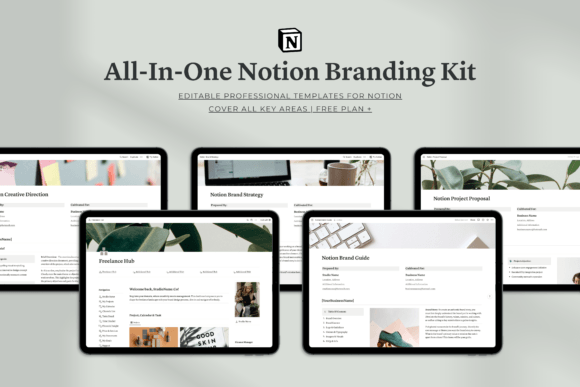
A full branding workflow for freelancers and small studios. It starts with a dashboard for client work and time tracking, then moves through a contract, a brand questionnaire, a proposal, and a strategy workbook. Creative direction, presentation, and brand guideline pages help you deliver a consistent identity. Duplicate the pages into your workspace and adjust each one to match your process.
3. A Money View for Small Business Owners
Best for small business owners who need a clear view of money. Inside you will find cash flow management, an annual tracker for net profit and expenses, budgeting, expense categories such as inventory, marketing, and utilities, revenue by sales channel, a savings area, and a year-to-date progress tracker. Pair it with one monthly money review on your dashboard, and you will know where cash went without digging through old notes.
Small Business Money Overview

A finance-focused setup for small businesses and side hustles. It tracks cash flow, yearly profit and expenses, monthly budgets, and savings in one place. Revenue is grouped by sales channel, and a year-to-date tracker shows progress against your targets. It suits owners who want simple numbers they can check each week.
4. Business Operations and Content Planner
Best for small businesses that want sales, content, and operations in one place. It includes monthly and weekly planners, a business planner, a sales and offers planner, an order tracker, keyword research, a pricing planner, a supplier list, goals and action plans, social media content ideas, a social media planner, resources, and analytics. Use this one for operations and marketing, and keep the money pages in the previous setup.
All-Round Business Command Panel
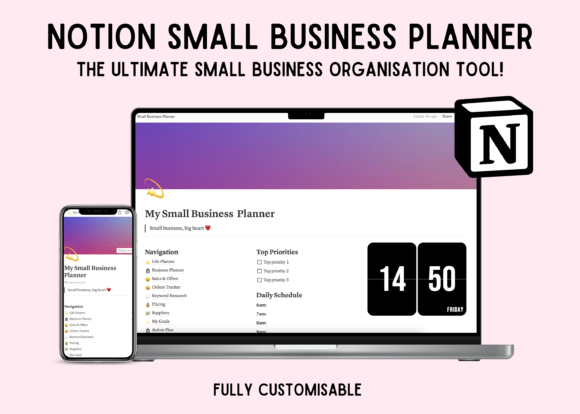
An all-round planner for owners who want to organise their day, week, and month. It covers sales and offers, orders, pricing, suppliers, and goals, plus a full social media section with content ideas, a planner, resources, and analytics. The layout stays minimal, so checking it every day becomes an easy habit.
5. A PARA-Based Pink Dashboard for Notes
Best for readers who want a knowledge system with a pink aesthetic and a PARA structure. PARA stands for Projects, Areas, Resources, and Archive, a method for sorting notes by how actively you use them. This notion dashboard uses a navigation bar to reach linked databases, and when you update an entry, the main page reflects the change automatically. You can add your own images and data at each step.
Soft Pink Knowledge System

A pink second brain system built on the PARA method. The navigation bar gives quick access to each database, and you can personalise titles, fields, and images in every area. Changes you make in the databases appear on the main page, so your central control view always stays current.
6. A Light, Minimal Everyday Life Planner
Best for everyday life balance: tasks, health, money, and media in one light-mode layout. The main page includes progress, a journal, a daily reflection, recipes, fitness, a calendar, a budget with automated calculators, a media hub, shopping, morning and night routines, weekly priorities, a to-do list, and a short tour guide. It is a good first pick for beginners because the look is calm and the sections are easy to read.
Tidy Everyday Life Overview
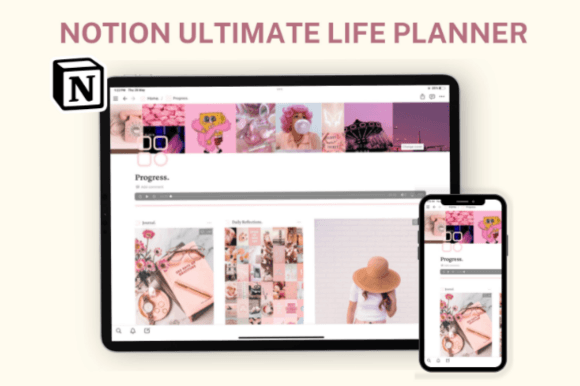
A colour-coordinated life planner with a minimalist look and a distraction-free layout. Daily tasks, a priority list, a fully automated finance tracker, a health planner with workouts and meals, and a reading and watching log all sit together. You can add as many custom sections as you need.
7. Student Dashboard for Classes and Side Jobs
Best for students juggling classes, assignments, and part-time work. You get a daily tasks section, a work page, a budget planner, a monthly task board, an academics section, notebooks, a media hub, goals, a shopping list, a fitness tracker, recipes, and a calendar. Set up the academics section first, then add calendar views for exam weeks. A student notion dashboard works best when the first screen shows only what is due this week.
Semester Study Command Center
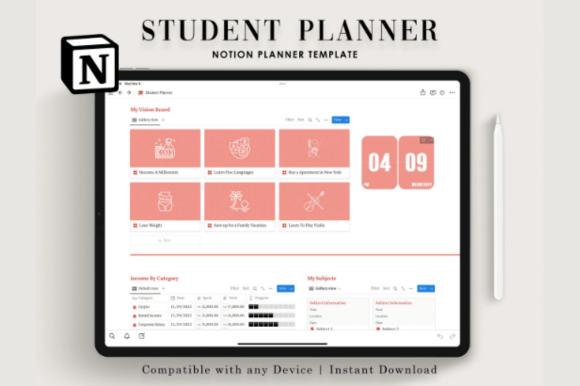
A student-friendly planner with a daily task section, a monthly task board, and an academics area for notebooks and class work. It also includes budgeting, goals, fitness, recipes, and a calendar in one colour-coordinated layout. Every section is customisable, so you can add more pages as your semester grows.
8. Trip Planning with Itinerary and Budget
Best for planning trips with a day-by-day itinerary and a travel budget. The template lets you set spending limits, track expenses, and monitor the budget while you are on the road. Duplicate it a few weeks before your trip and update the budget page as you book flights and stays. A travel notion dashboard keeps bookings and costs together, so you stop searching old emails.
Holiday Route and Spending Planner

A holiday travel planner for organising an itinerary that matches your preferences. It includes budgeting features with spending limits, expense monitoring, and informed money decisions during the trip. It is built to reduce travel stress and keep planning straightforward.
9. Styling Add-On for Covers, Fonts, and Colors
Best for restyling a dashboard you already use. This is a styling add-on, not a standalone dashboard. It offers aesthetic covers, minimalist dividers, font and colour ideas, and palettes that match a brand. Covers are customisable through Canva, so plan on a short design step if you want to change them. Apply one palette across every page to keep your notion dashboard ideas aesthetic consistent.
Pastel Palette and Cover Set

A customisation set for Notion users who want a branded, organised, and aesthetic workspace. It includes covers, minimalist dividers, font and colour choices, and palettes that match your brand identity. It suits creators, business owners, and students who want their pages to feel cohesive.
10. A Broader ADHD Life Tracking System
Best for people with ADHD who want reading, fitness, travel, and home routines in one system. Inside are an ADHD dashboard, today’s agenda, a decision area, a checklist, yearly, monthly, weekly, and daily planner pages, budget templates, a leisure club, a sleep log, a habit tracker, goals, home cleaning, a reading tracker, a media hub, a music list, travel diaries, fitness, recipes, and grocery lists. Compare it with the first idea: that one is a focused routine system, while this one is a wider life-tracking setup.
Wide-Range Personal Log Setup
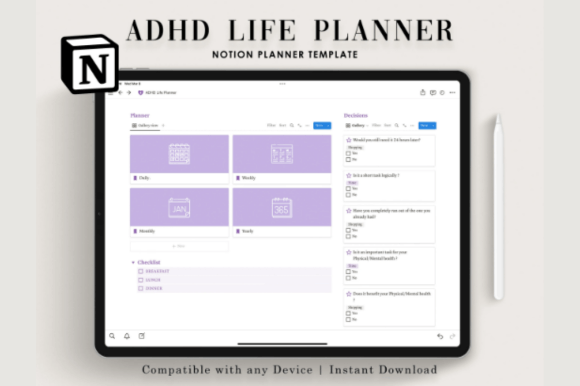
A broader life planner for people who want to track more than daily routines. It covers planning from yearly to daily views, budgets, a leisure club, sleep and habit logs, goals, and home cleaning. Reading, music, travel diaries, fitness, recipes, and grocery lists sit alongside, so one system covers most of the week.
11. A Task-First GTD Productivity Workspace
Best for readers who follow Getting Things Done or want a task and project workflow. The dashboard covers task and project organisation, a to-do list, calendar integration, a projects overview, Pomodoro timer functionality, a Spotify playlist embed, and a notes and ideas section. Integrations depend on how Notion embeds content, so test the timer and playlist in the preview before relying on them. An aesthetic notion dashboard can also keep work sessions calm.
Focus Sessions and Project Overview
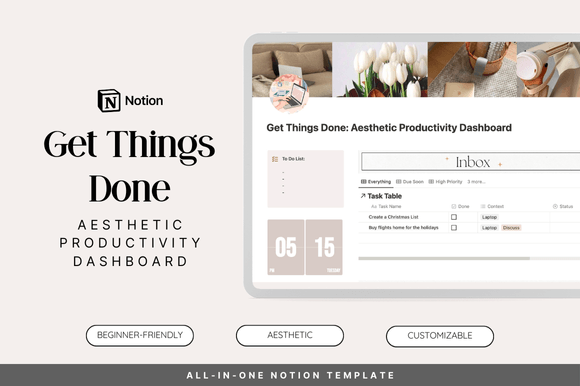
An aesthetic productivity dashboard inspired by Getting Things Done. It helps you organise tasks and projects, sync appointments with your calendar, and keep notes and ideas in one place. A Pomodoro timer and a Spotify playlist embed support focused work sessions, and the layout keeps open tasks visible.
12. Content and Brand Deals Planner for Creators
Best for creators and social media managers planning content and sponsorship work. It includes a social media dashboard, a content strategy page, long-term goals, a SWOT analysis, analytics, content marketing essentials, a plan and schedule view, a content library, audit and accounts, income tracking, a brand identity planner with logo variations and colours, a brand deals database, and a platforms list. Keep brand identity pages separate from daily scheduling so the calendar stays clean.
Creator Calendar and Income Tracker
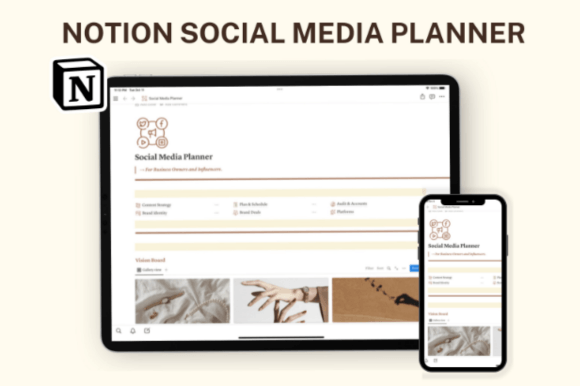
A social media planner with a minimalist, colour-coordinated design. It helps you plan brand growth, track projects, and manage daily content in one place. Income and expenses by category, brand identity pages, and a brand deals database keep your business side organised.
13. One System for Personal and Business Work
Best for one system covering personal and business tasks, clients, and knowledge. The notion dashboard here connects projects, daily tasks, areas, resources, health, personal growth, finances, assignments, a class schedule, clients, an inbox, priorities, a next seven days view, a task archive, a calendar, notes, and a habit tracker. It works well as an all-in-one choice, but it can feel heavy at first, so hide the sections you do not use yet.
All-in-One Client and Life Setup

A second brain system for both personal life and business. It includes a dashboard, projects, daily tasks, areas, resources, client records, a class schedule, and habit tracking. A navigation bar and inbox let you capture ideas quickly, and you can add as many custom sections as you want.
14. Online Shop Dashboard for Sellers
Best for online sellers who need to track products, orders, and promotions. The layout covers goals, products, orders, sales and discounts, an analytics tracker, a pricing guide, keyword research, social media, and a planner page. Pair it with the business planner from idea four if your shop also runs social marketing, and keep this one focused on store operations.
Store Operations at a Glance

An all-in-one planner for running an online shop. It keeps sales and offers, orders, pricing, keyword research, and social media in one place. The minimal layout still helps you organise your day, week, or month, and the customisable design can match your brand.
Notion Dashboard Template Tips: Choosing the Right One
With so many options, overlap is normal. The ADHD routine pick and the wider ADHD tracker share a theme, and the small business finance, business planner, and online shop ideas overlap on money and sales. Start with one notion dashboard template that covers your top problem. If you need more later, borrow a single section, such as a budget page, instead of duplicating an entire system.
Check the first screen as well. If a template shows a dozen widgets before you can read a single task, it may suit a power user better than a beginner.
How to Get These Templates: Creative Fabrica Trial and Duplicating
Creative Fabrica currently offers one month of free access under its current promotion. Check the conditions before you sign up: eligibility, which products are included, and what happens when the trial ends. If you are looking for free notion templates dashboard options, be realistic: most products below are paid, and access depends on the trial terms. The trial is temporary, not a permanent source of free templates.
Many Notion users also build a dashboard from scratch with a few linked databases. That takes longer, but it gives full control over every section.
How to Duplicate a Notion Template
- Open the product page using the button in the section you want.
- Click Duplicate at the top right of the page.
- Choose the workspace where the template should live.
- Rename the pages, delete the sections you do not need, and enter your own calendar and goals.
Arranging the First Screen of Your Setup
A useful notion dashboard layout puts today first. Use the top row for today’s priorities, today’s calendar, and a quick-add task button. The middle can hold active projects, weekly goals, and a habit tracker. The bottom or side area works for a money snapshot, an inbox of notes, and links to deeper pages.
Two principles keep the layout calm. First, one screen should show what matters today. Second, avoid placing every database on the homepage. Column layouts put widgets side by side, and toggles hide details until you need them. Keep the same icon and cover style across all pages.
Setup Steps for a Clean First Week
A clean notion dashboard setup takes about an hour. Follow these steps in order and start with one template, not three.
- Define two or three main goals, such as study, money, and health.
- Duplicate the template that matches those goals.
- Remove or hide the sections you will not use this month.
- Create filtered, sorted views on the dashboard so each area shows only relevant items.
- Choose two or three colours, one font style, and consistent covers.
- Schedule a five-minute daily review and a twenty-minute weekly review, and write both on the dashboard.
Styling Tips for an Aesthetic Setup
Aesthetic choices should support use, not compete with it. These rules apply to any aesthetic notion templates you use, whether pink, light, or brand-based. Limit the palette to three colours: background, accent, and text. Use a few covers per section instead of one per page, and pick a single icon set. Test on a phone, because low-contrast text disappears fast on small screens. If the page looks good but is hard to scan, simplify it.
Using Templates on Phone and iPad
Templates work through the Notion app on computer, phone, and iPad. A free Notion account is enough for duplicating and basic use, though you should confirm current plan limits before relying on specific features. Your notion dashboard adapts differently on each screen, so test it on all of them.
On a phone, columns stack, so keep the most important widgets near the top. Add a home-screen shortcut to the Notion app for fast capture. The iPad works well for weekly planning and review sessions, especially with a stylus and full-width views. Changes sync across devices, but avoid editing the same entry on two devices while offline.
Dashboard vs Other Apps: Which Fits Your Workflow?
Notion is strong when you want linked databases, flexible views, and notes and tasks in one place. Other tools may serve specific jobs better. A dedicated task manager suits simple to-do lists, a calendar app handles time blocking, a spreadsheet handles detailed finance maths, and a visual board works well for brainstorming. If you are weighing dashboard notion ideas against a plain spreadsheet, the trade-off is flexibility versus simplicity.
Notion is less ideal if you need a simple single-purpose tool or heavy real-time collaboration with complex permissions. No app is best in every case, so decide based on the job in front of you.
Common Mistakes to Avoid
- Overbuilding on day one. Start with three to five sections.
- Using too many colours and covers. Stick to the three-colour rule.
- Leaving databases unlinked. Create filtered views on the dashboard.
- Skipping the review ritual. Add a daily and a weekly check.
- Copying a template without customising it. Rename, trim, and adapt.
- Ignoring the phone layout. Test before you finish.
Frequently Asked Questions
What is a notion dashboard?
It is a main page in Notion that brings linked databases and views together for an at-a-glance overview of your work and life.
Do I need a paid Notion plan to use these templates?
A free Notion account is enough to duplicate and use the templates for basic use. Confirm current plan limits on Notion’s pricing page before you start.
Are all 14 notion dashboard templates free?
No. Creative Fabrica offers a limited free trial month under its current terms. Check the offer’s conditions, because free access is temporary and not a permanent giveaway.
How do I duplicate a Notion template?
Open the product page with the button in its section, click Duplicate at the top right, choose your workspace, and then customise the pages.
Which option is best for students?
The student planner in this list fits most students best, since it covers classes, assignments, budgeting, and a calendar in one layout.
Can I use a notion dashboard on my phone and iPad?
Yes. Use the Notion app on a phone, iPad, or desktop, and keep the key widgets near the top so they are easy to reach on a small screen.
Should I pick a template or build my own?
Templates save setup time, while building your own gives full control. Start with a template and adapt it over time.
Final Takeaways
A notion dashboard works when it shows what matters today, not everything you own. Start with one idea from this list, duplicate it, and customise a single section this week. Keep the first screen simple, limit your colours to three, and review the setup on a regular schedule. Before you begin, check the current Creative Fabrica trial terms, because free access is temporary and depends on the offer’s conditions. A dashboard is never finished, since your work changes, so your layout should change with it. Pick the setup that helps you act, and let the pretty details follow. Which of these 14 dashboards would you start with, and what would you change first?


