Deadlines, exam dates, part-time shifts, and personal goals usually end up scattered across five apps and a notebook you never open. If that sounds familiar, a ready-made workspace might be the simplest fix. This guide walks through notion template ideas for students, covering what each one contains and who it suits best.
Notion itself is free to start, and a free account is enough to duplicate the templates below. Each one is a set of pages, databases, and views that you copy into your own workspace and edit. Some are paid products, while Creative Fabrica currently offers a temporary free month, so this article points out where access differs. You will also find a step-by-step setup path, common mistakes to avoid, and short answers to the questions students ask most.
These are 16 practical, student-focused picks grouped by use. If you are new to the topic, the notion template ideas for students here are a quick way to see what a working setup looks like. This article is written for high school students, university students, and self-learners who want less chaos and a clearer routine.
Why a Notion Template Beats Starting From Scratch
A blank page is flexible, but that flexibility is exactly what makes it hard to begin. A notion student planner gives you the structure first: course pages, an assignment database, an exam tracker, and views that show the same information in different ways. Because the databases are linked, an assignment can point to its course, and a study session can point to the exam it prepares you for.
Good notion template ideas for students share one trait: their databases talk to each other. You then fill the structure with your own classes and dates. A template is a starting point, not a finished system, so you still need to update it every week.
16 Notion Template Ideas for Students Grouped by Need
Below are 16 notion template ideas for students, grouped by need: all-in-one planners, coursework and exam trackers, life dashboards, creative and reading systems, formula guides, and a few side-business options. Each entry explains who it suits and what it includes. The button under each example opens the product page, so you can check the price and access type before you duplicate anything.
All-In-One Semester Planner
A strong default among notion template ideas for students, this planner suits anyone who wants classes, tasks, notes, and personal goals in one place. Keep only the sections you need.
- Daily tasks with a priority list and a monthly task board
- Academics section with notebooks and a calendar view
- Budget planner, fitness tracker, recipes, and a goals page
Organized Student Life Overview

A full student workspace with daily tasks, a priority list, class notebooks, a calendar, and light budget, fitness, and goal sections. Every section is editable, and you can add new ones whenever you need them.
Coursework and Exam Prep Dashboard
This one suits students with heavy course loads and frequent tests. Assignments, study materials, and exam preparation stay in linked sections, so nothing sits in a separate app.
- Class schedule with separate class details
- Study materials sorted by topic and by class
- Exam tracker, study plan, and progress tracker
Assignments And Exams In View

Track classes, study materials, enrolled courses, and exam prep from one dashboard. Each area is its own page, so you open only what you need for the week ahead.
Quiet Minimal Student Layout
If you want a quieter notion student planner, this minimal version keeps the core sections with softer fonts and colors. It is built for students who get distracted by busy designs.
- Daily tasks with a priority list
- Automated budget calculators and a fitness tracker
- Books and shows list, goals page, and shopping section
Quiet Minimal Daily Planner
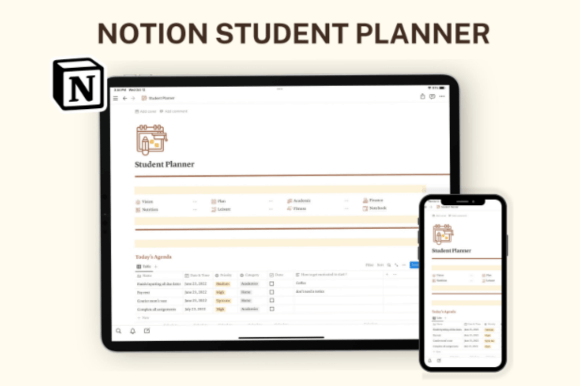
A softer take on the student planner with chic fonts and muted colors, covering daily tasks, budgeting with automated calculators, a reading list, and meal planning.
Single Dashboard for Life Admin
Among notion template ideas for students, this one is useful if you want a monthly and weekly overview of school, money, and personal projects in a single dashboard.
- Monthly planner and weekly to-do list
- Finance, project, and goals planners
- Habit tracker, reading and movie lists, mood board, and journal
Calm Monthly Life Organizer

An all-in-one life organizer with monthly and weekly planning, finance and project planners, a goals page, a travel planner, habit tracking, a mood board, and a journal.
Home, Travel and Goals Planner
Another life-planning option, useful if you want extra pages for chores and trips. It sits among the notion template ideas for students that cover more than study, so pick it if the layout feels better to you.
- Cleaning and travel planners
- Monthly planner, weekly to-do list, and goals planner
- Habit tracker and journal
Cleaning Travel And Goals Planner

A life dashboard with monthly and weekly planning, a finance section, cleaning and travel planners, a habit tracker, and a journal, all linked to one central page.
Goal-Based Journal and Daily Planner
Among notion template ideas for students, this one suits people who group goals by life area and keep separate journals for different parts of their life.
- Main goals grouped by life area
- Multiple journals with a shared calendar view
- Daily to-do list, shopping list, and On This Day views
Goals Journals And Shopping Lists

Organize goals by life area, keep unlimited journals, and track daily to-dos and shopping lists. Calendar and On This Day views show entries across every journal.
Twenty-Template Starter Collection
If you want many options before choosing, this collection is one of the broadest notion template ideas for students in the list. It includes a project planner, task tracker, daily planner, habit tracker, finance tracker, reading library, and a second-brain page. Contents can change, so check the included items on the product page.
Twenty Ready Made Systems
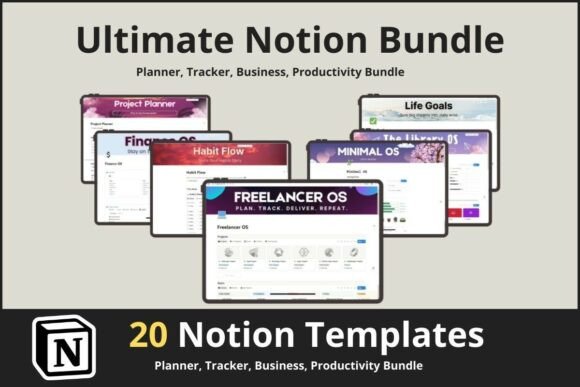
Twenty ready-made templates in one collection, from project planners and task trackers to finance, habit, CRM, and second-brain systems, each ready to duplicate.
Sticky Note Brainstorming Board
A visual option for students who think in cards. Capture quick ideas and move them around as your plans change.
- Sticky notes for ideas and reminders
- Priority task lists in separate sections
- Grocery lists and saved links you can drag between columns
Drag And Drop Idea Board

A visual board for sticky notes, prioritized tasks, grocery lists, and saved links. Drag notes between sections for quick brainstorming and simple capture.
Branded Covers and Dividers Kit
Not a planner on its own, but a set of visual extras you can add to any student workspace so that pages look consistent.
- Cover images you can customize in Canva
- Minimalist dividers for clear sections
- Font, color, and palette options
Matching Covers And Dividers

Cover images, minimalist dividers, font and color options, and matching palettes that keep every page visually consistent. Covers can be customized in Canva.
AI Prompt Organizer for Writing
Useful for essays, lab reports, and study notes if you use AI as a writing helper. Keep prompts in one library instead of rewriting them each time. Check your school’s AI policy before using any generated text.
- Prompts grouped by task, such as headlines, emails, and stories
- Editable prompts you can adapt to each assignment
Reusable Writing Prompt Collection

A reusable library of AI prompts for headlines, emails, stories, and graphics. Edit any prompt to fit your own assignments, preferences, and writing style.
Beginner Formula Practice Guide
A companion guide for students who want to learn formulas before building their own databases. Read it next to your workspace. It is a learning file, not a page you duplicate.
- Six practice pages with step-by-step tutorials
- Exercises on text, number, and date functions
- Conditional logic examples
Six Pages Of Formula Practice

Six practice pages walk through formulas step by step, with exercises on conditional logic, date, and text functions. Use it alongside your own workspace.
Advanced Formula Study Companion
A deeper course for students who already know the basics and want to automate their databases. Use it alongside your workspace, just like the beginner guide above.
- Formula fundamentals and IF logic lessons
- Progress tracking systems and productivity dashboards
- Workflow automation guides
Botanical Formula Study Guide
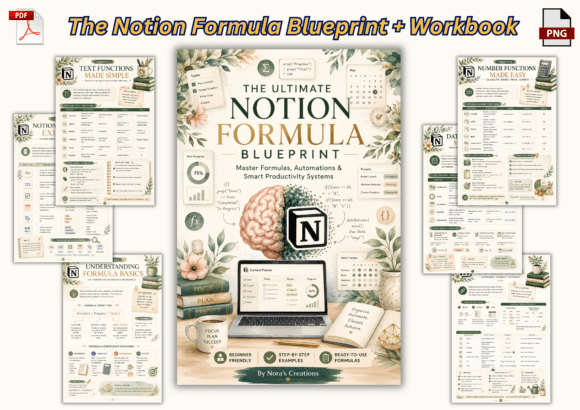
A 17-page botanical watercolor guide covering formula fundamentals, IF statements, progress tracking, productivity dashboards, and workflow automation.
Reading and Course Tracking Library
Ideal for students who collect books, courses, podcasts, and articles and want to see their progress at a glance. It is one of the notion template ideas for students built around reading and learning.
- Tagged library for books, courses, tools, and videos
- Completion percentage for every resource
- Custom categories and direct resource links
Second Brain Learning Shelf

Track books, courses, articles, podcasts, and videos with completion percentages, custom categories, resource links, and a navigation dashboard.
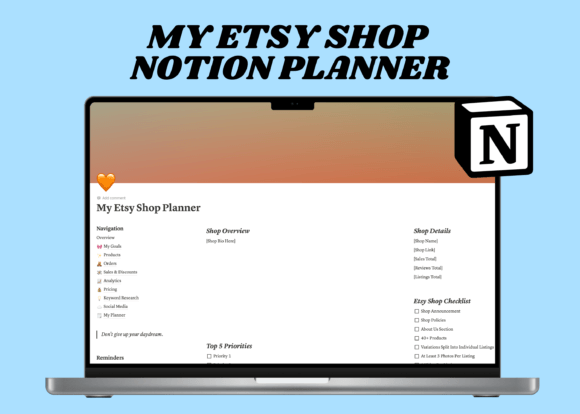
Side Shop Sales Dashboard
For students running a small Etsy shop alongside classes. It keeps sales, orders, and social posts organized around a study schedule.
- Goals, products, orders, sales, and discounts
- Analytics tracker and pricing guide
- Keyword research and social media planning
Online Shop Command View
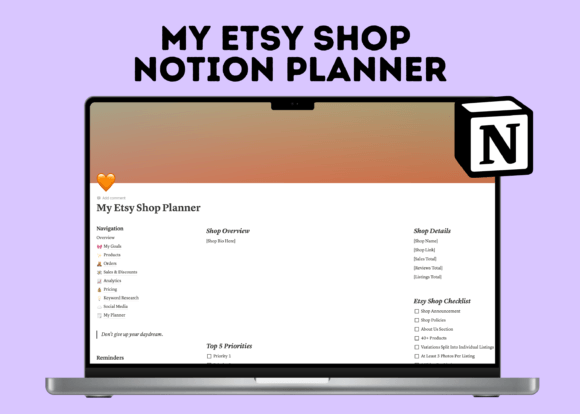
Manage your Etsy shop in one place, with goals, products, orders, sales and discounts, analytics, a pricing guide, keyword research, and social media planning.
Alternate Shop Planner Layout
A second layout for shop management, useful if you prefer a different page structure among the notion template ideas for students on this list.
- Pricing guide and keyword research pages
- Social media planning and order tracking
Pricing And Keyword Board
A second Etsy shop layout with goals, products, orders, discounts, analytics, pricing, keyword research, and social media planning in a different structure.
Side Business Money Tracker
A finance option for students who run a small business and need clear records. Check local tax rules with a qualified professional before relying on any tracker.
- Cash flow management and annual net profit tracking
- Expense categories for inventory, marketing, and utilities
- Revenue by sales channel, savings, and a year-to-date tracker
Cash Flow And Savings Tracker

Track cash flow, annual net profit, expenses by category, revenue by sales channel, savings, and year-to-date progress for a small side business.
Free Notion Student Template Options
If you want a free notion student template to test first, start with the Notion free plan. A free account is all you need to duplicate these products, according to their descriptions, so you can try the layout before paying for anything.
Creative Fabrica currently offers a free month of access on its current promotional terms. Treat it as a temporary trial rather than an ongoing giveaway, because a paid subscription is needed once it ends. Individual products are priced differently, so check each product page before you commit, and compare these notion template ideas for students side by side while the trial lasts.
Duplicating a Template in Five Steps
- Open the template link from the button under the example you chose.
- Click Duplicate on the template page. Notion will ask you to sign in or create a free account.
- Choose the workspace where the copy should live.
- Rename the top page and remove sections you will not use.
- Fill in your courses, assignments, and exam dates before adding anything else.
Before you start entering a semester’s worth of data, test one entry in each main database and confirm that formulas and calculators work as expected.
How to Use Notion for Students in Five Steps
These steps work with any of the notion template ideas for students in this list. Build in layers: structure first, then data, then views.
Step 1: Create One Main Page
Create one top-level page and call it something simple, like Student Dashboard. Add links to classes, assignments, exams, notes, and habits. This is the page you will open every morning, so keep it short. Think of it as your notion student dashboard, not a storage box.
Step 2: Build Three Core Databases
Courses, Assignments, and Exams are enough for most students. Give Assignments a relation property that points to Courses, and do the same for Exams. The core of a good notion setup student workflow is these links, because one entry can appear on several pages.
Step 3: Add Calendar and Board Views
Use a calendar view for due dates and exams, a board view for assignment status (To do, In progress, Done), and a table view for grades or reading lists. Every view reads the same data, so you update a task only once.
Step 4: Set a Weekly Review
Pick one fixed time each week, such as Sunday evening. Review upcoming deadlines, move tasks into a daily to-do list, and archive finished work. A dashboard stays accurate only if you keep updating it.
Step 5: Customize After the Basics Work
Once the structure has run smoothly for two or three weeks, change colors, covers, and icons. Styling comes last because it is easy to spend hours on looks while the databases are still empty.
Common Mistakes When Setting Up Notion for School
Even the best notion template ideas for students can frustrate you if you run into one of these common problems with a notion setup for school.
- Building too much at once: start with three databases, not twenty sections.
- Skipping relations: without links between databases, you lose the main benefit.
- Duplicating without editing: replace sample content with your own classes and dates.
- Skipping the weekly review: an outdated dashboard quickly turns into clutter.
- Collecting templates: pick one core template and one add-on instead of ten.
Frequently Asked Questions
Which notion template ideas for students work best for beginners?
Start with the all-in-one student planner or the coursework dashboard, and keep only the sections you will use in the first month.
Is Notion free for students?
Notion has a free plan that is enough to duplicate and use these templates. Check Notion’s website for current education offers, since plans and limits change.
Can I use these templates on my phone and iPad?
Yes. Notion syncs across phone, tablet, and computer. Test your main views on each device, because layouts look different on small screens.
Should I choose Notion or a paper planner?
Choose Notion if you want linked databases and progress tracking. Choose paper if you want a simple, distraction-free tool. Many students combine a calendar app with Notion.
Wrapping Things Up
These notion template ideas for students cover a lot of ground, so start small. Pick one student planner or dashboard, set up three linked databases for courses, assignments, and exams, and run a short weekly review. The rest of the list can wait until your routine feels steady. Notion is free to start, and the Creative Fabrica free month is a temporary offer, so check the current terms before you decide. Your next step is simple: choose one template from the list, duplicate it today, and fill in your first two weeks of tasks. A calmer semester usually starts with one small, organized page rather than a perfect system.

Related Posts You Might Enjoy
Ace Your Studies: Unlocking Academic Bliss with a Notion Planner


