A default Notion page works, but it often looks cluttered, and clutter is easy to ignore. That is why so many people search for a notion aesthetic: a consistent visual style of colors, covers, icons, and spacing that makes a workspace pleasant to open every day. Done well, it is not decoration for its own sake. It makes your system easier to trust and easier to use.

This guide shows you how to make Notion look and work better, step by step. It also includes 21 digital Notion templates, each with a note on who it suits best. If you are a student, a freelancer, a creator, or someone building a personal life system, you can apply these ideas today with a free Notion account.
One rule runs through this article: aesthetics should support function, not replace it. A notion aesthetic that never gets opened is just wallpaper. Keep what helps you plan, track, and finish work, and remove the rest.
Aesthetic Notion Basics: Why Looks Change How You Work
Notion aesthetic is a visual and structural style applied consistently across pages. It covers the palette you choose, the cover images, the icons, the dividers, the fonts, and the layout of each page. Consistency is the core idea. Ten pages in ten different styles look messy, while ten pages that share one palette feel like a single system.
There is a psychology behind it too. A pleasing workspace lowers friction. When opening your system feels calm rather than cluttered, you are more likely to check it daily, and daily habits are what keep a planner alive. People who enjoy their setup usually stick with it longer than people who rely on bare functionality.
A clear limit applies, though. Aesthetic without structure becomes decoration. The strongest notion aesthetic setups balance two layers: style elements such as colors, covers, icons, and dividers, and functional elements such as a dashboard, linked databases, and filtered views. Build the functional layer first, then add the look on top.
Every template in this roundup is a digital Notion template. You duplicate it into your own workspace and then use it on a computer, a phone, or an iPad. A free Notion account is enough for that, so you can test any idea before committing to it.
Setup Steps: Building a Calm Workspace in Five Steps
Follow these steps in order: palette first, then covers, structure, fonts, and finally a working dashboard. Learning how to make notion aesthetic pages is less about talent and more about repeating a simple process. The method works on any template or a blank page.
Step 1: Choose a Calm Color Palette
Notion aesthetic starts with color. Choose two or three colors: one main color, one accent, and one neutral, such as beige, sage, and charcoal. Use the same palette for covers, callouts, and tags. Notion’s built-in text and callout colors are often enough to match your choice, so you rarely need extra tools.
Step 2: Set Covers and Icons Consistently
Add a cover to each main page with the Add cover option, and reuse one style for pages of the same type, such as one banner look for all project pages. Pick one icon family, either a consistent icon set or a single emoji style. If you are looking for notion covers that already match, the covers and dividers pack later in this article is a practical starting point.
Step 3: Use Dividers, Callouts, and Columns
Dividers separate major sections without adding clutter, so use them between blocks rather than between every line. Callouts highlight what matters most, such as today’s priorities or this month’s goal. Columns create a dashboard feel: keep two or three on desktop, then check how they stack on a phone.
Step 4: Choose Fonts and Spacing
Fonts shape the feel of any notion aesthetic. In page settings, pick a font style (Default, Serif, or Mono) and decide whether small text and full width suit your layout. Keep headings short and consistent, and leave generous white space so the page feels calm and easy to scan.
Step 5: Build a Dashboard and Test It
Link your main databases to one dashboard page, then test the setup by logging real entries for a full week. Remove any section you never use, because a notion aesthetic should follow usefulness. If an element does not help you act, it goes.
Notion Template Ideas Aesthetic: 21 Templates Worth Duplicating
This roundup of notion template ideas follows the same order as the product list. Each entry includes a short description, a best-fit use case, and what the template contains. A notion aesthetic is easier to build when you start from a layout you already like, so use the descriptions to narrow your choice.
1. Freelance Brand Design Command Center
Brand Identity Workflow Kit
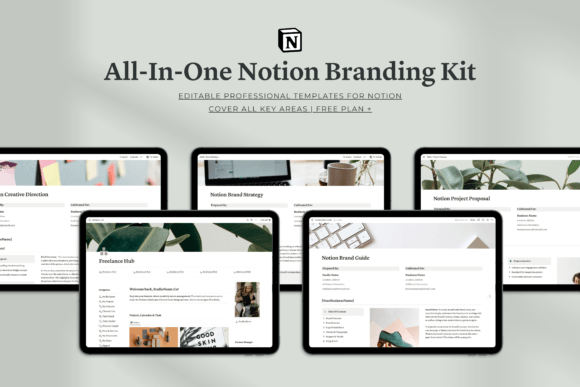
A complete kit for building brand identities from the first client call to the final guidelines. It includes a freelance dashboard page, a design contract, a brand questionnaire, a project proposal, a strategy workbook, creative direction boards, a brand presentation page, and a brand guidelines page, all connected inside Notion.
Best for: Freelance designers who manage brand projects, and anyone who wants a notion aesthetic brand kit from first call to final guidelines.
Brand questionnaire and proposal pages that speed up client onboarding
Strategy workbook and guidelines page for consistent deliverables
2. Organized Notes With the PARA Method
Rosy PARA Notes Dashboard
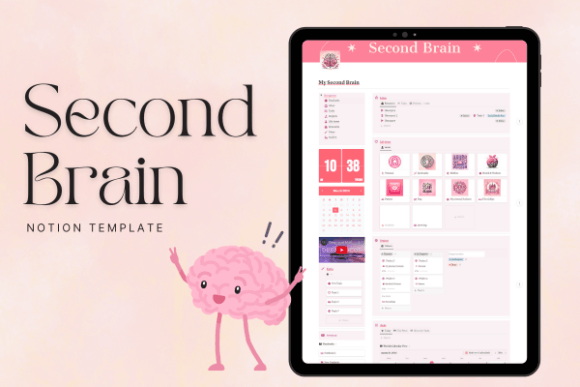
Organize notes, projects, and resources with a PARA-based layout in a pink palette. A navigation bar links to every database, and the central dashboard updates when you change entries in those databases. Add your own images and information so each area feels personal.
Best for: Sorting notes and resources with the PARA method. This is a strong pick if you want a notion second brain template with a clear navigation bar.
Central dashboard that mirrors changes made in each database
Navigation bar for jumping between areas in one tap
3. Minimal Routine Planner for Everyday Life
Minimal Everyday Life Dashboard
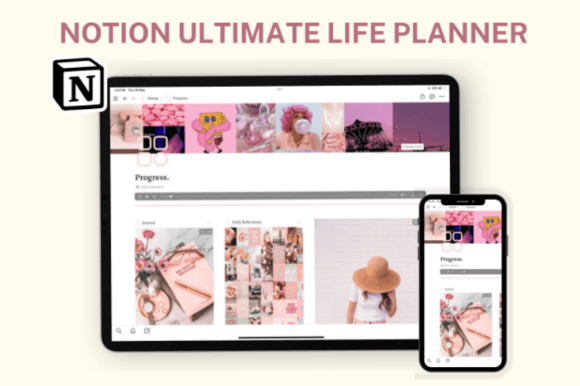
A planner for daily life with minimalist and chic fonts and colors, built for a distraction-free experience. Track daily tasks, a priority list, books and shows, finances with automated calculators, and health goals for workouts and meals. Every section is customizable, and you can add as many as you want.
Best for: An all-in-one daily life system with a calm look. It works as a minimalist notion template for beginners and busy people alike.
Morning and night routine pages for steady habits
Automated calculators for budgets and savings
4. Study Planner for Classes and Exam Season
Student Study Dashboard
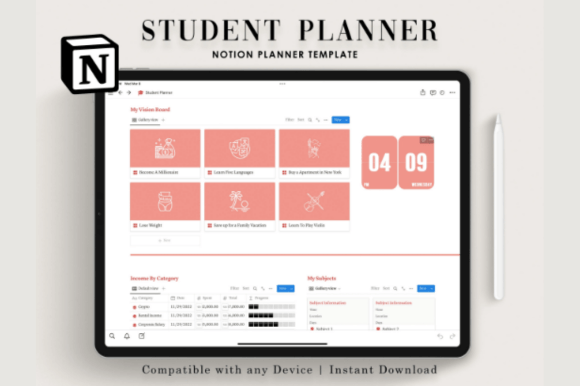
Organize school life with a template built for classes, assignments, and deadlines. Daily tasks sit beside a priority list, an academics section, notebooks, and a monthly task board. You also get a goals page, a budget planner, a fitness tracker, recipes, and a calendar.
Best for: School, university, and exam-season planning. It is an aesthetic notion template for students who want one place for classes and goals.
Monthly task board to spread assignments across weeks
Notebook pages that keep each subject organized
5. Covers and Dividers Pack for Style Upgrades
Covers and Dividers Style Pack

A styling pack for a workspace you already have. It includes editable covers you can customize in Canva, minimalist dividers for clean section breaks, font color options for better readability, and color palettes that match a personal or business brand.
Best for: Adding personality to a workspace you already use. Pair it with a notion ideas aesthetic plan when you want the whole setup to feel cohesive.
Editable covers that match your palette
Dividers that separate sections without clutter
6. Large Library of Styles to Browse
Large Template Library Collection

A large collection covering many categories, including a minimal aesthetic planner, a wellness planner, a digital financial planner, a nutrition planner, and a travel planner. Each template is customizable, and you can open them from a phone, laptop, or tablet. The download includes a text file with links to every template.
Best for: Browsing many styles before you choose a core system. It is handy when you are still collecting notion template ideas.
Mix of planners across health, money, and travel
Review each template before making it your main workspace
7. Task-Focused Productivity Dashboard
Focused Productivity Dashboard

A dashboard built to keep tasks and projects visible in one place. It includes task and project organization, a to-do list, calendar integration, a projects overview, and a notes section for capturing ideas. It also adds a Pomodoro timer and a Spotify playlist section for focus sessions.
Best for: Task-heavy workers who want a structured productivity system. It is a practical example of aesthetic notion dashboard ideas in action.
Projects overview to track progress and set priorities
Pomodoro timer section for focused work sprints
8. Content Planning Board for Creators
Social Content Planner

A planner for brands and creators who manage content in one workspace. It covers a social media dashboard, content strategy, long-term goals, a SWOT analysis, plan and schedule pages, a content library, income tracking, a brand identity planner, and a brand deals database.
Best for: Creators and small brands planning content. It is a practical notion templates aesthetic pick for anyone who posts often.
Brand identity section with logo, typography, and color notes
Brand deals database to track partnerships
9. Business Second Brain for Projects and Clients
Work and Life Command Center
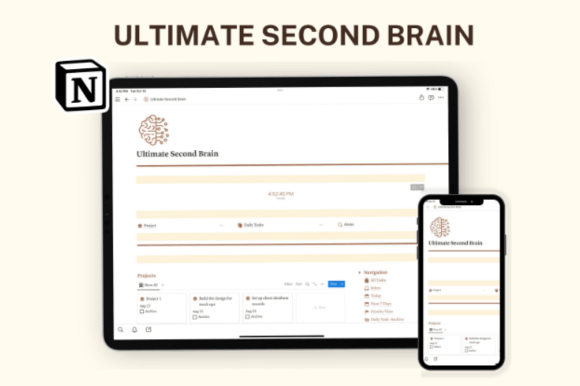
A second brain that runs tasks, projects, clients, and personal life from one system. It includes a dashboard, projects and areas, resources, an inbox, priority views, a daily task archive, a habit tracker, a calendar, personal finance tools, and a clients section. Add custom sections whenever you need them.
Best for: Running projects, clients, and personal goals side by side. It is a notion dashboard template with a clear starting point for busy people.
Inbox page to capture tasks before sorting them
Clients section that keeps working relationships organized
10. Savings and Budget Tracker in Soft Colors
Soft Savings Budget Tracker
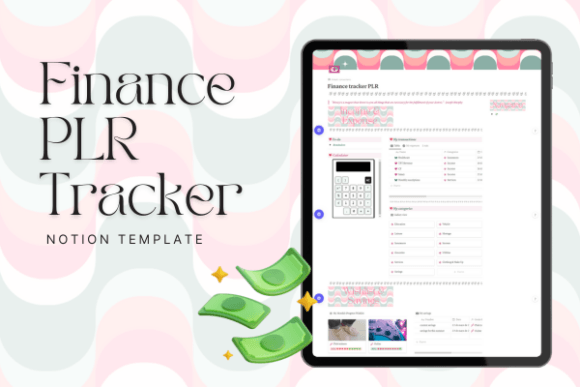
A budget template with a visual, organized interface. It includes an income and expenses tracker, a to-do list for money tasks, customizable categories, a savings tracker for your goals, and a wishlist tracker for future purchases. Watch your progress build as you log each entry.
Best for: Simple budgeting and savings goals. This aesthetic notion finance tracker template keeps money goals visible without clutter.
Customizable categories that match your spending
Wishlist tracker to pause impulse purchases
11. Project and Task Manager With Timelines
Project Timeline Manager

A planner for business projects with clear statuses and flexible views. Projects can be viewed monthly, yearly, or on a timeline. Tasks sort into To Do, Done, In Progress, low priority, and high priority, and topic pages cover marketing, sales, operations, and product analysis.
Best for: Managing business projects with clear statuses. Expect a notion planner aesthetic that suits team projects.
Timeline view to see project dates at a glance
Priority labels that keep urgent work on top
12. Detailed Money Tracker With Yearly Overview
Income and Expense Tracker

A detailed finance template for tracking money movements over time. It includes income, expense, transfer, and bill records, transaction views, breakdowns by category, a yearly net overview, a financial habit tracker, and income goals. Automated calculations update as you log entries.
Best for: Tracking income, expenses, and transfers in depth. It is a full notion finance template for planning across the year.
Bill records to avoid missed payments
Yearly overview to spot long-term money patterns
13. Minimal To-Do Planner With Clock
Minimal Task Planner

A focused to-do planner with a clock and calendar for daily tasks. The board uses To Do, Done, In Progress, Low Priority, and High Priority labels, and you can add custom sections whenever you need them. It suits anyone who wants tasks and time without extra pages.
Best for: People who want tasks, a clock, and a calendar and nothing more. It is a clean start for anyone exploring notion aesthetic ideas.
Status labels that keep the board easy to scan
Calendar view for planning each day
14. Neutral Beige Dashboard for Daily Living
Beige Daily Life Dashboard
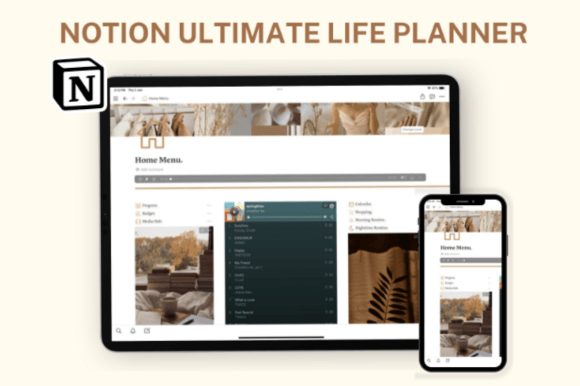
A beige take on a daily life planner with a warm, neutral palette. It includes progress pages for journaling, daily reflection, recipes, and fitness, plus a calendar, budget, media section, shopping list, morning and night routine pages, weekly priorities, and a to-do list.
Best for: A soft, neutral look for daily life planning. It is a cozy option if you want a notion life planner without bright colors.
Morning and night routine pages for a steady rhythm
Media section for books, shows, and music
15. Life Book With Long-Term Vision Pages
Vision to Daily Life Book
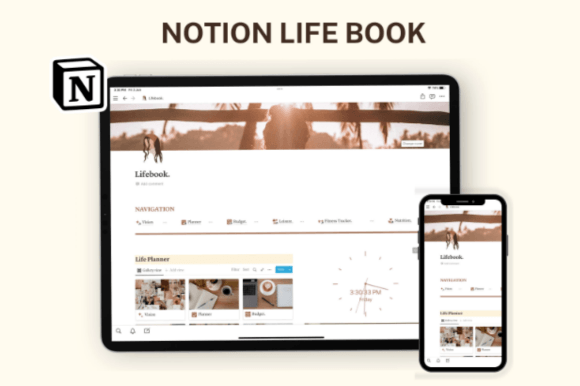
A life planner that connects long-term vision with everyday action. It includes a vision page for goals such as learning languages, saving for a home, or losing weight, yearly, monthly, weekly, and daily planners, a calendar, and budget tools. Leisure, fitness, and nutrition pages keep the rest of life in view.
Best for: Long-term vision combined with day-to-day planning. It suits readers who want goals and routines in the same workspace.
Vision page to keep big goals visible every day
Nutrition pages with recipes, meal plans, and grocery lists
16. Solo Creator Content Manager
Solo Creator Content Planner

A content planner for individual creators who manage their own brand. It includes a social media dashboard, a content library, a hashtags page, a platforms section, a task manager, and goals pages for short-term and long-term targets, plus a vision section for the brand.
Best for: Individual creators managing their own content and brand. It keeps posting plans, tags, and goals in one place.
Hashtag page to reuse tags that perform well
Goals pages for short and long-term targets
17. Visual Routine Planner for Focus Support
Visual Routine Focus Planner
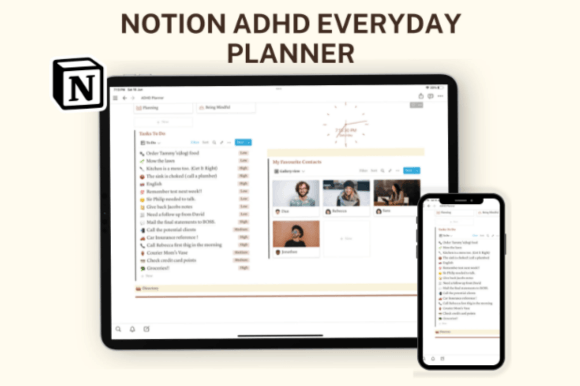
A planner designed to reduce clutter and organize daily life. Today’s agenda groups personal tasks, home chores, office appointments, and academics. It also includes a journal, high priority tasks, a calendar planner, a daily habit tracker, morning and night rituals, a clock, and a to-do list.
Best for: People who want a visual, low-clutter daily structure. It can work as a notion template for ADHD planning, though it is a planning aid and not medical advice.
Agenda split by category so each area is easy to scan
Habit tracker and rituals for steady routines
18. Self-Reflection Workbook for Coaches
Coaching Reflection Workbook
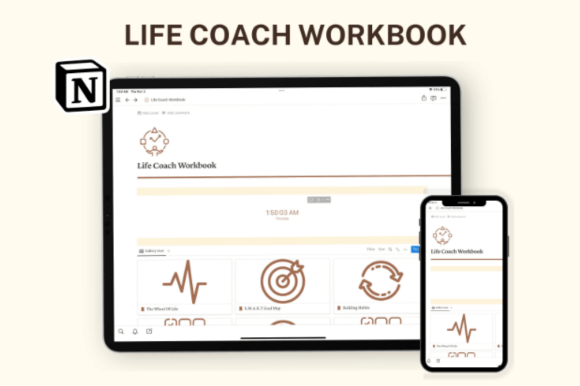
A structured workbook for guided reflection and goal setting. It includes a Wheel of Life, a SMART goal map covering specific, measurable, attainable, relevant, and time-bound goals, habit-building pages, a procrastination page, the Four Quadrants, and a notes section.
Best for: Life coaches, mentors, and anyone doing structured self-reflection. It helps turn big questions into clear next steps.
SMART goal map to shape clear objectives
Four Quadrants page for sorting urgent and important work
19. Organized Workspace for Client Relationships
Client Management Dashboard
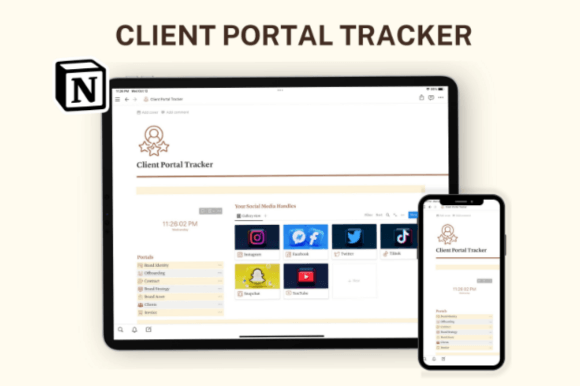
A workspace for managing clients and brands in one place. It includes a client tracker, social media handles, brand identity and brand strategy pages, contracts, an offboarding checklist, brand assets, invoices, a tasks board, a projects overview, and a client feedback page.
Best for: Freelancers and agencies managing client relationships. It is an aesthetic notion setup for freelancers who want client details in one view.
Contract and invoice pages linked to each client
Offboarding checklist for smooth project endings
20. Manuscript Workspace for Novelists
Novel Writing Workspace

A writing workspace for novels and long-form projects. It includes a manuscript page, scene cards, outlines such as a brain dump, a three-act structure, and a long outline, plus world building, a magic system page, style notes, a name vault, and an author’s advice section.
Best for: Novelists and long-form writers who need chapters, characters, and outlines in one place.
Scene cards to rearrange chapters visually
Name vault to keep character names consistent
21. Priority-First Task System for Action
Priority Checklist Task Planner

A task system built around the Getting Things Done approach. It offers a dashboard with a high priority tasks checklist, a clock, a calendar, and a to-do planner with To Do, Done, In Progress, Low Priority, and High Priority labels. Custom sections can be added as needed.
Best for: People who follow the Getting Things Done method and want a clear order for their next actions.
High priority checklist to start each day with a short list
Status labels that move each task through its stages
Notion Template Aesthetic Access: Trial Terms and Duplicating Steps
Creative Fabrica has advertised a one-month free access period for new users. Terms can change, so check the offer page before you sign up. Treat it as a trial rather than a permanent free offer, because not every template is free and each product page lists its own price and terms.
Once a template lives in your Notion account, a free Notion plan is enough to use it on a computer, phone, or iPad. If you are wondering how to duplicate a notion template, the process is short: open the template, click Duplicate, and the copy appears in your own workspace.
Open the product link from the entry you want.
Get access through Creative Fabrica using the trial or purchase option that matches the current terms.
Follow the link to the Notion template, then click Duplicate in the top-right corner. The template copies into your own workspace.
Rename the page, delete sections you do not need, and adjust colors, covers, and icons until the page reflects your notion aesthetic.
Duplicated templates are yours to edit, but check the license terms on each product page before reselling or sharing them.
Practical Ideas for Your Workspace
These ideas are modular, so pick the ones that fit your routine. Together they help you build a notion aesthetic that works every day rather than a page you only admire.
Dashboard: one main page with today’s tasks, upcoming deadlines, and quick-access links.
Habit tracker: a simple table with checkboxes and a weekly view.
Budget page: categories, a monthly summary, and a savings goal.
Reading list: status tags such as To Read, Reading, and Finished.
Weekly review: three questions covering what worked, what did not, and what comes next.
Brain dump page: one blank space for capturing thoughts quickly.
Each idea pairs well with a template above. A habit tracker fits the visual planner in entry 17, while a budget page lines up with the finance tracker in entry 10.
Notion vs Paper and Other Apps: Which Fits Your Routine
Before you commit to a setup, compare the options honestly. Anyone following a notion tutorial aesthetic approach should know where Notion fits best and where a simpler tool does the job better.
Notion: flexible databases, linked pages, dashboards, and templates. Best for complex systems, with a steeper learning curve.
Paper planner: tactile and distraction-free with no setup, but fixed layouts make it hard to search or update.
Apple Notes or Google Keep: fast capture and simple lists, with limited structure for projects or finances.
Calendar apps: strong scheduling and reminders, weak for notes, goals, or records.
A hybrid approach often works best: a notion aesthetic setup as your main system, a calendar app for reminders, and paper only if you enjoy journaling by hand. No single tool suits everyone, so choose based on the work you actually do.
Mobile Use: Working From Phone and iPad
Set up templates on desktop first, since layout editing is easier with a larger screen. Once the structure is right, check the view on your phone. A notion aesthetic that looks great on a laptop can feel crowded on a small screen, so use fewer columns and keep the dashboard simple.
Here is a quick answer to how to customize notion template on iPad: edit in a larger view first, then check covers and icons on the smaller screen. Pin or favorite your most-used pages so they sit one tap away.
Test sync by changing an entry on your phone and confirming it appears on your computer. All templates in this list are digital, so they work across devices with the same free Notion account.
Common Mistakes to Avoid in Your Setup
Too many colors: stick to the palette you picked in step one. Too many colors ruin any notion aesthetic.
Copying a template without customizing: change names, categories, and sample data so it fits your life.
Too many databases: each new database adds upkeep, so start with two or three.
Decoration over function: if a page looks great but you never open it, simplify it.
Skipping a weekly review: a clean system needs regular updates to stay useful.
Ignoring the mobile layout: check the template on your phone before relying on it.
Frequently Asked Questions About Notion Aesthetic
What is notion aesthetic?
Notion aesthetic describes a consistent visual style in Notion, including colors, covers, icons, fonts, and layout, that supports a clear and functional workspace.
Do I need a paid Notion plan to use these templates?
No. According to the product descriptions, a free Notion account is enough to duplicate and use the templates. Check each product page for any other requirements.
Are all of these templates free?
No. Creative Fabrica has advertised a one-month free access period, which is a trial and not a permanent free offer. Each product has its own price and terms.
Can I use these templates on my phone and iPad?
Yes. Notion works on computer, phone, and iPad. Duplicate on desktop first, then check the layout on mobile.
How do I change colors and fonts in a duplicated template?
Use page settings to adjust font and width, then edit covers, icons, and callout colors directly on each block.
Which template is best for beginners?
For a notion aesthetic tutorial for beginners, start with a simpler option, such as the minimal to-do planner in entry 13 or the minimalist daily planner in entry 3. Add complexity once the habit sticks.
Can I use these templates for business or client work?
Yes. Entries 1, 8, 9, 11, 16, and 19 are built with business, brand, or client work in mind. Check the license terms before reselling anything.
How do I keep an aesthetic notion setup I will actually use?
Keep the design simple, limit your palette, remove unused sections, and schedule a weekly review. The aesthetic notion templates in this list work best when they fit your routine.
The Bottom Line
A notion aesthetic is a consistent visual and functional system, not just decoration. Start with a small palette, match covers and icons, and build a dashboard you actually open. Use the 21 templates above as starting points, matched to goals like studying, budgeting, writing, or client work. Creative Fabrica’s current one-month free access is a trial, and not every template is free, so check the terms before you sign up. Then pick one template this week, duplicate it, and customize it for seven days. One real week of use will teach you more than any amount of planning.
Worth Checking Out
Notion Template Ideas That Calm Your Chaos: 18 Free and Aesthetic Picks


