A notion finance template gives you a ready-made money workspace inside Notion, so you can track income, spending, and savings without building every database from scratch. Many people give up on spreadsheets or budgeting apps within a few weeks, and a visual setup often makes tracking feel lighter and easier to repeat.

This guide explains what a notion finance template does, lists 18 budget and finance tracker options, walks through a step-by-step setup, and answers common questions. Every template is a digital Notion duplicate that runs on desktop, phone, or iPad, and a free Notion account is enough to use it. Creative Fabrica currently offers a one-month free trial under its present offer, but not every template is free, and the trial is not a permanent giveaway.
Some entries are dedicated finance trackers. Others are general life planners with a budget section. The list makes that difference clear, so you can pick the scope that matches how much of your life you want in one workspace.
What Is a Notion Finance Template and Why It Helps With Budgeting
A notion finance template is a pre-built workspace with databases for income, expenses, categories, savings goals, and monthly summaries. You duplicate it into your own Notion account and replace the sample entries with your real numbers. The structure is already there, so you spend your time on the money rather than on the layout.
Notion suits this job because its databases are linked. When you add a transaction, the dashboard can update on its own, and you can keep notes, goals, and to-do lists next to the figures. This is the main appeal of budgeting notion setups: your numbers sit beside the plans they support.
The trade-off is setup time. Notion asks for more effort than a simple app, but in return you get control over categories, layout, and the way each month is reviewed. If you enjoy shaping your own tools, that extra effort usually pays off.
How to Choose the Right Notion Budget Template
Before you duplicate anything, run a quick check. A good notion budget template should pass these tests:
It has real databases for transactions, categories, and monthly summaries, not just a decorated page with a “Budget” title.
It includes automated calculators or formulas, so totals update as you add entries.
It matches your scope. Pick a finance-only tracker or a life planner where budgeting is one section.
It still works after duplication. Listing descriptions are marketing copy, so test the features yourself.
Aesthetic Looks vs. Working Function
Looks matter because you will open a tracker more often when it feels pleasant to use. A soft notion budget template aesthetic, with pastel or minimalist colors, can make logging money feel less like a chore. Pink, beige, and dark-mode designs all work well for building the habit.
Function still comes first, though. A beautiful page with broken formulas or no category breakdown will not help you. Choose a template that calculates correctly, then adjust colors and icons to suit your taste. A practical order is to pick a neutral color set first and personalize covers and icons after the numbers work.
Notion Budget Template & Finance Tracker: 18 Ready-to-Use Options
The list below groups entries by use case. Several listings share a generic name, so rely on the entry number and the preview image to tell them apart. Descriptions reflect each seller’s listing, and you should check every template after duplication. Some products carry PLR (private label rights) or resell licenses. Those listings focus on resale, so personal use should follow the license terms.
Pink Second Brain Money Tracker
Best for: people who want a finance tracker and a personal knowledge hub in one workspace. It includes income and expense logs, a to-do list for money tasks, custom categories, a savings tracker, and a wishlist. This product comes with resell rights, so check the license before any commercial use.
Soft Pink Money Dashboard
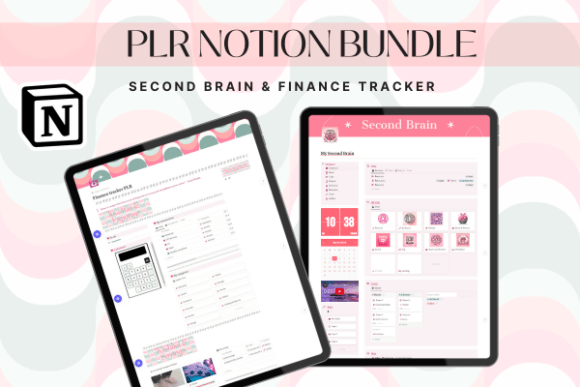
A pink, Second Brain-style workspace that pairs an income and expense tracker with savings goals, a wishlist, and a to-do list for money tasks. Resell rights are included, so read the license before sharing it.
All-In-One Study, Work and Money Planner
Best for: people who want one planner covering study, work, finances, and personal goals. The finance page tracks income, expenses, budgeting, and investments, while the lifestyle page holds a bucket list, wishlist, travel planning, and health goals.
Calm Life Overview in One Place

A planner that gives study, work, money, and personal goals their own pages. Monthly, weekly, and daily views keep your schedule on track, and the finance page keeps spending visible next to your other priorities.
Minimal Daily Planner With Budget Page
Best for: minimalist daily planning with a light budget section. The budget page uses automated calculators and sits next to a journal, daily reflection, recipes, fitness tracking, and routine pages. Several entries share this general name, so confirm by preview image.
Quiet Everyday Planning Layout
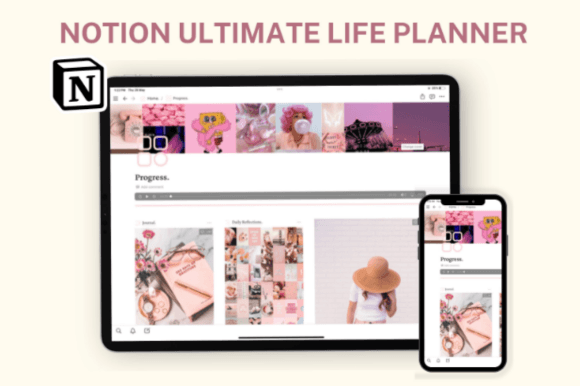
Simple, light-mode pages where money is one part of a calm daily routine. Keep your tasks, reflections, and spending in one view without switching apps.
Student Budget and Study Planner
Best for: students who manage a small monthly budget alongside classes and deadlines. It includes a budget planner page, an academics section with notebooks, a monthly task board, goals, a shopping section, and a fitness tracker.
Student Budget Made Simple
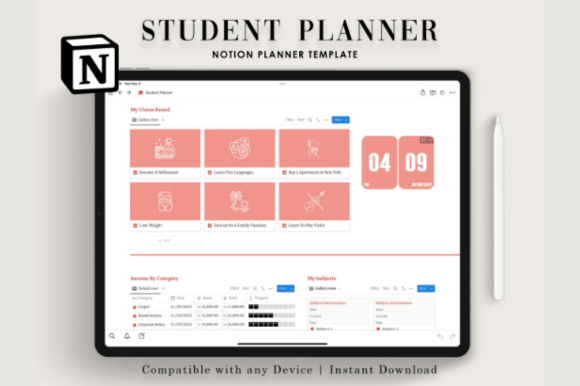
A student-focused layout where a budget page sits beside class notes and task boards. Editable sections let you add or remove areas as your semester changes.
Freelance Money and Business Command Center
Best for: freelancers and small business owners who need work and personal money in one place. It pairs a personal finances planner with projects, clients, assignments, an inbox, a priority list, a next-seven-days view, and a habit tracker.
Side Business Money Control Panel

A broad workspace where client work and personal money share one dashboard. Keep business income and personal spending on separate pages if you run a company from the same account.
Focused Aesthetic Money Tracker
Best for: a dedicated, focused finance tracker with a clean interface. It covers income and expense logging, custom categories, savings goal tracking, a to-do list for financial tasks, and a wishlist for planned purchases. This is a PLR product, so review the license before reselling.
Clean Finance Tracker Interface
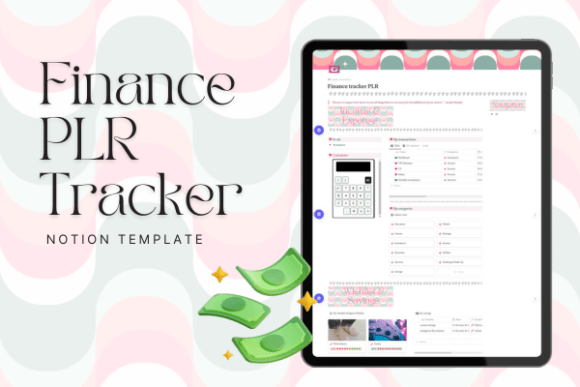
A tidy tracker built around money alone. Log inflows and outflows, sort them into your own categories, and watch savings goals fill up over time.
Money-First Records and Net Overview
Best for: the most finance-focused option. Choose it if tracking money is your main goal. It includes records for income, expenses, transfers, and bills, transaction logs, category breakdowns, a yearly overview, a financial habit tracker, and a daily expense calendar.
Clear Net Overview Dashboard
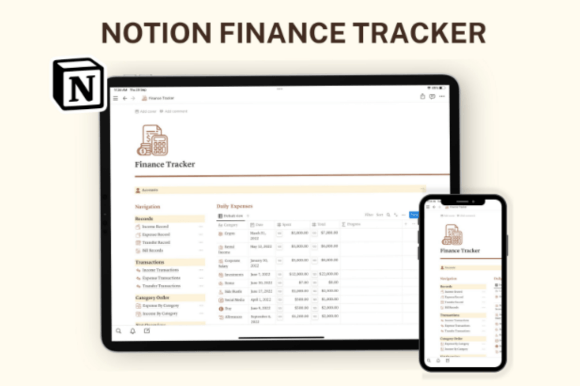
A finance-first layout with a side navigation bar and automated calculators. Totals refresh as you add transactions, so the yearly picture stays current without manual math.
Beige Calm Daily Planner With Budget
Best for: users who want a warm beige aesthetic with a budget section inside a daily planner. The progress area holds a journal, daily reflection, recipes, and fitness pages, while the calendar, budget page, media hub, and shopping list sit alongside morning and night routines.
Warm Beige Calm Planner
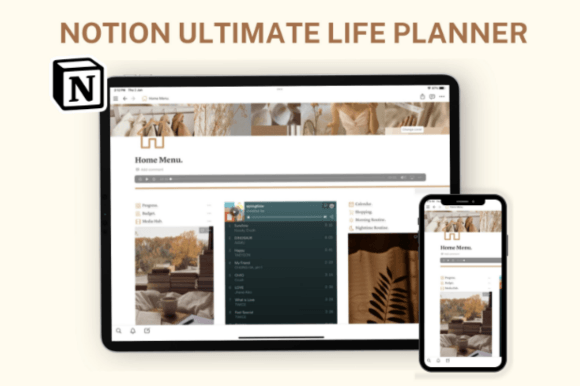
A soft, neutral planner where the budget page sits next to your routines. Automated finance tracking keeps numbers current, so you can spend less time maintaining the layout.
Goal-Driven Vision and Budget Planner
Best for: long-term goal setting combined with a simple budget. The vision section covers goals such as buying an apartment or saving for a family trip, while yearly, monthly, weekly, and daily planners handle the rest. The budget area includes a wallet, an automated calculator, a shopping list, and a subscription tracker.
Vision Goals Meet Savings

A planner that connects money with long-term dreams. Savings targets sit next to the monthly plan, so you can see how each purchase affects the bigger picture.
Free Personal Home Command Board
Best for: a central home dashboard that includes a finance tracker next to daily tools. It combines expense and budget tracking with a task list, projects, goals, a meal planner, a learning planner, a Pomodoro timer, and a Spotify playlist. The listing describes it as free, but confirm current pricing on the product page before recommending it.
Everything On One Screen
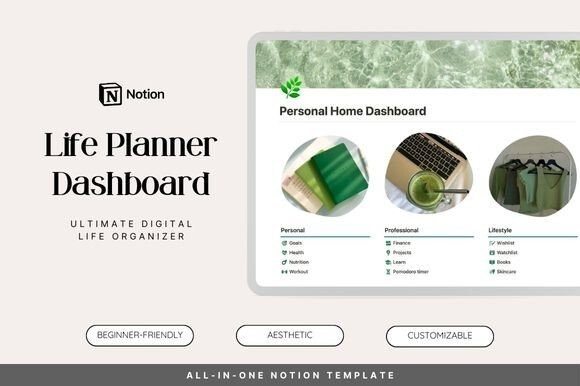
A bright home screen where your budget sits beside tasks, meals, and goals. Pomodoro and playlist widgets keep focus sessions simple, so the dashboard stays useful day to day.
Night Mode Planner With Budget Section
Best for: dark-mode users who want budgeting inside a full daily planner. The dashboard includes a journal, daily tasks, a work page, a monthly task board, a budget section, academics, a media hub, goals, a shopping list, a fitness tracker, and recipes.
Gentle Routine Money Tracker
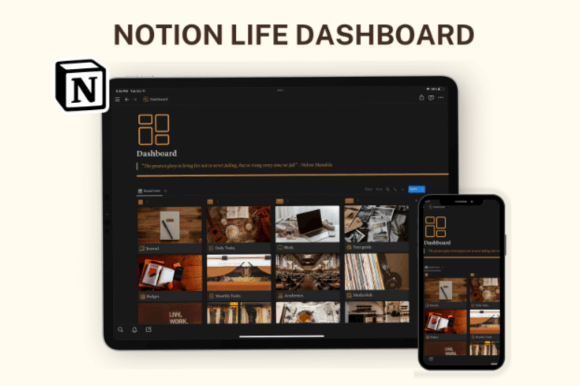
A dark-mode layout where daily tasks and spending share the same main page. The calendar and weather panel help you plan the week, and the budget section stays one click away.
ADHD-Friendly Planner and Wallet Tracker
Best for: ADHD-friendly planning that keeps spending visible without clutter. It has a wallet page with an automated finance calculator, a mood board, a habit tracker, a sleep log, a cleaning checklist, short and long-term goals, and the usual leisure, fitness, and nutrition pages.
Low-Distraction Money Routine

A planner built to keep the page calm and readable. The wallet and calculator sit on their own page, so spending stays visible without crowding your other routines.
Wedding Budget and Guest Organizer
Best for: couples tracking a wedding budget, vendor payments, and guest details. It includes a finance section with an expense tracker and a log of all transactions, plus a guest list, seating arrangement, wedding checklist, and day-of itinerary. It is a narrow use case, so choose it only for event budgeting.
Wedding Costs Under Control
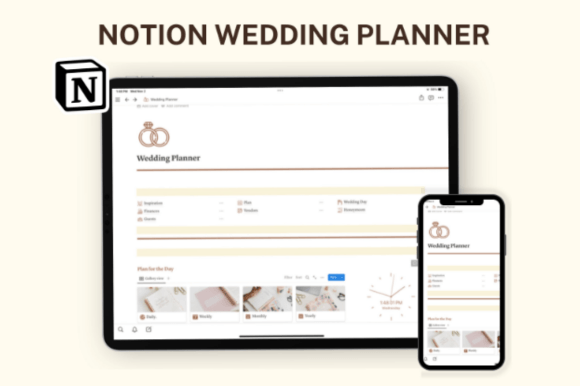
A planner that keeps vendor payments, guest details, and costs in one place. Each deposit and invoice is logged where you can compare it with the total budget.
Compact Bundled Life Planner With Budget Tracker
Best for: a bundled life planner with a budget tracker and sleep tracking. It includes daily tasks, a weekly agenda, monthly tasks, a subject tracker, a shopping cart, a sleep tracker, morning and night routines, and a media hub. It suits a compact, all-in-one setup.
Bundled Daily Life Overview
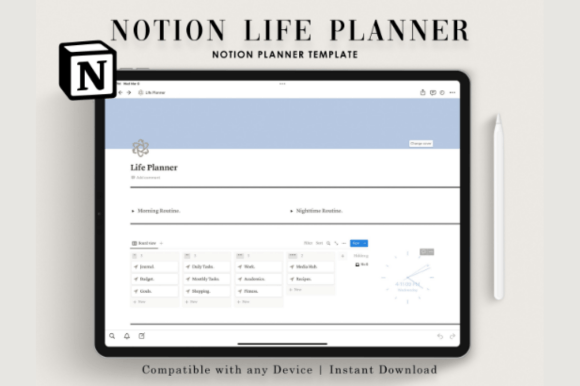
A compact planner that bundles several everyday tools into one view. Your budget tracker and sleep log sit side by side, which makes weekly reviews quicker.
Deep Red Dark Mode Daily Planner
Best for: dark-mode daily planning with a built-in budget. The progress section holds a journal, daily reflection, recipes, and fitness tracking, while the calendar, budget page, media hub, shopping list, routines, and to-do list fill out the rest.
Deep Red Evening Planner
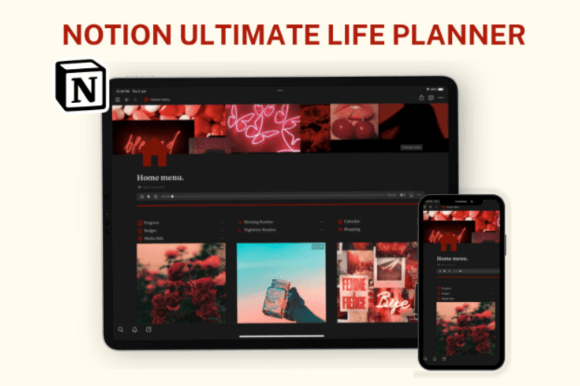
A dark, warm palette for evening planning sessions. The structure mirrors the lighter versions in this list, so you can switch color schemes without rebuilding anything.
Trip Budget and Travel Organizer
Best for: budgeting a trip, from transport and hotels to daily spending. It has a finances section with a budget tracker and automated calculator, hotel logs, a travel itinerary, research pages, a packing list, and separate transportation and nutrition budgets.
Packed Trip Expense Overview

A trip-ready layout where costs stay attached to the plans that create them. Hotel logs and transport budgets sit next to the itinerary, so surprises show up early.
Yearly Life Audit Worksheet
Best for: a yearly money and life review, not day-to-day transaction tracking. The three-step worksheet covers reflection on finances, wellbeing, and career, a vision board step, and SMART goal setting. It does not replace a transaction log, so pair it with another entry from this list.
Year-End Reflection Page
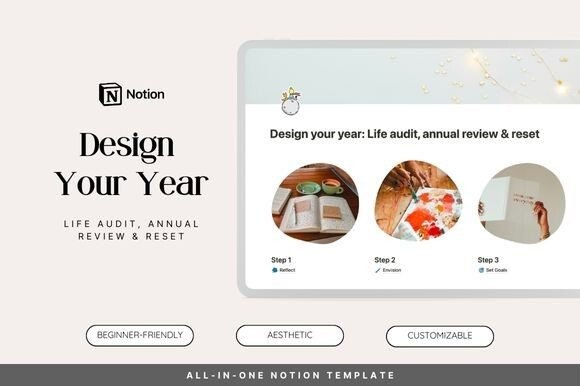
An interactive worksheet for a year-end check-in. Reflect on how your money moved, sketch the year ahead on a vision board, and turn your ideas into measurable goals.
Broad Dashboard With Finance Planner
Best for: a broad dashboard with a finance planner and habit tracking. It includes monthly and weekly planners, a weekly to-do list, a finance planner, project and goal planners, a cleaning planner, a travel planner, a task list, a mood board, a habit tracker, reading and movie lists, and a journal.
Wide Lifestyle Dashboard View
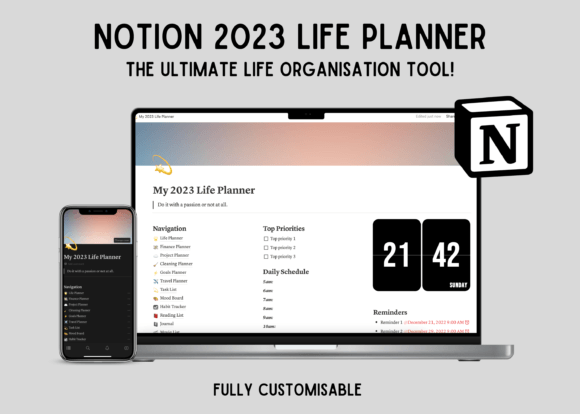
A wide, lifestyle-oriented dashboard with a simple finance section. Use it when you want budgeting, planning, and personal lists on one main page.
Notion Budget Template Free: Creative Fabrica Access Explained
Creative Fabrica currently offers one month of free access under its present offer. Describe it to yourself as a free trial rather than a permanent offer, since terms can change. Not every template in this list is free, so use the word “free” only for products whose listing says so.
You do not need a paid Notion plan to use any of these setups. A free Notion account is enough to duplicate a notion budget template free of charge and run it on desktop, phone, or iPad. Paid features matter mainly for larger teams.
Before the trial ends, check the renewal terms and cancel any subscription you do not plan to keep. Setting a calendar reminder a few days ahead is a simple way to avoid an unexpected charge.
How to Duplicate a Notion Template (Quick Steps)
- Open the product page and view the template preview.
- Follow the access instructions to get the template link.
- Open the template in Notion and click Duplicate.
- Choose your workspace, rename the page, and start customizing.
How to Set Up a Notion Budget Tracker Step by Step
A setup takes about 30 minutes if you prepare a list of bills and income sources first. Add real data only after the structure works. Test with one week of entries, then expand once the routine feels natural.
Step 1: Duplicate, Rename, and Pin Your Workspace
Duplicate the template, give it a clear name, and pin it to your sidebar. Delete sections you will never use, because a focused workspace is easier to open and review.
Step 2: Set Up Categories and Income Sources
List your income sources, fixed bills such as rent and subscriptions, and variable spending like food, transport, and entertainment. Create categories that match real habits. Five to eight categories work well for most people.
Step 3: Log Transactions on a Fixed Routine
Choose one logging routine: after each purchase, once a day, or once a week. Use the income, expense, and transfer records consistently. A fixed routine matters more than a perfect one.
Step 4: Set a Monthly Budget and Savings Goal
Enter a target for each category and a monthly savings goal. The savings tracker or financial habit tracker will show your progress, so you can see whether your plan holds up under real spending.
Step 5: Review Your Numbers Every Month
Check the category breakdown and yearly overview to spot overspending. Adjust categories and budgets, and treat the first two months as a trial period rather than a verdict on the system.
Notion Finance Dashboard: What to Include and How to Customize It
A good dashboard shows three numbers at a glance: income this month, spending this month, and savings progress. Dynamic dashboards update automatically when linked databases change, which is one of Notion’s biggest strengths for money tracking.
Customize with covers, icons, and colors, but keep the page simple enough to read in five seconds. A busy dashboard looks impressive for a day and then becomes something you avoid.
Essential Dashboard Widgets
- Monthly income versus expenses
- Spending by category
- Savings goal progress bar
- Upcoming bills and subscriptions
Adding Savings Goals and Wishlist Items
Link wishlist items to savings goals so purchases compete with your targets. A simple progress bar or percentage property makes the trade-off visible, and it is often enough to slow down impulse buys.
Building an Aesthetic Dashboard Without Losing Clarity
Stick to two or three colors, consistent icons, and clear headings. Then test the layout on a phone. A crowded page becomes unreadable on a small screen, while a clean one stays useful wherever you open it.
Budget Planner Notion vs. Spreadsheets and Budgeting Apps
Each option wins in a different area. Notion is strongest for flexibility, visual layout, and combining money with goals and tasks. Spreadsheets handle complex formulas and large data sets, while dedicated apps offer automatic bank syncing with less control over layout.
Notion vs. Google Sheets
Notion is easier to read and style, and its linked databases suit planning alongside other goals. Google Sheets offers stronger formulas, charts, and pivot tables for detailed analysis, so it fits people who enjoy deep number work.
Notion vs. Dedicated Budgeting Apps
Apps usually connect to your bank and send alerts, which saves manual entry. Notion requires you to log transactions yourself, but you keep full control of your layout and your data, and you can change the structure whenever your needs shift.
Which Option Should You Choose?
- Choose Notion if you want one workspace for budgeting and life planning.
- Choose a spreadsheet if you need heavy analysis.
- Choose an app if you want automation and do not mind less customization.
Using Your Notion Budget Template on Phone and iPad
Templates sync across desktop, phone, and iPad, so you can log an expense right after a purchase. Keep quick entry for mobile and save detailed review for a larger screen. Pinning the finance page to your favorites makes that routine faster.
- Create a simple “Add expense” view with only the amount, category, and date fields.
- Use iPad split view to compare the dashboard and the transaction log side by side.
- Keep dashboards light so they load quickly on mobile connections.
Common Notion Finance Template Mistakes to Avoid
- Too many categories: logging becomes a chore. Start with fewer and add more only when you need them.
- Skipping the monthly review: trackers get abandoned without a regular check-in. Schedule 15 minutes each month.
- Editing formulas blindly: a changed formula can break totals. Duplicate the database before you edit it.
- Choosing by looks alone: a pretty page with no real databases or calculators will not track anything.
- Logging irregularly: pick one routine and keep it for 30 days before judging the system.
Frequently Asked Questions
Is a Notion Finance Template Free?
Some templates are listed as free, but most are paid products. Creative Fabrica currently offers one month of free access under its present offer. Check each product page and the renewal terms, because offers can change.
Do I Need a Paid Notion Plan to Use a Budget Template?
No. A free Notion account is enough to duplicate and use these templates on desktop, phone, and iPad. Paid plans add features for larger teams, but they are not required for personal budgeting.
Can I Use a Notion Budget Template on My Phone?
Yes. Templates sync across devices, so you can log an expense right after a purchase. Create a simple entry view with only amount, category, and date fields to make mobile logging faster and less cluttered.
What Is the Difference Between a Budget Template and a Finance Tracker?
A budget template usually focuses on planned spending by category. A finance tracker records actual income and expenses over time. Many templates combine both, so you can compare the plan with real behavior each month.
Which Notion Finance Template Is Best for Beginners?
Choose a finance-first option with clear categories and a readable dashboard, such as the money-first records template in this list. Keep the setup small, track for two months, and add features only after the basics feel natural.
Can I Track Savings and Goals in the Same Template?
Yes. Several templates include savings trackers, income goals, or wishlist pages. Link those pages to your monthly budget so that each goal shows how it fits into your spending plan.
Do These Templates Work for Students or Couples?
Yes, but choose by use case. The student planner suits study budgets, and the wedding organizer suits event costs and vendor payments. Pick the one that matches your situation rather than the most detailed option.
The Bottom Line
A notion finance template works best when it fits your goal, whether that means daily expense logging, a full life planner, or a budget for one trip or event. Start with one template, set up categories in under 30 minutes, and review your numbers each month. Be honest about access: use the Creative Fabrica trial terms as they stand today, and verify each template after duplicating it. Your habits will shift over time, so treat the first two months as a test. Share your setup or your questions in the comments.
Worth Checking Out
Stop Forgetting What You Read: 16 Aesthetic Notion Book Tracker Template Picks
If you are still deciding how much structure you want, start with a small setup and let your real spending guide the next step.

