A good notion header can change how a whole workspace feels, and I learned that the hard way after staring at plain white pages for months. The top strip of every page sets the mood before you read a single line, so I started collecting soft, aesthetic covers and banners that made my dashboards feel personal. Today I went through ten picks that do exactly that, from calm pastel sets to a free guide packed with prompts.

Some of these are simple collections of cover images you drop onto any page, while others go deeper with databases, formula lessons and client-ready layouts. I grouped them by what they actually do for you, so you can skip what doesn’t fit. Every item here is a digital Notion template you duplicate into your own workspace, then use on a laptop, phone or iPad. Let’s start with the notion header picks, and keep the comparison at the end handy when you choose.
1. Notion Header Mockup Kit For Canva Sellers


I hit a wall when I tried to make a notion header preview look polished, so I went looking for a shortcut. This Canva mockup kit is made for sellers who want clean product photos without opening Photoshop. You drop your own screenshots into the frames, tweak colors and text, then export a JPG or PNG ready for Etsy. The canvas is already set to 3000 x 2000 pixels, and the drop shadows make a plain dashboard screenshot look like a proper product shot.
Inside you get cover mockups, description display images and support images, plus more than twenty-four layout options and a short tutorial. It suits anyone just starting to sell Notion templates, as well as shops that want fresh listing photos for an existing catalog. Because the frames share the same style, a whole product gallery looks consistent, which helps buyers trust what they are seeing before they click.
2. Notion Banner Aesthetic Covers For Every Page
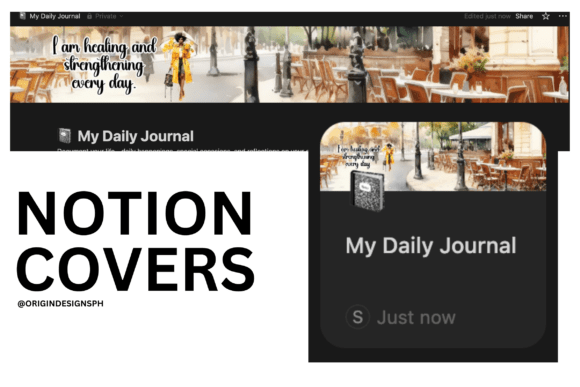

My top bar used to look like a blank wall, so I started swapping in soft covers until my pages finally felt like mine. This collection gives you high-resolution images already sized for Notion’s page width, so they sit cleanly at the top without stretching or blurring. The range of moods is wide, from sage and cream washes to bolder color blocks, which means each section of my workspace can carry its own feeling. If you want a notion header aesthetic 4k finish, these are sharp enough for large screens too.
I like one cover per area, like a dark tone for planning days and a bright one for creative projects, and the variety makes that easy. Since every image follows Notion’s dimensions, text stays readable over the top and the page looks polished on a laptop or an iPad. Adding one takes about ten seconds: paste the image, reposition it, and move on. If your dashboard feels dull, a notion header in this style is about the quickest way to lift it without rebuilding anything.
3. Botanical Formula Guide For Smarter Notion Workflows
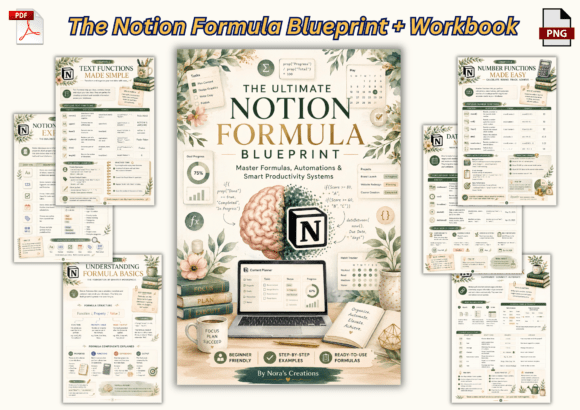
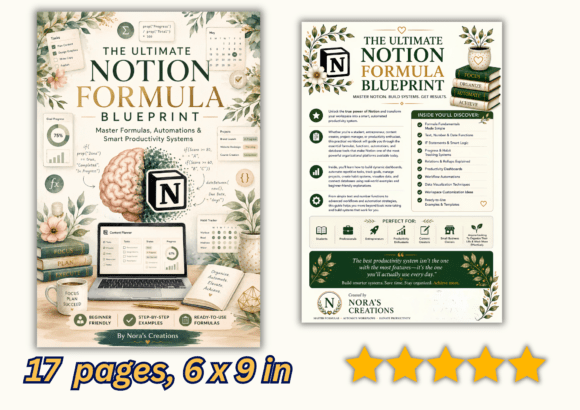
I used to copy formulas from random forum posts, so this guide landed on my desk at the right moment. It is a Notion workbook with seventeen lesson pages covering text, number and date functions, IF logic and progress tracking. The botanical watercolor design keeps every lesson easy to scan, and each concept comes with a simple example you can copy into your own database.
It suits students, teachers, creators and small business owners who want their setup to do more of the heavy lifting. You can build productivity dashboards, automate repetitive tasks and set up habit trackers that update themselves. Beginners get clear explanations, while experienced users will find the workflow automation tips useful for refining what they already have. Even the botanical look carries nicely into a notion header on top of each dashboard.
4. Polished Project Proposal Pages For Clients
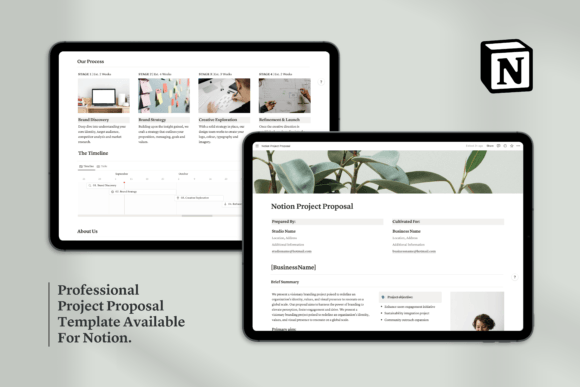
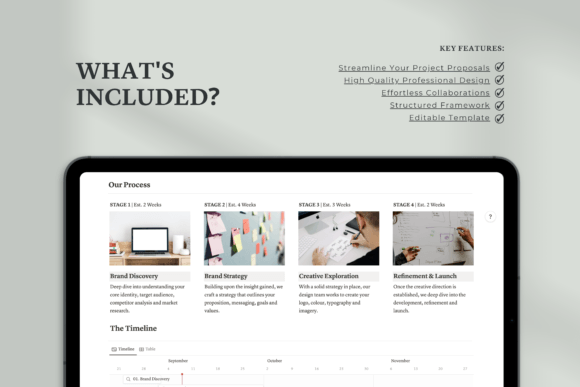
Proposals used to eat my weekends, so I went looking for a structure that handles the layout work for me. This Notion template comes with ready sections for personnel details, project overview, the process, timeline, case studies, pricing and packages, and terms. You duplicate it into your workspace, then swap the placeholder text for your own details and brand colors.
What makes it work for me is how easily a team can edit it together. Notion updates in real time, so a teammate on another continent can adjust the estimate while you refine the timeline. The sections are easy to reorder when a client asks for something different, and everything still looks clean. Freelancers, agencies and small teams will probably get the most out of it, since most of the structure is already written and waiting for your content, including a bold notion header on the first page.
5. Free AI Art Prompt Library For Creators

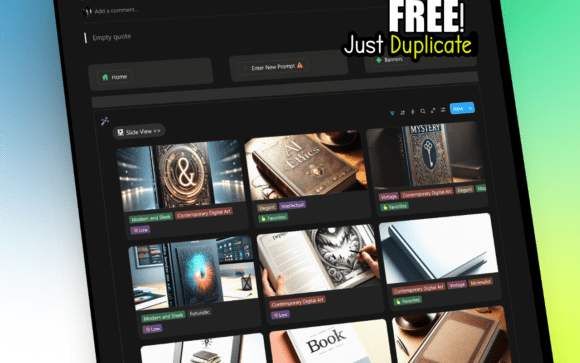
My AI art folder was a chaos of screenshots and half-written prompts, so this free template came at a good time. It is a Notion setup with more than fifty-seven advanced DALL-E 3 prompts aimed at book covers and banners, all sitting in one clean place. You get a prompt library, space to track which ideas you have tested, and an easy way to adjust wording for your own style.
It is 100 percent free to duplicate into your workspace, which I appreciated after so many paid bundles. Authors, designers and digital creators will get the most from it, because prompts are grouped by purpose and easy to filter. I still tweak every prompt before I generate, but having starting points saved in one table saves me a surprising amount of time. If you want a fresh notion banner idea each week, pick a few prompts, pair them with a palette, and your next cover stops feeling like a blank page.
6. Banner Notion Designs For Dashboard Pages
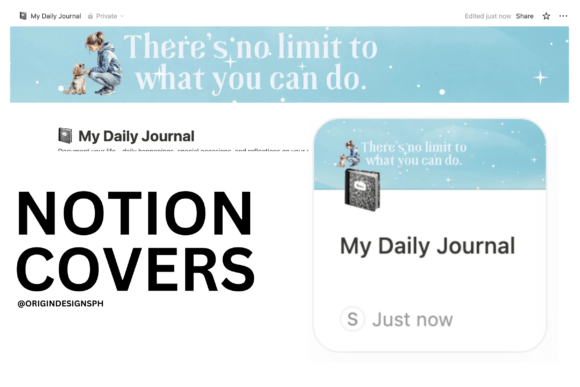

I can always tell when my Notion page feels stale, because the top looks exactly like the default. This cover set swaps that for a range of styles, from quiet textures to bolder gradients. Each file is high-resolution and sized to fit Notion’s page dimensions, so there is no awkward cropping or blur when it stretches across the width.
Choosing one is quick: pick a mood, copy the image into your page, and move on with your day. I like a different cover per area, like a cool tone for planning and a warm one for journaling, and the variety makes that easy. The notion header you choose sets the tone for the whole page, so it pays to test a few. It fits students, freelancers and anyone with a busy workspace, and it looks just as good on a phone or iPad as on a desktop.
7. Second Edition Canva Mockups For Shop Listings

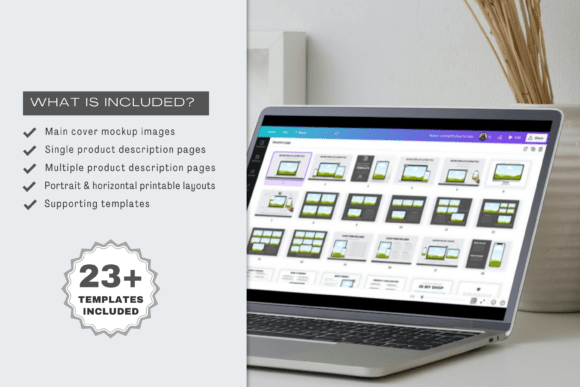
The first version of my mockup kit worked, but the frames felt a little dated, so this second edition is a refresh. It is aimed at Notion template sellers who want to show their work on Etsy without learning heavier design software. Every layout is pre-sized to 3000 x 2000 pixels, and the drop shadows keep screenshots crisp and realistic.
Upload your screenshots into Canva, drag them into the frames, adjust colors and text, then export as JPG or PNG. The kit includes cover, description and support mockups, with more than twenty-four layout options and a short how-to guide. Beginners can finish a full listing gallery in an afternoon, and experienced sellers can refresh tired photos without starting over from scratch.
8. Hook Library And Ad Copy Planner For Marketers
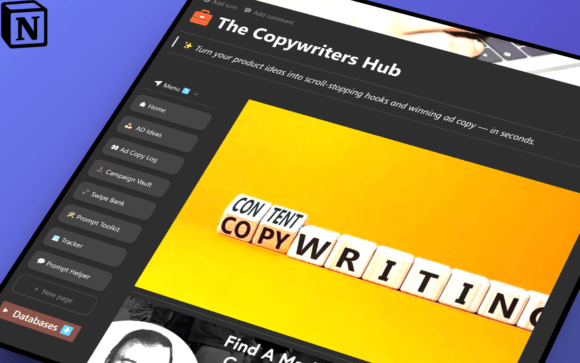
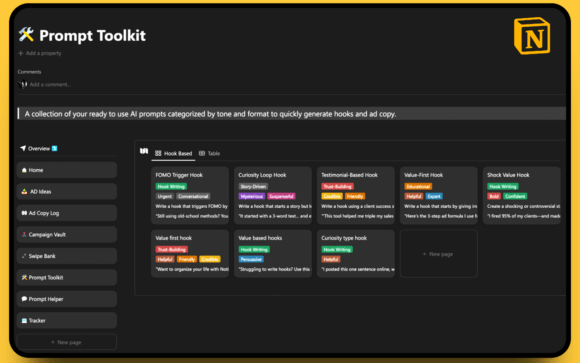
Ad copy used to live in five different notes apps for me, which made every campaign feel scattered. This template keeps hooks, campaign details and AI prompts together, so I can draft a new ad without digging through old files. You click New Page on the far right, fill in the details and start writing right away.
Each hook gets tags for curiosity, emotion or social proof, and filters let me pull up my best performers in seconds. I log the prompts from ChatGPT or DeepSeek next to the copy they produced, then track clicks, conversions and engagement as the numbers roll in. Copywriters, marketers and content creators will probably love the campaign board, since it sorts work by goal, audience, status and results. It turns a rushed process into something organized.
9. Free Brainstorming Guide For Prompt Designers

I keep coming back to AI art when I need a quick spark for a cover or poster, but my ideas often run dry after a few tries. This free guide is built for that moment. It gathers curated prompts meant for flyers, banners, posters and book cover mockups, so you start from something polished rather than from an empty box.
It also shows how to use Notion to organize AI art experiments, and how ChatGPT can act as a brainstorming partner that refines prompts before they reach DALL-E 3. The tone reads like friendly notes rather than a textbook, which I appreciated. Designers, marketers and self-published authors will get the most from it, especially when they want reliable starting points for everyday projects, plus a simple place to file every idea that might become a notion header later.
10. Cozy Gingham Covers Paired With Floral Icons


These covers carry a friendly, handmade charm that makes a page feel like a little notebook. I paired a gingham cover with a floral stamp icon on my reading list and the whole layout suddenly felt cozier. The set includes 41 gingham covers and 16 floral stamp icons in PNG format, so you can mix and match across every section of your workspace. Each piece drops in easily, so a notion header gets gentle color without feeling loud. It suits journalers, habit trackers and weekly planners who love a soft look, and it works just as nicely on a phone or iPad.
Best Notion Header Templates Compared Side By Side
Eight picks made the cut, and I compared them on what sits inside, who they suit best, how quickly you can start and the visual style. Some are plain cover sets that work in minutes, while others are full systems that reward a little patience. Use this as a quick guide to choose the right notion header for your workspace, or to pick a full template that fits how you already work.
| Template | What’s Inside | Best For | How Easy to Start | Visual Style |
|---|---|---|---|---|
| Aesthetic Notion Cover Pack | Cover images sized for page headers, sorted by mood | Anyone refreshing a dashboard or a reading corner | Beginner, paste and reposition in about ten seconds | Soft pastels, muted sage and cream |
| Notion Formula Workbook Guide | Seventeen lesson pages on formulas, IF logic, progress tracking and automations | Students, teachers and productivity builders | Intermediate, though beginners get clear step-by-step lessons | Botanical watercolor with calm green accents |
| Notion Project Proposal Template | Sections for overview, process, timeline, pricing, case studies and FAQs | Freelancers, agencies and small teams | Beginner, most of the structure is already written | Clean, professional and easy to brand |
| Free AI Art Prompt Library | More than fifty-seven DALL-E 3 prompts with a tracker for tested ideas | Authors, designers and digital creators | Beginner, free to duplicate | Organized tables with simple filters |
| Soft Notion Cover Set | Gradient covers in several moods for each section of a workspace | Students, freelancers and busy planners | Beginner, paste and go | Gradients and bold color blocks |
| Ad Copy Planner Template | Hook library, campaign board, AI prompt storage and performance tracking | Copywriters, marketers and content creators | Intermediate, a little database setup helps | Modern, tidy boards and tags |
| Free Brainstorming Guide | Curated prompts, ChatGPT refinement tips and a Notion workflow for AI art | Designers and self-published authors | Beginner, reads like friendly notes | Creative and friendly |
| Floral Gingham Notion Covers | 41 gingham covers and 16 floral stamp icons in PNG format | Journalers, habit trackers and weekly planners | Beginner, drop in and go | Cozy, soft and feminine |
The Bottom Line
So that’s my ten-pick roundup, and if I had to choose one starting point, I’d grab a soft cover set first. A good notion header changes how a workspace feels, and it takes almost no time to apply. From there, add a formula guide, a proposal layout or a prompt library as your needs grow. Keep the look consistent across pages, and your Notion space will feel calm and intentional without much effort.
Whatever your style, pick the notion banner that matches your mood today, and swap it when the season changes. Every template here duplicates into your own workspace in a couple of clicks, works on the free plan, and runs on a computer, phone or iPad. Take your time, test two or three, and keep the one that makes you want to open your pages.
Worth Checking Out
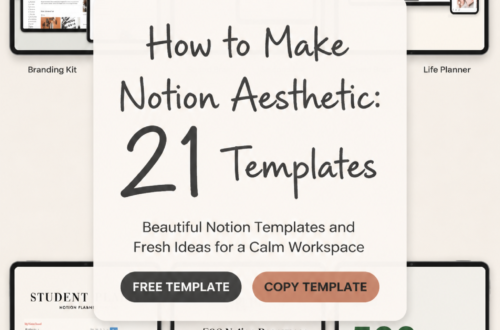
How to Make Notion Aesthetic: A Calm Setup Guide With 21 Templates